

It is very easy to allow your visitors or clients to download your videos if you so choose, at both the account-wide and individual video level. By default, downloads are not enabled for videos in your account.
You can allow people to download the source video (if you have selected to keep your source videos) along with the UHD, HD or SD encoded versions of your video.
Enable viewer downloading for an individual video
- Select the video from your Videos page.
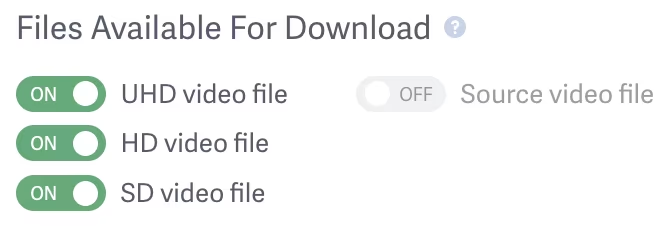
- Scroll down to ‘Files Available For Download’.
- Enable the switches for the version of the file you would like the viewer to be able to download.
Enabling SD downloads will allow the viewer to download a video in the highest resolution available of the 240p, 360p, or 480p version.
Enabling HD downloads will allow your viewer to download the highest available of the 720p or 1080p version.
While enabling UHD downloads will allow your viewer to download the highest available of the 2K, 4K and 8K version.
NOTE: If you would like to provide your viewers with the option to download the original source video file, please check out our article on How to Save Your Source Video Files.
Enable account-wide viewer download access
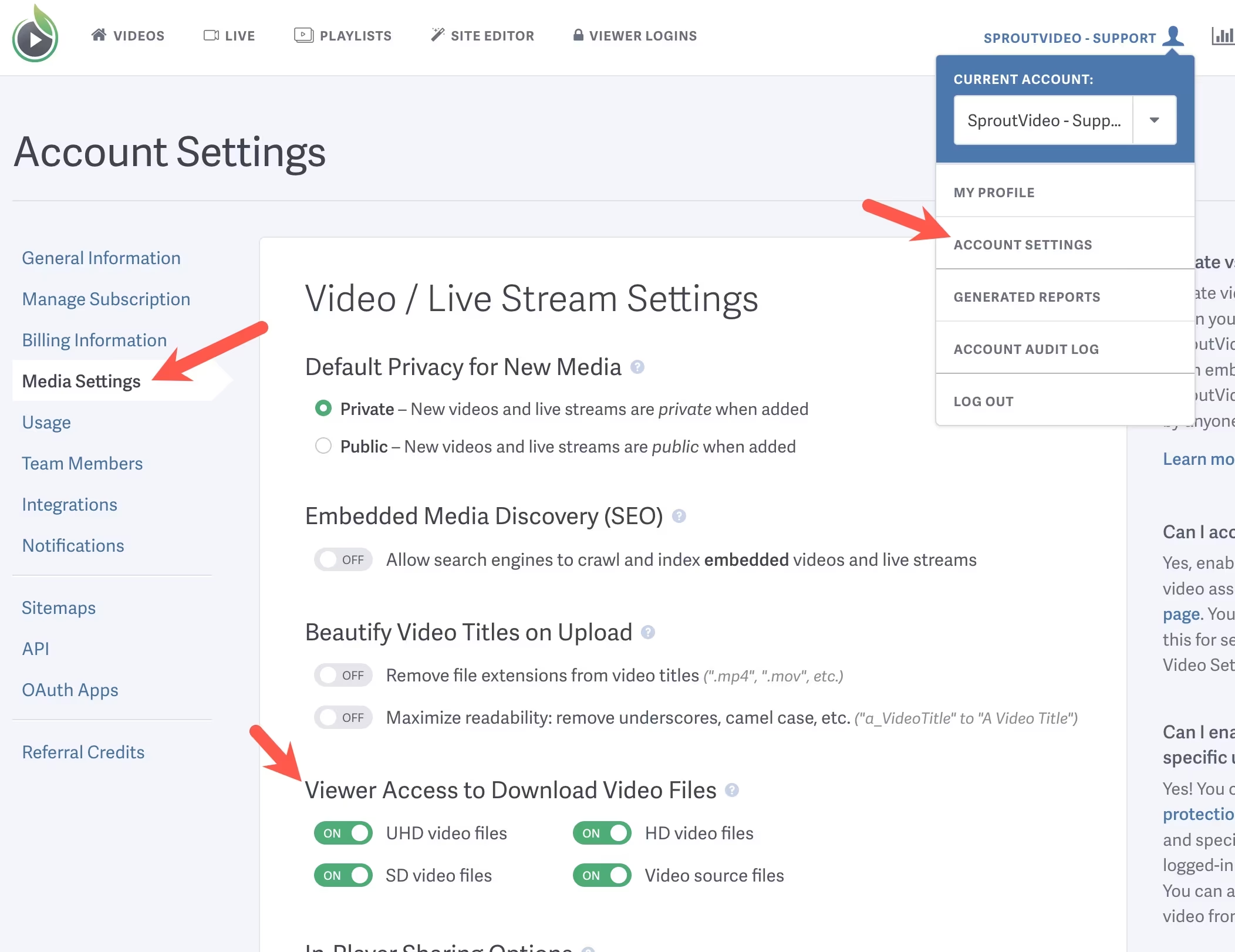
- Go to your Account Settings page.
- Click on the ‘Media Settings’ tab on the lefthand side of the screen:
- Check ‘Keep Source Video’ if you want your visitors to be able to download the original video file (this must be done prior to uploading the video). UHD, HD and SD versions are created by our transcoding process, and are not necessarily equivalent to the original video file.
- Scroll down to the ‘Visitors Can Download’ area and enable the switches for the videos you would like people to be able to download when they visit your video page:
- Click ‘Save Video Settings’ at the bottom of the page
Users will now see links to download the video when they visit any of your video pages.
To enable downloads only for specific users, and not at the Account-wide level, you can use Login Protection for those videos. Here is a help article describing how to use login protection.
Other articles in the General and Common Questions section:

