

In order to share a video with someone, the video needs to be public, password protected or login protected. If the video is private, no one but you will be able to see the video unless it is embedded on a webpage other than SproutVideo.
How to share a video
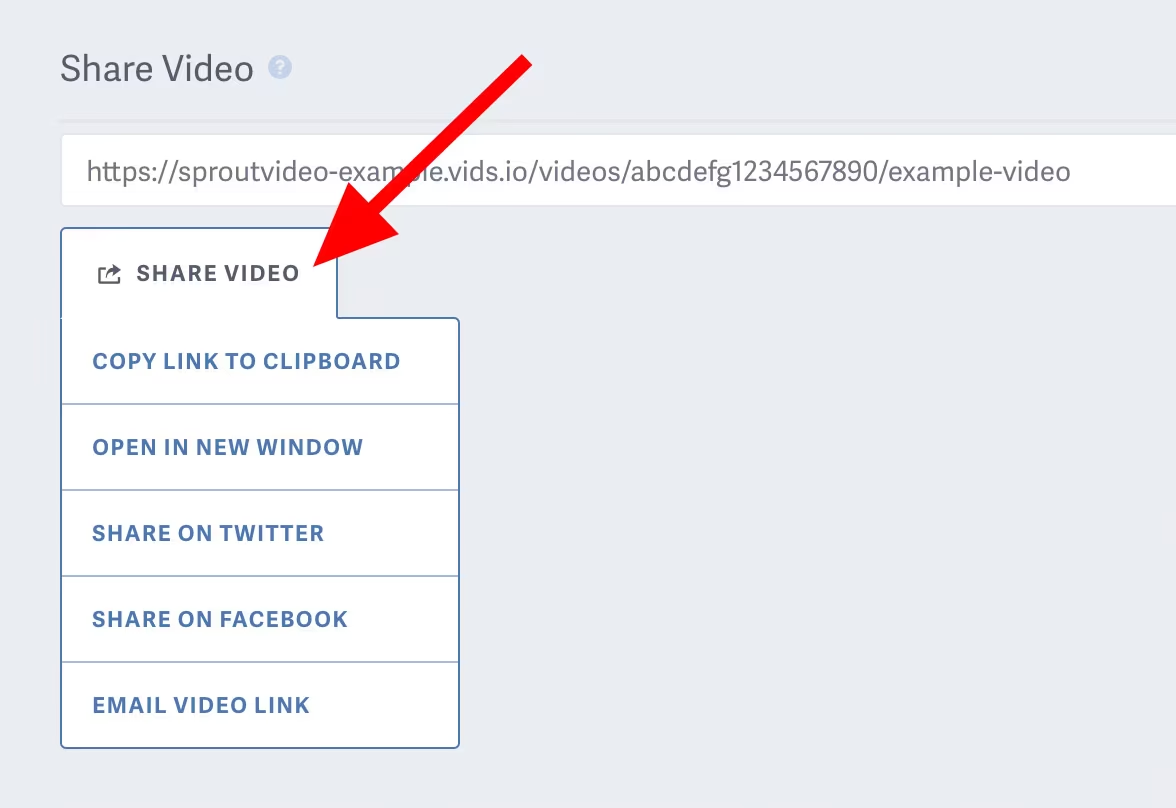
From ‘Your Videos’ library page, open the video you want to share. On your video’s detail page, you’ll see a section titled ‘Share Video’ below the video preview. In this section, you can click in the field with the video share URL to copy it, or hover over the button labeled ‘Share Video’ to see all of the sharing options in the shortcut menu:
You can also share a video by clicking the share icon on ‘Your Videos’ library page. This will copy the video share URL to your clipboard.

You can customize your video sharing URL by navigating to the ‘Site Editor’ then select the ‘Advanced’ tab. Here you can enter a new ‘Video Site URL’

To change the privacy settings of a video, such as to make it Public or Password Protected to enable sharing, please refer to this help article on changing the privacy settings of your videos.
Note: If you need a Direct MP4 Video Asset URL you can read more about Direct Video File Access here.
Other articles in the General and Common Questions section:

