

NOTE: This guide is for granting access to multiple videos at a time. To grant access to individual videos please follow our guide on How To Grant Login Access to a Video
If you are using login protection to safeguard your videos hosted on SproutVideo, you can quickly and easily grant login access to multiple videos for multiple people at once, which will make life easier if you have lots of videos or a large audience. The following instructions from the Video tab using the ‘Edit Privacy’ drop-down menu.
-
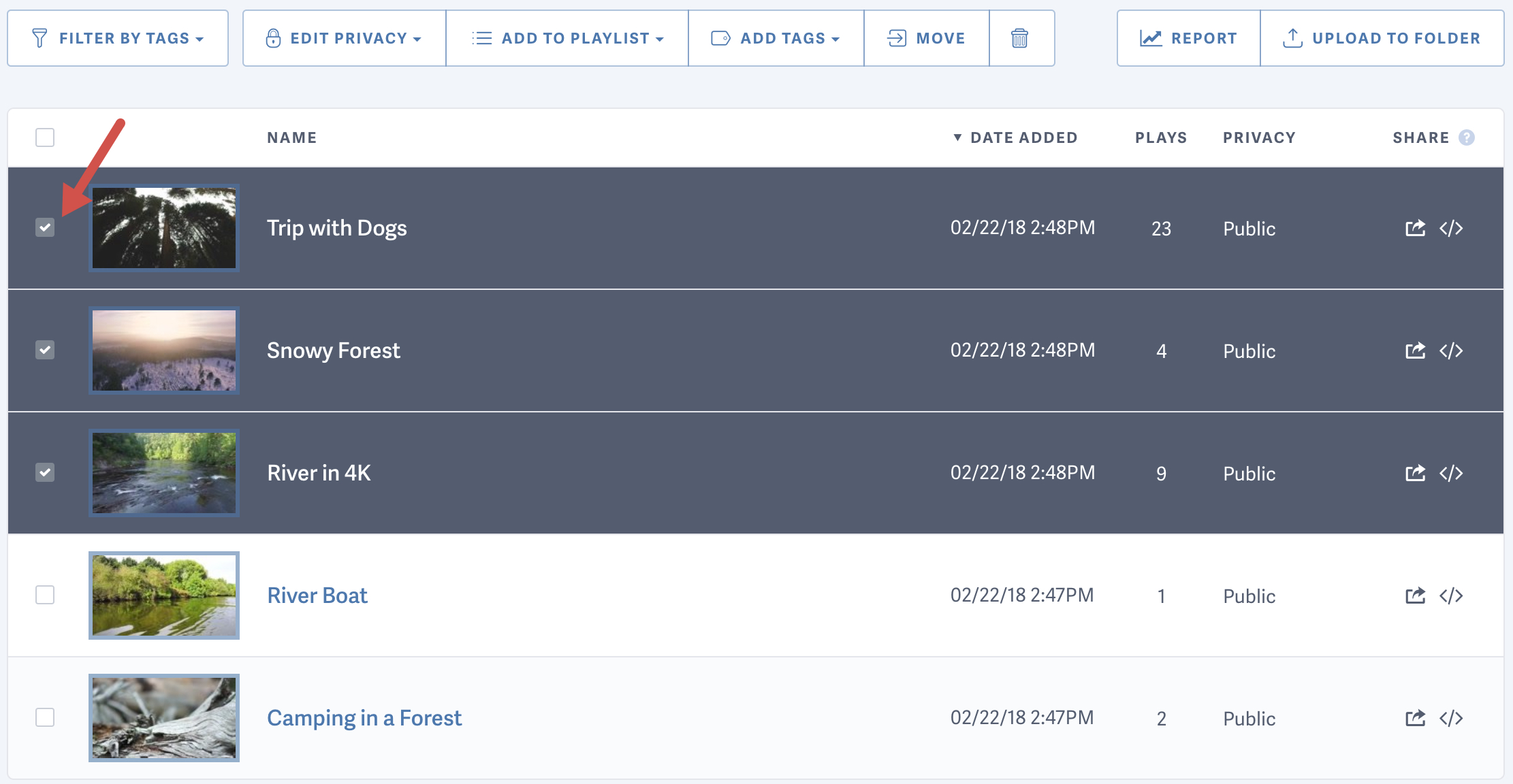
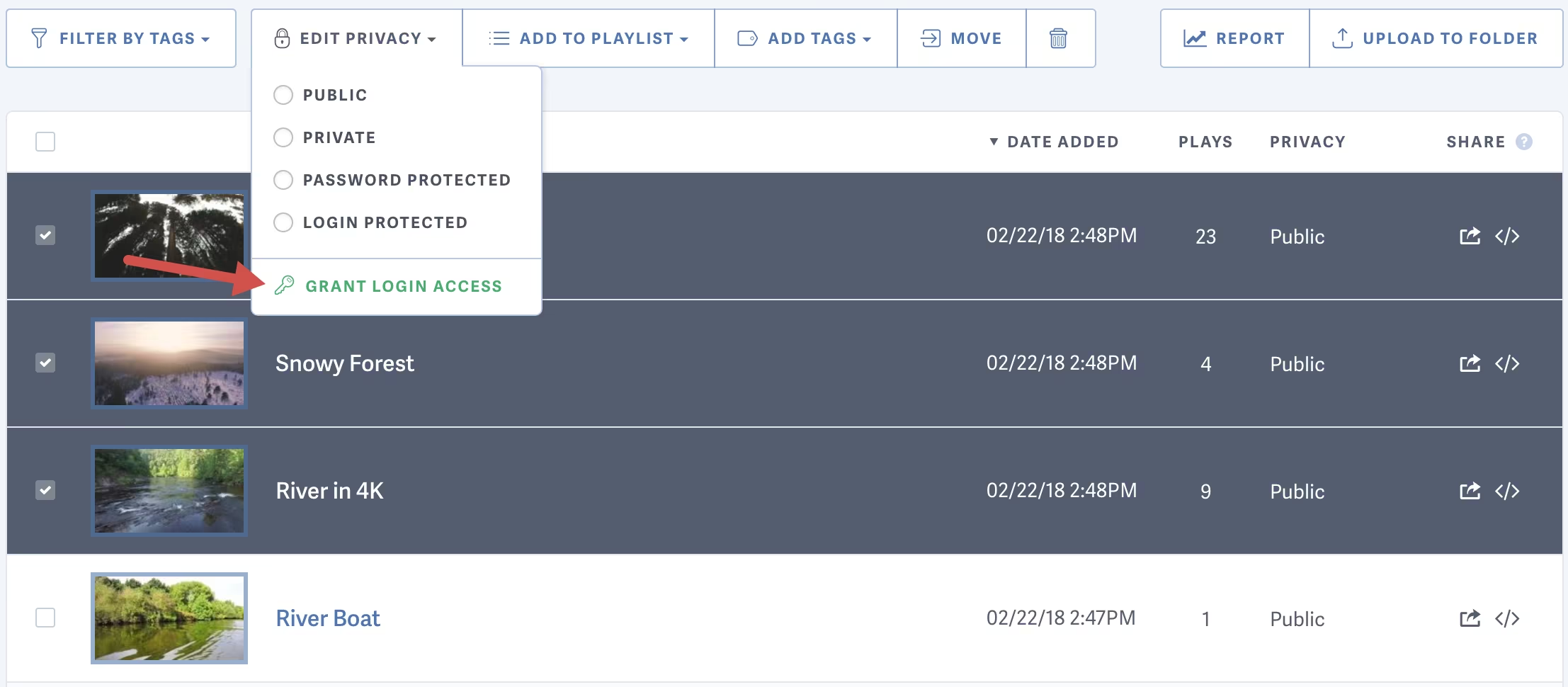
Navigate to the videos tab and select the videos to which you want to grant access:
-
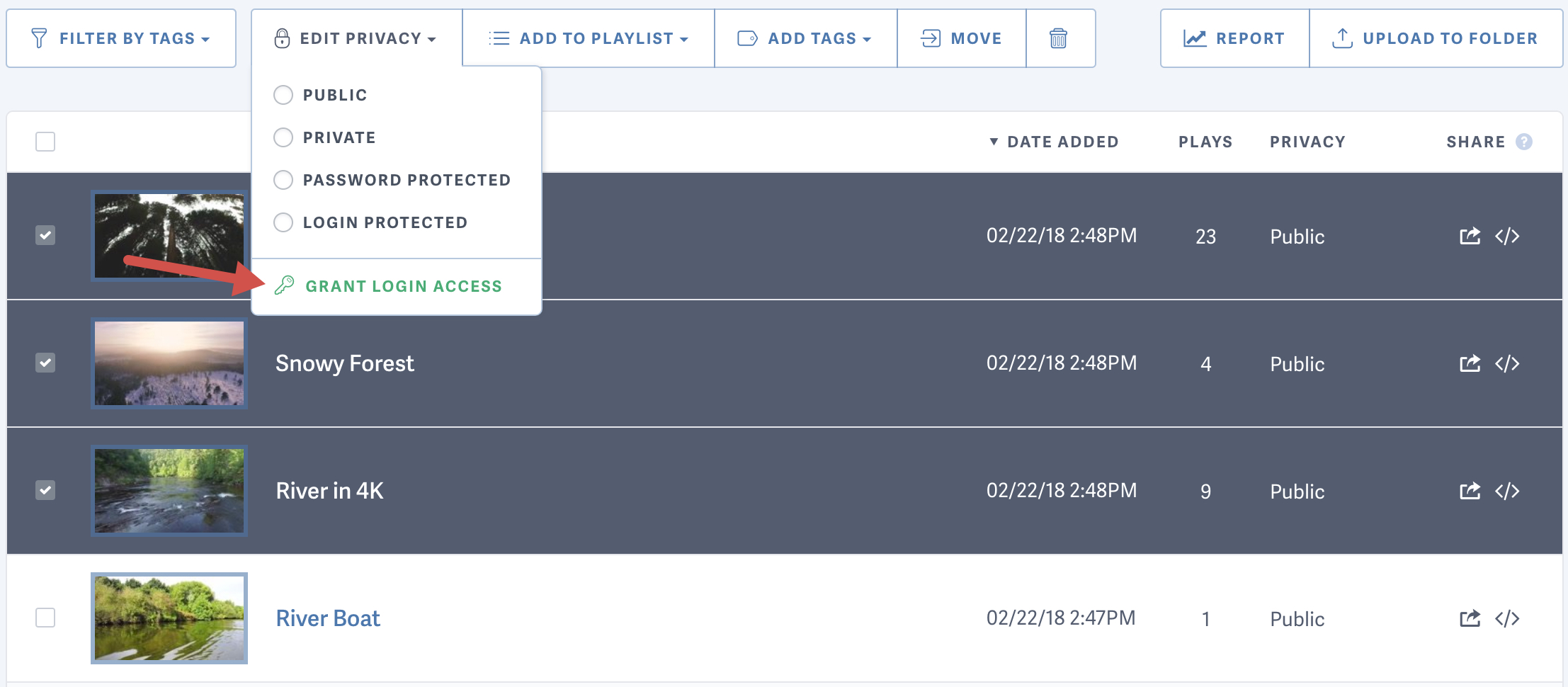
Use the edit privacy drop-down menu to select ‘Grant Login Access’
-
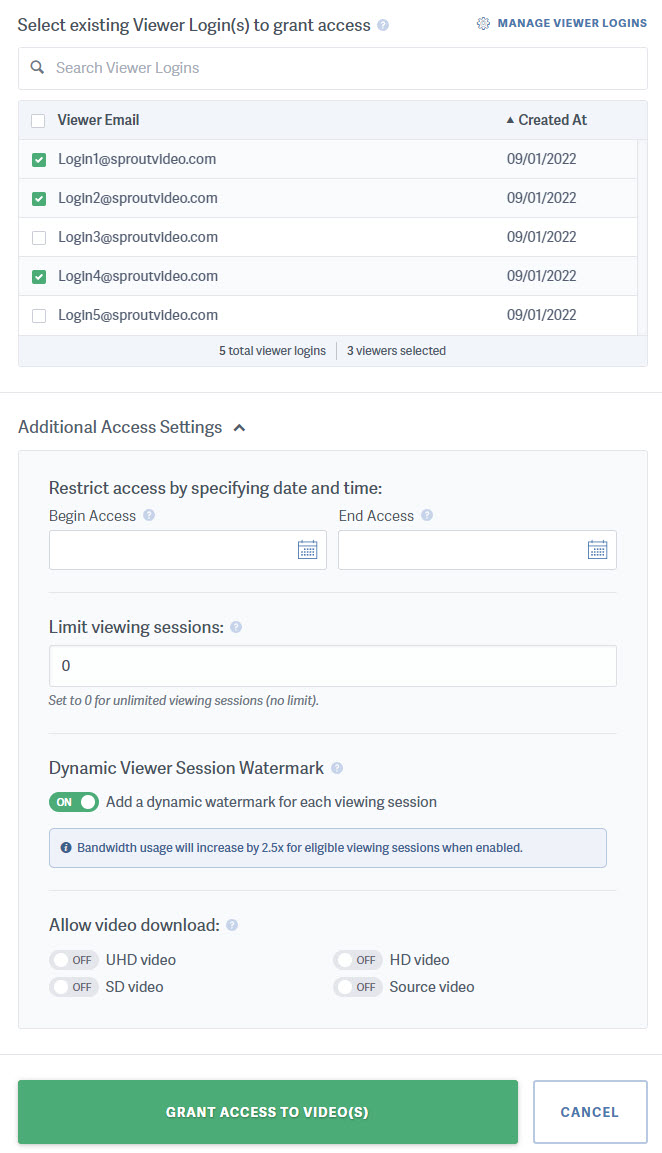
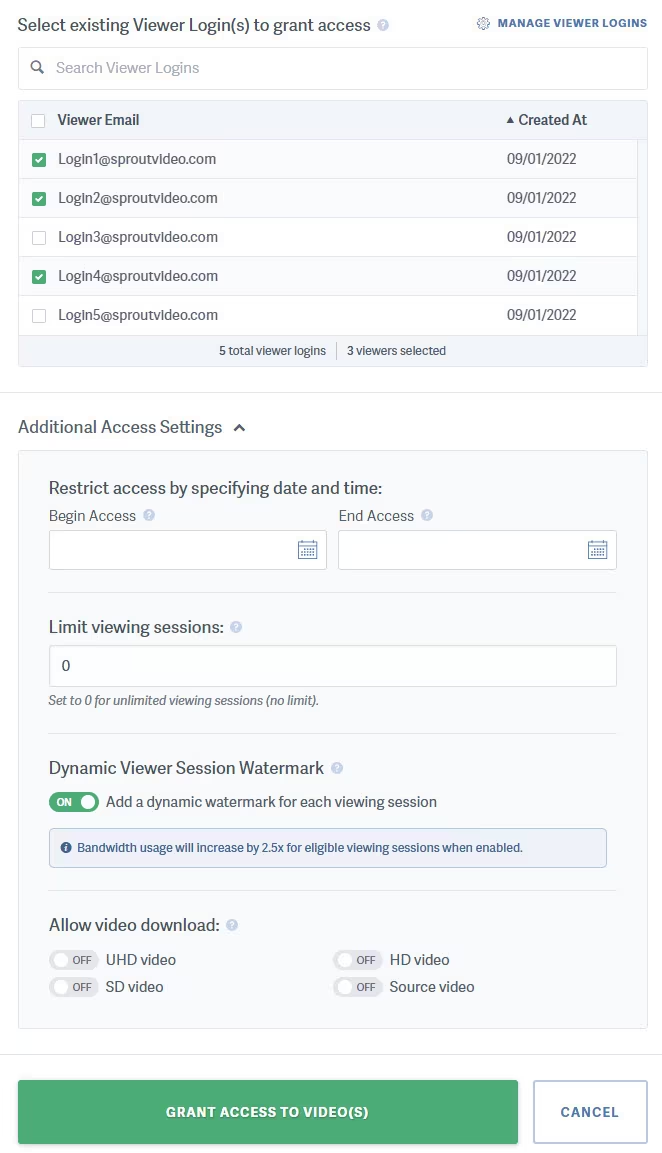
Choose the logins you want to be able to access your selected videos, configure the additional access settings, and click ‘Grant Access to Video’
Note: Access grants control access to the video player. When you set an Access End Time, viewers can no longer log in to the player after that time. However, playback for the video in an already logged in session can continue for up to 6 hours, as long as the page stays open and the viewer doesn’t log out, refresh, or close the window.
Other articles in the Privacy and Password Protection section:
- How to Share a Single Unlisted Video by Link
- How to show Login Protected videos to logged out viewers
- Dynamic Watermarks for Videos
- Overview of Video Privacy Settings
- How to Change the Privacy Settings of a Video
- Change Privacy Settings for Multiple Videos at Once
- Who Can See Private Videos? Who Can See Public Videos?

