

You may need to share a single video with a viewer and limit their access to that video only. Using an individual video landing page prevents viewers from browsing the rest of your site’s content and keeps their attention focused on the video you intended to share.
NOTE: To ensure viewers can not navigate to any other video you will need to disable your full video website. Disabling your site is only available with certain plans. Please contact support@sproutvideo.com with any questions.
This guide explains how to share access to a standalone video page. It does not restrict who can watch the video. Anyone with the link will be able to view it unless you also enable Password Protection or Login Protection.
To share an individual video with a viewer via the link:
-
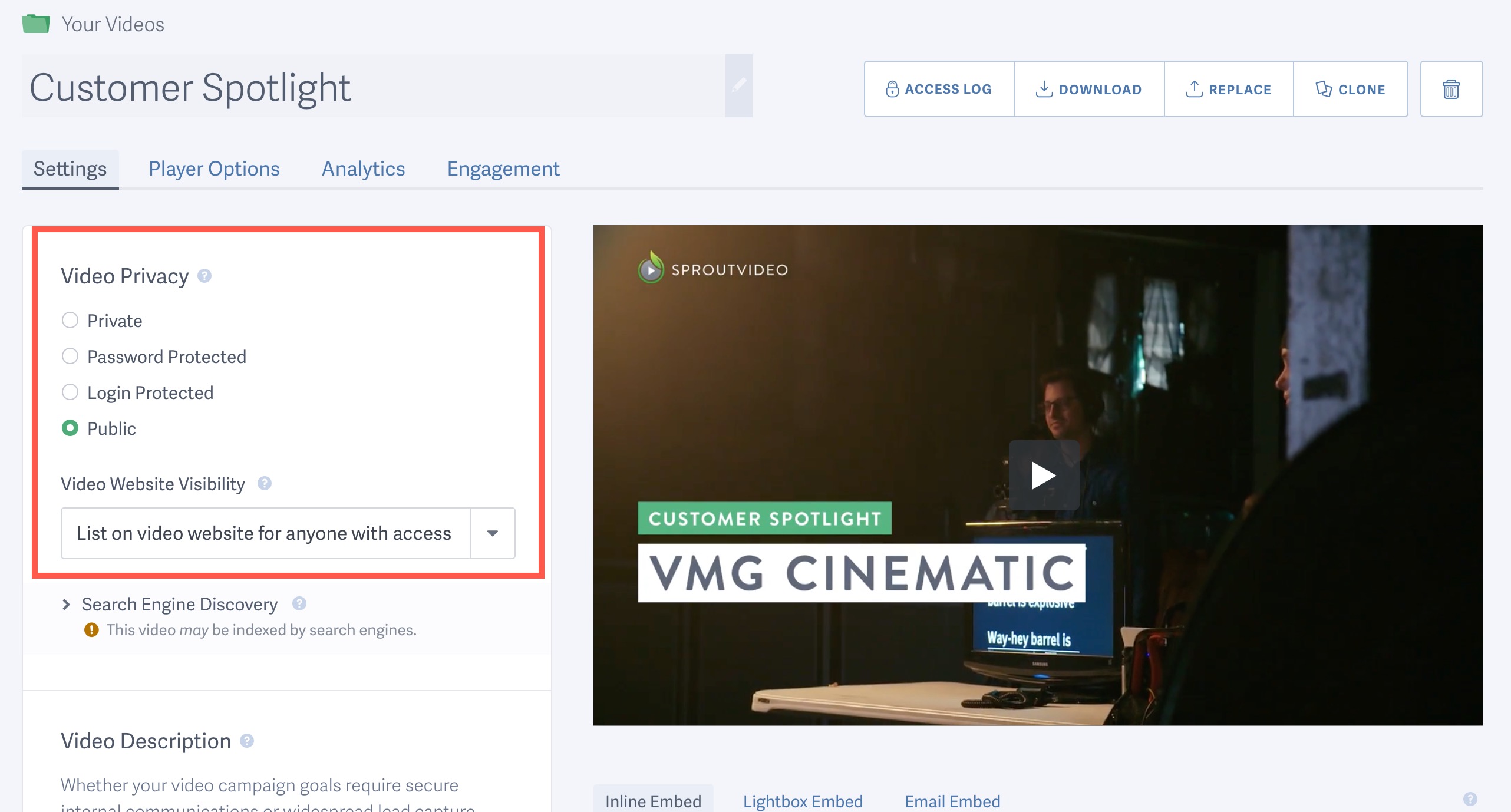
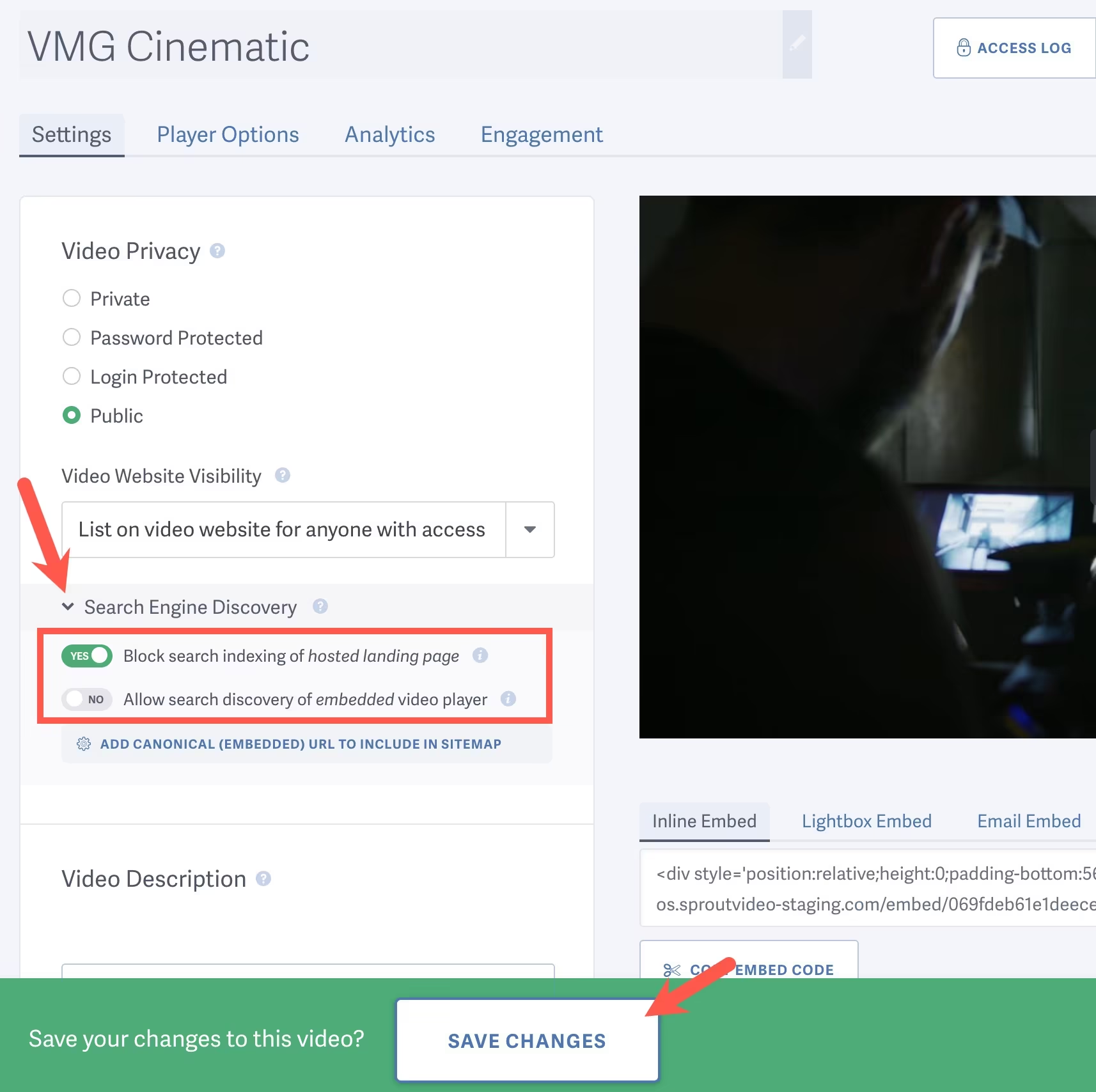
The video must first be set to Public. Public means anyone with the link can access the video landing page. However, viewers cannot download the video. This guide explains how to change your video privacy settings.
-
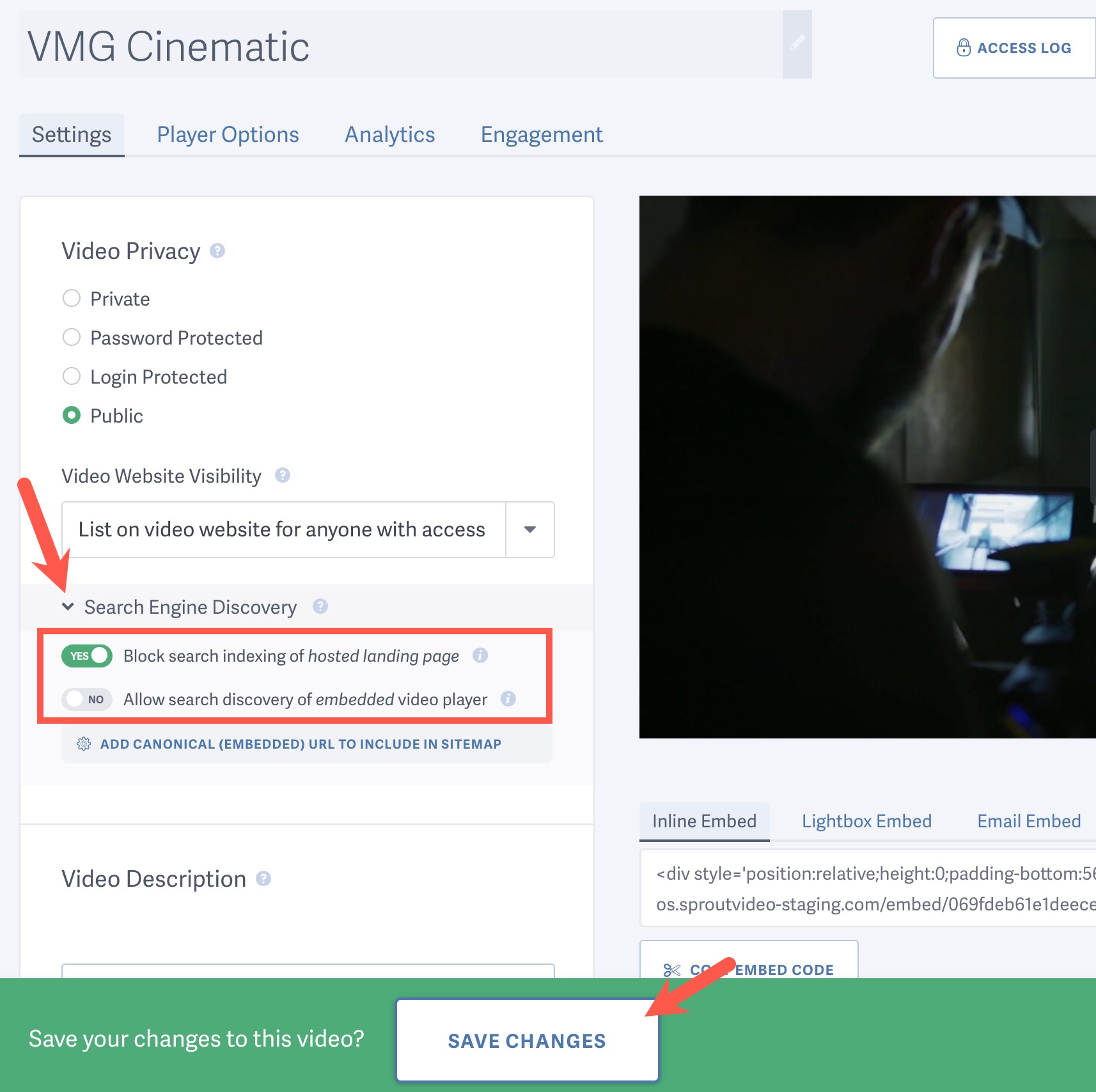
To ensure the video will not appear in Search Engine results, expand the ‘Search Engine Discovery’ drop down and toggle the switch for “Block search indexing of hosted landing page” to ‘YES’ then be sure to Save Changes.
-
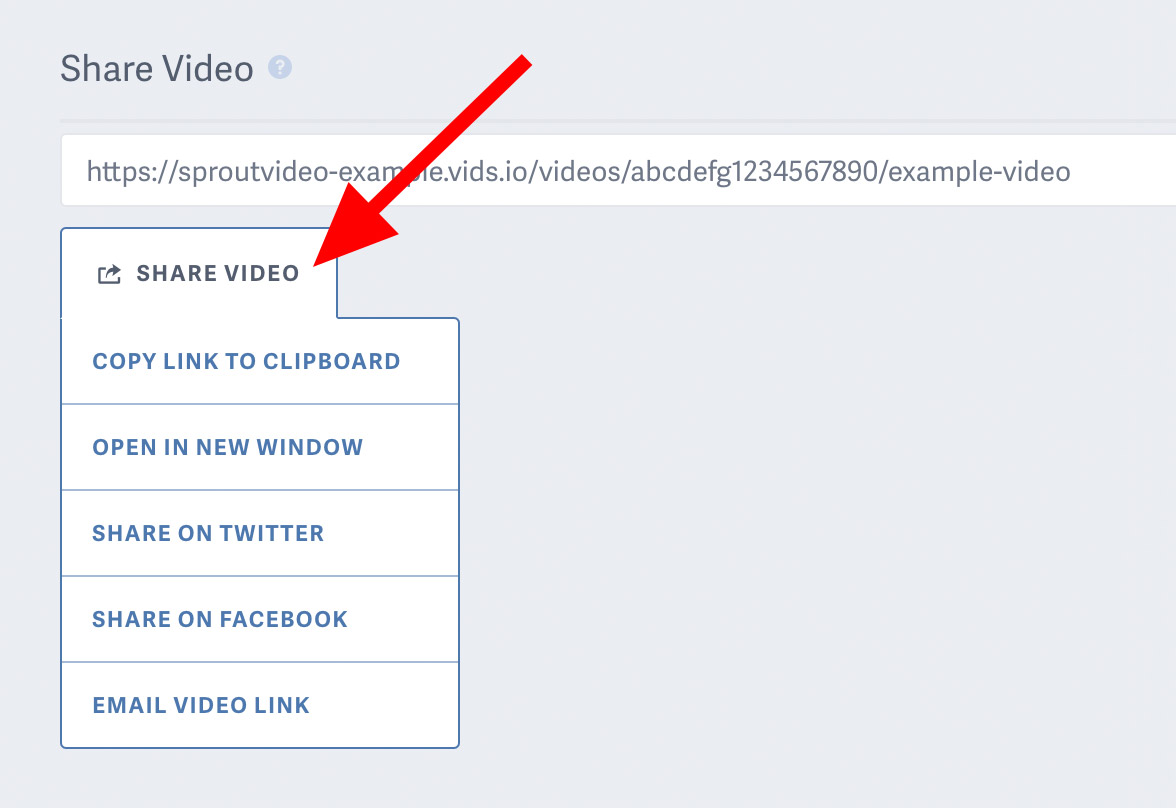
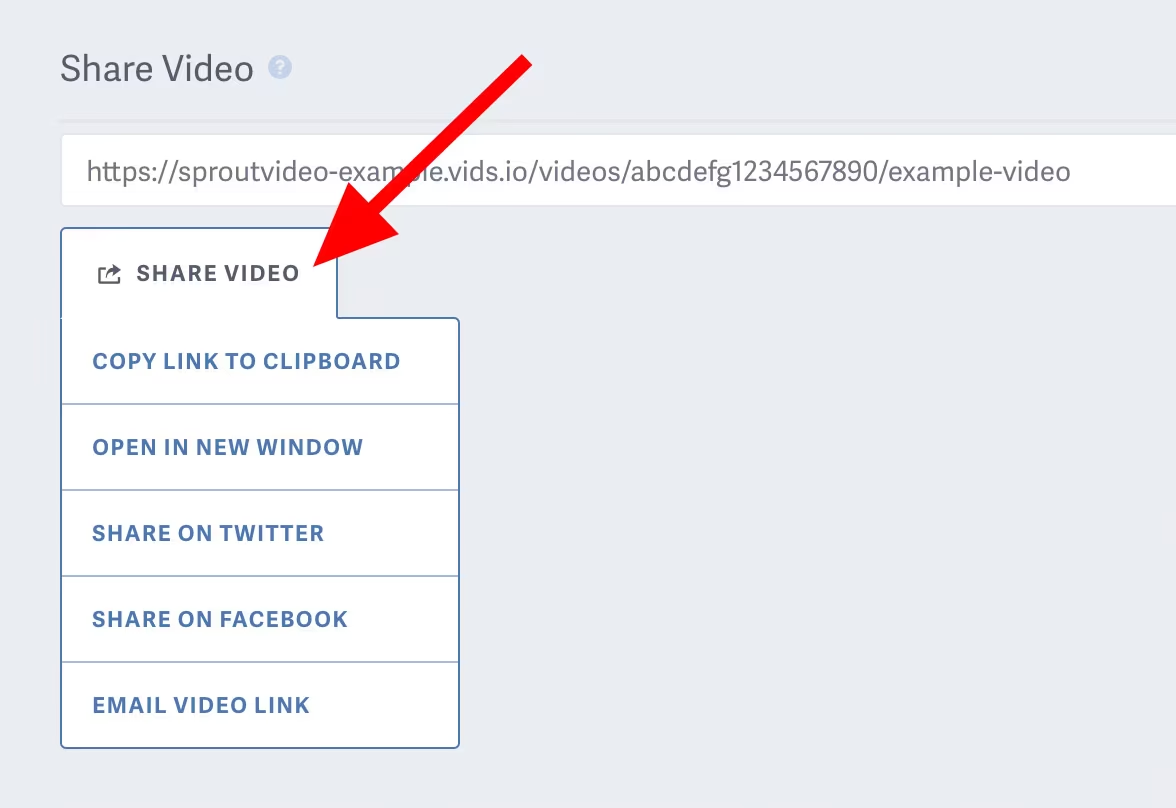
Once the settings above have been configured, you can now copy and send the Share Video URL to your viewer.

Other articles in the Privacy and Password Protection section:

