

All of our plans include the ability to customize your landing pages, while the Sprout, Tree, and Forest plans include a fully customizable video website. This guide will cover the Advanced settings availble on your Video Website, including:
- Google Analytics ID
- Block Search Indexing
- Site Navigation and Content Discovery
- Video Website Password
- Visibility of Login Protected Video
- Self-Manage Viewer Login Passwords
- Custom Text on the Viewer Login Page
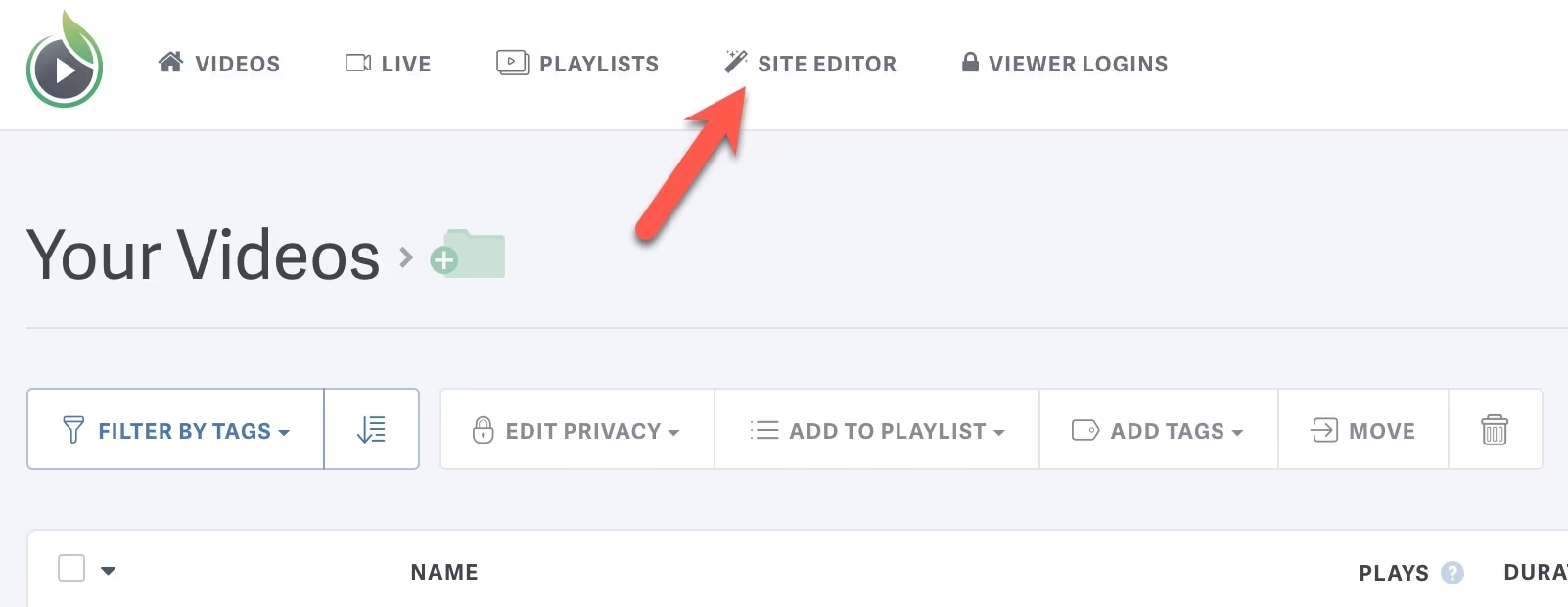
The video website is an easy way to share your videos with an audience. To change the settings for your website, select ‘Site Editor’ at the top of your screen, then navigate to the ‘Advanced’ tab.

Google Analytics ID
If you have a Google Analytics account, and wish to track traffic to your Video Site, enter your Google Analytics ID here.
Learn more about using a Google Analytics ID here.

Block Search Indexing
Switch this toggle to “ON” if you would like to prevent search engines from indexing any content that support the noindex rule, such as Google.
Enabling this setting serves as the default setting for all content landing pages. You can override this to allow search indexing for any individual video, live stream, or playlist from the respective settings page.
Learn more about Search Engine Indexing here.

Site Navigation and Content Discovery
Switch toggles to “YES” if you would like to disable your full video website navigation (keeping your branded video landing pages) or site-wide video search.
When site-wide navigation is disabled (toggle switched to “YES”), the preview to the right will display a single video landing page. If you only have private videos in your account, there will be no viewable videos to display, so you will see a 404 error page in the preview.
If you prefer to keep your full site navigation, but want more control over what content your visitors can easily navigate to, disabling the site search might be helpful.
Learn more about disabling your full site navigation here.

Video Website Password
If you’d like to password protect your entire site, please enter the password you’d like to use here.
Learn more about password protectiong your entire video website here.

Visibility of Login Protected Video
Enabling this setting will allow logged out viewers to see Login Protected videos on any listing page and/or visible playlist. Viewers are still required to log in to verify access to watch any login protected video. If a viewer is logged in, they will only see videos they have access to watch.
Learn more about Login Protection visibility here.

Self-Manage Viewer Login Passwords
This setting allows users to change or reset their passwords on their own. Disable this setting if you’d like to manually manage passwords for your users.
Learn more about self managing password here.

Custom Text on the Viewer Login Page
You can add custom text to be displayed on your login page to provide additional context or instructions to your viewers regarding their login access. This text will appear below the main header on the login page.
Limited HTML is permitted in this rich text field:
- Bold <strong> OR <b>
- Italic <em> OR <i>
- Underline <u>
- Links <a>
- Paragraph <p>
- Line Breaks <br>

Other articles in the Video Websites section:

