

How to track login activity
To see the access log for a video hosted on SproutVideo:
- Go to the video page for the video you would like to view the access log.
-
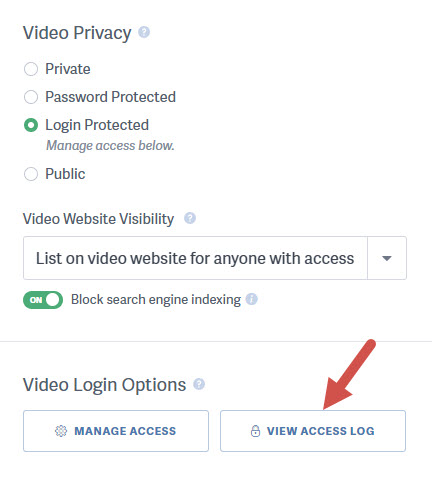
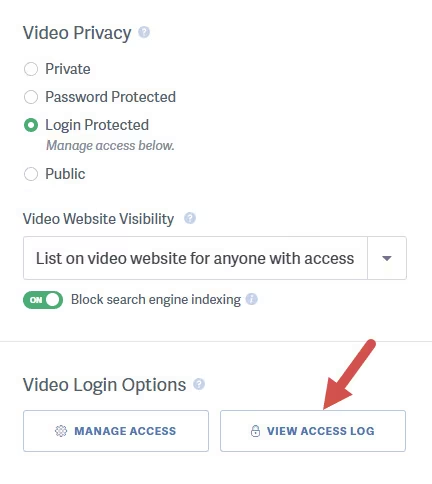
Click on the ‘Video Access Log’ button in the Video Login Options box.
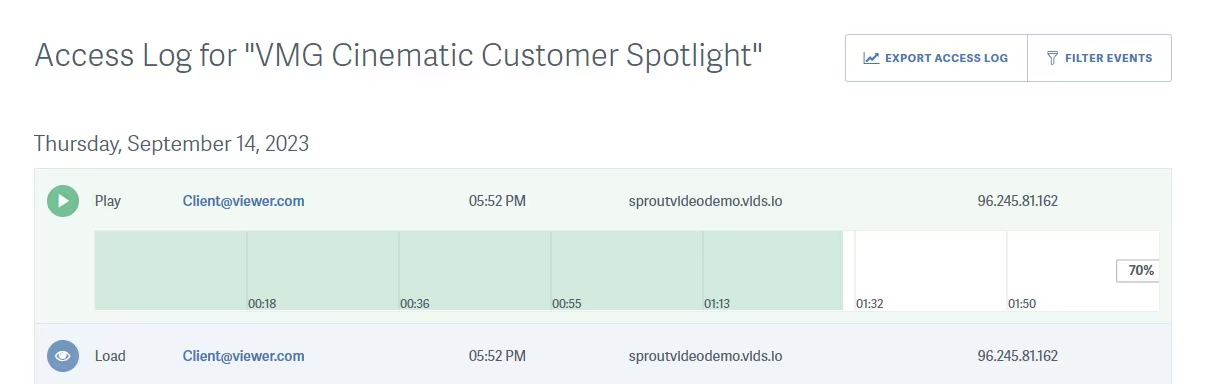
In the access log you can see which of your viewers loaded and played a video, how far they watched, or if they skipped or re-watched any parts. If Player Privacy Mode is enabled for your account, the IP address is anonymized unless you have turned on “Keep full viewer IP addresses in the viewer access history” in your Viewer Privacy Options.
You can filter the log by event, and export a copy.
Note: The export feature is only available on certain plans. Contact support@sproutvideo.com with any questions.
Other articles in the Privacy and Password Protection section:
- How to Share a Single Unlisted Video by Link
- How to show Login Protected videos to logged out viewers
- Dynamic Watermarks for Videos
- Overview of Video Privacy Settings
- How to Change the Privacy Settings of a Video
- Change Privacy Settings for Multiple Videos at Once
- Who Can See Private Videos? Who Can See Public Videos?

