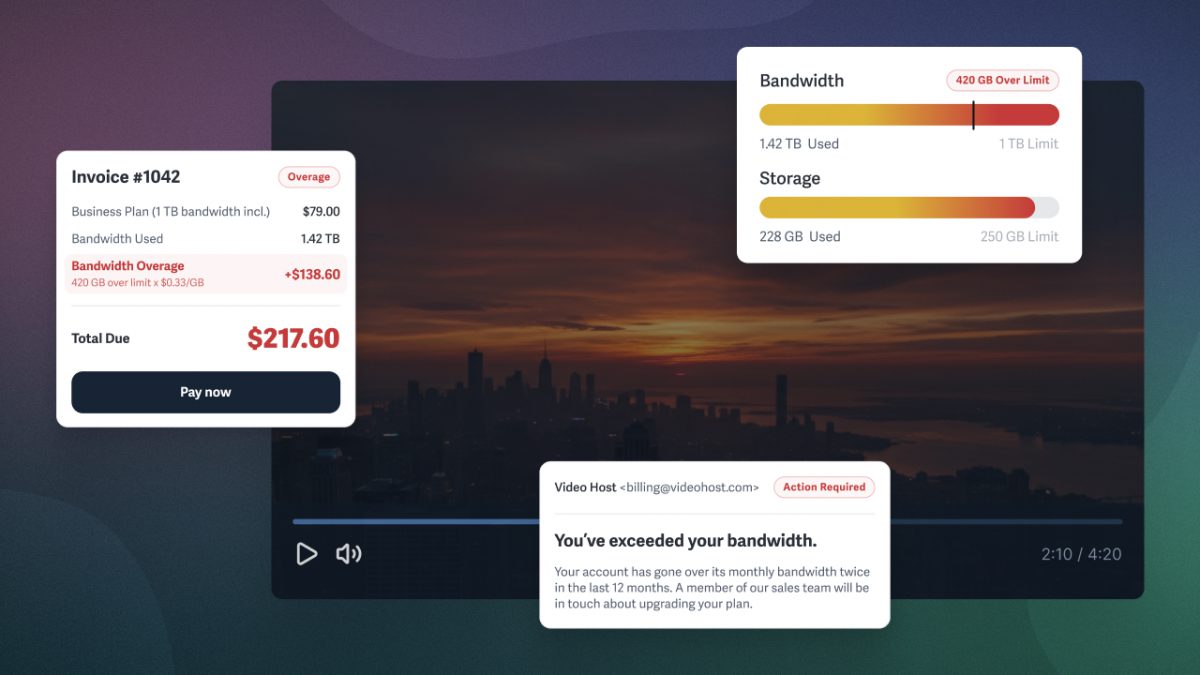

Your videos are performing. Your audience is growing. Suddenly, your video host wants to talk about your account.
Not because something broke, but because something grew: your usage crossed an internal threshold you didn’t know existed. Now the options are to pay an overage rate you’ve never seen, get pushed into a higher tier, cut back, or leave.
Unlimited video hosting promises to avoid surprise costs like these, but “unlimited” doesn’t guarantee that. It’s a marketing term each platform defines in its terms of service, often with hidden caveats. Every plan has limits; avoid surprise costs by choosing a host that’s transparent about what happens when you cross a limit.
Discover the most common video hosting pricing structures and determine the storage and bandwidth capacity your business needs. Your budget requires stability. This guide shows you exactly what you’re paying for, regardless of which video platform you choose.
What Does “Unlimited Video Hosting” Mean?
Unlimited video hosting usually means storage and bandwidth aren’t metered on your plan, but some metric always is.
There’s no industry-standard definition of “unlimited,” so each platform defines it in its own terms of service, and those definitions rarely match what buyers assume.
In practice, video hosting plans restrict one of the following:
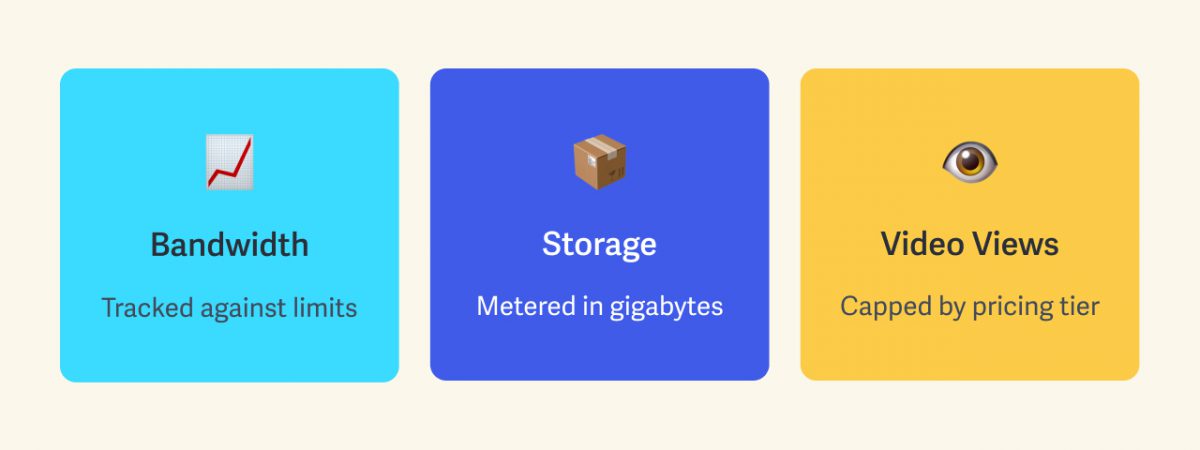
- Bandwidth, monitored against thresholds
- Storage, metered in gigabytes
- Video views, capped by pricing tier
When the actual numbers aren’t disclosed, ambiguity favors the platform, often with the intent of moving customers into higher-tier plans with account reviews or upgrade conversations rather than through published pricing.
TLDR: Every video hosting platform limits usage in some way. What varies is whether the video host is upfront and transparent about the limit, or whether it’s buried in terms you’ll discover during billing.
Why Video Hosts Dropped “Unlimited” & What Never Changed
The term “unlimited video hosting” fell out of use as buyers grew wise to it. Surprise bills sparked community backlash, and the biggest platforms quietly dropped the term. What hasn’t changed is what happens when you exceed a limit:
- Unpublished overage charges billed at the “then-current” rate
- Required plan add-on packages that cover the excess
- Upgrade conversations pushing to a higher tier or custom enterprise pricing
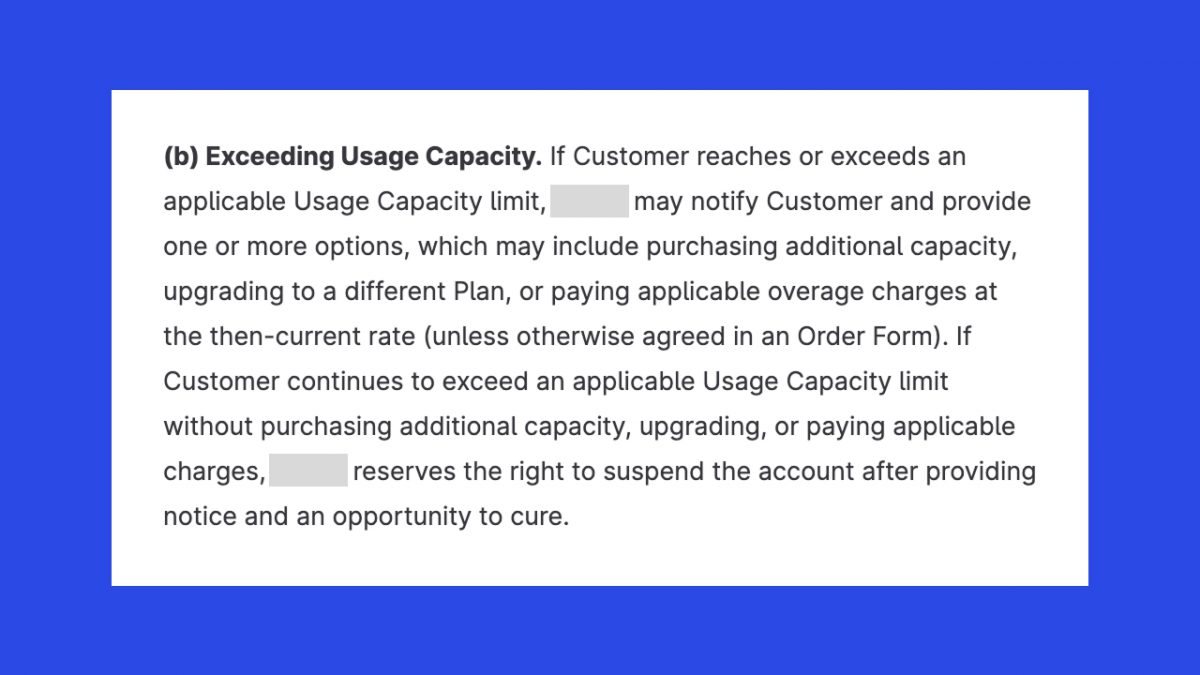
Underneath all three sits the same enforcement: keep exceeding limits without choosing one, and the platform reserves the right to suspend your account.
Meanwhile, transparency is missing from every option: the overage rate isn’t published, the add-on pricing only surfaces when you need it, and the enterprise quote is whatever the sales conversation produces. You’ll pay something. But without knowing the cost in advance, you cannot budget for it accurately.
Whether a platform says “unlimited” or not, the question that protects your budget is the same: What does it cost when you need more storage, bandwidth, or whatever the platform meters?
The 5 Video Hosting Pricing Models
Businesses rely on uninterrupted playback, so most paid video hosting plans don’t throttle playback when you exceed a limit. The overage is handled on the billing side instead, and the approach varies by platform. Here are the five common pricing models:
- Fixed Plans with Published Overages: Pricing plan rates and any usage rates are public on the pricing page, so you can budget for growth at any scale.
- Fixed Plans with Unknown Consequences: Pricing plans are public, but overage rates aren’t. You incur unknown fees after exceeding the limit and may receive a sales call.
- Unlimited Plans: One metric is uncapped, which pushes the meter onto something else. Read the terms to find out what actually meters your bill when not shared transparently.
- Pay-As-You-Go: Every GB stored and delivered or minute streamed is billed. Rates are public, but the total depends on traffic you can’t fully predict.
- Enterprise Custom Contracts: Custom pricing is negotiated through procurement. No published rate to evaluate; you book a call to determine if the platform fits.
Even a fixed plan leaves questions. Are overage rates disclosed? Will growth trigger a push into a higher tier anyway? Vagueness protects the platform, not your business. If you can’t find specifics on the pricing page, check the terms of service.
How Each Pricing Model Handles A Traffic Spike
Here’s how the same event plays out under each model. Say a product video takes off and doubles your traffic this month:
- Fixed Plan with Published Overages: You pay a known rate for only the usage beyond your plan. The spike costs money, but it’s a number you can forecast.
- Fixed Plan with Unknown Consequences: The extra charge, its amount, and whether a sales call follows are all discovered afterward or hidden in the terms of service.
- Unlimited Plans: Nothing happens unless the spike exceeds whatever metric the platform tracks, and you either knew the terms or find out at billing.
- Pay-As-You-Go: All usage was already billable, so the whole bill doubled. Rates are anticipated, but the bill scales with traffic in either direction.
- Enterprise Custom Contracts: Depends on your contract. The agreement will have accounted for growth and should include any additional usage costs.
Running a business carries enough uncertainty. Your video host shouldn’t add to it.
Which Pricing Models Are Transparent and Predictable?
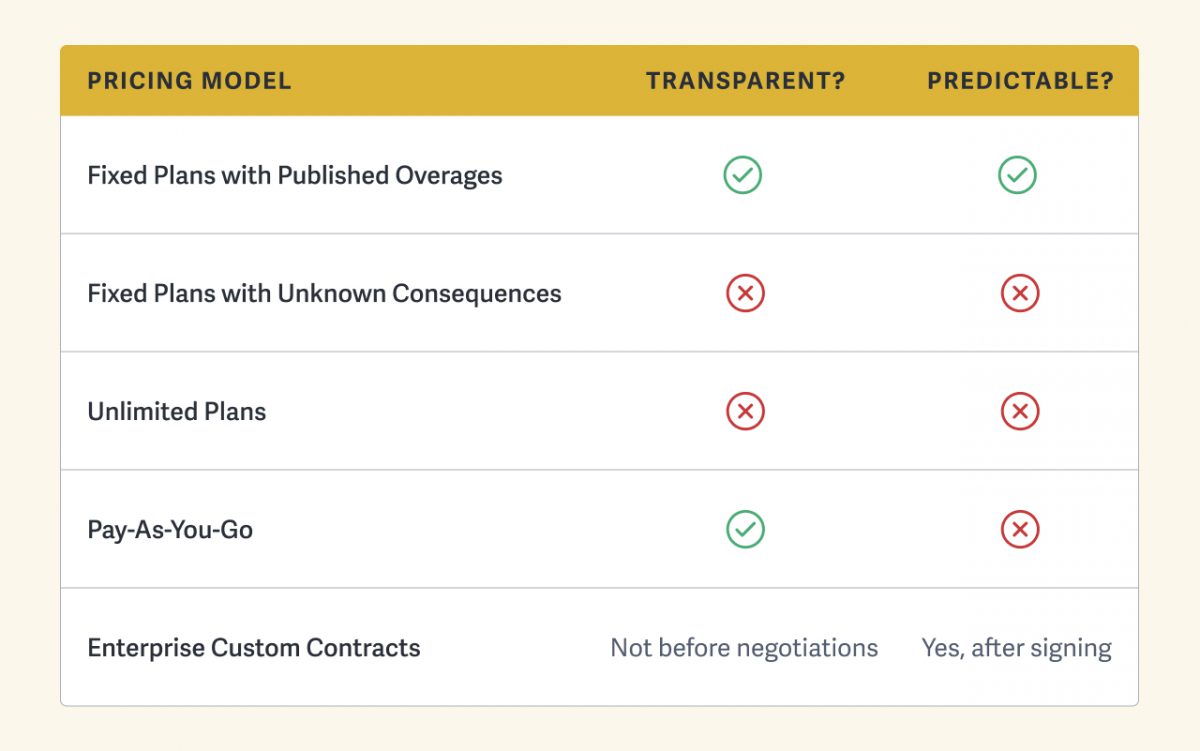
Trading away transparency or predictability might be the right move for some businesses. The mistake isn’t choosing a less predictable or transparent model; it’s choosing one without realizing what you’re signing up for.
How Much Storage and Bandwidth Does Your Business Need?
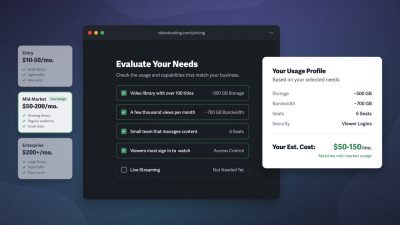
Video storage grows only when you add videos. Bandwidth grows when what you’ve already uploaded gets watched. Use this section to calculate your expected storage and bandwidth so you can select the best plan for your business, monitor usage, and budget with peace of mind.
Storage
Storage is the size of your video library. It depends on three things:
- Video file size
- Number of videos you host
- Resolution of your uploads
Storage only increases when you upload new videos to your video hosting platform, which makes it easy to plan for the amount of storage you’ll need.
Storage doesn’t reset each month or year like bandwidth. To create more storage, you have to delete videos or upgrade your plan.
Bandwidth
Bandwidth is the amount of data delivered when someone watches your video. It depends on:
- Total video views
- Average watch time
- Playback resolution
Unlike storage, bandwidth resets at regular intervals. Most platforms reset bandwidth monthly, even on annual plans. SproutVideo resets bandwidth at the start of your billing cycle, whether you pay monthly or annually. For annual plans, this allotment provides one large bucket of bandwidth to use throughout the year, leaving more room for traffic fluctuations.
Note: Bandwidth is only used when the video is playing, so if someone stops watching at the halfway point, it uses half as much bandwidth.
How To Avoid Surprise Video Hosting Costs
Avoiding unexpected video hosting fees requires knowing when you’re approaching your plan’s limit and what it costs to exceed it.
When evaluating video hosting platforms, look for pricing structures and built-in tools that make monitoring usage easier. This might include:
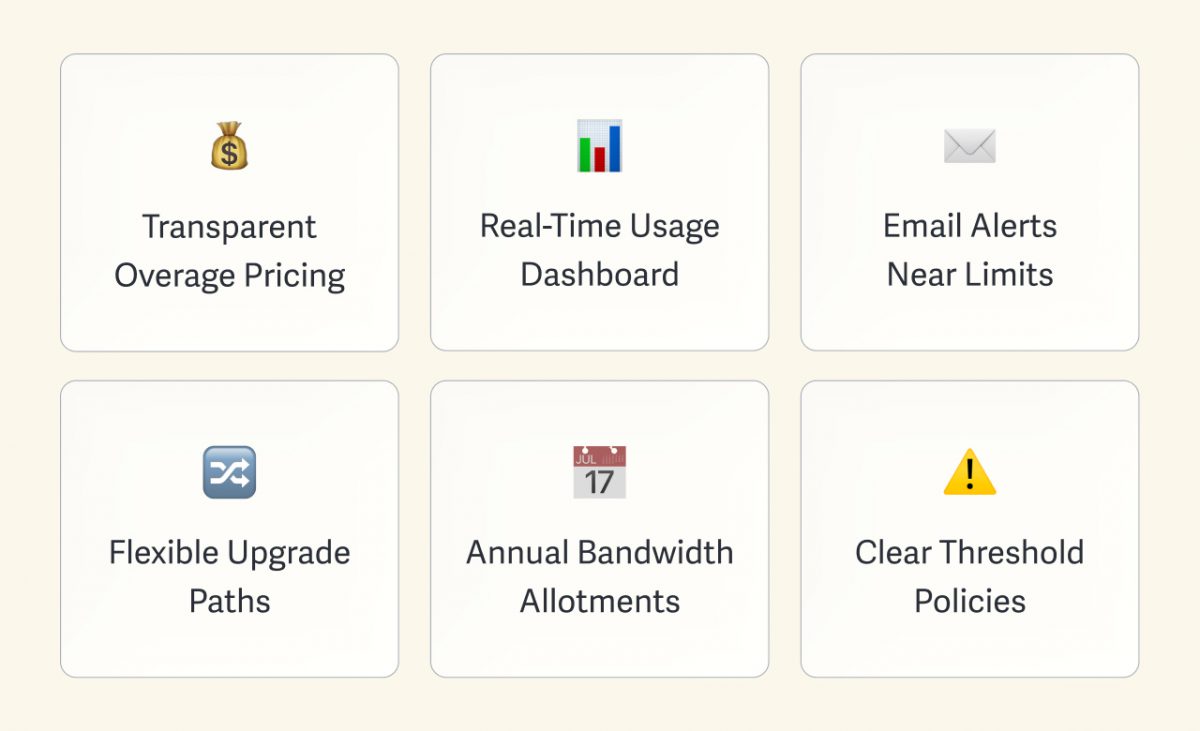
- Transparent overage pricing: Find the cost of exceeding your plan limits on the platform’s pricing page or in the help documents before you need it.
- Usage dashboard: View current storage and bandwidth consumption inside your account anytime, measured against your plan’s limits.
- Email alerts before bandwidth limits are hit: Receive alerts when you’re approaching your plan’s threshold, so you can act before the bill arrives.
- Flexible upgrade paths: Scale your plan tier incrementally as your business grows, instead of leaping to enterprise negotiations.
- Annual pricing with bandwidth allotment: Absorb traffic spikes that would trigger overages on a month-by-month meter with annual bandwidth allotment.
- Clarity on what happens at the threshold: Know whether crossing a limit means a warning, a charge, or a conversation, so it’s not discovered after the fact.
This visibility ensures you’re not receiving an account review you didn’t expect or a bill with unexplained charges. A platform that offers this transparency and predictability is likely a strong choice for your business’s video infrastructure.
Why Transparency Beats “Unlimited”
Any video hosting plan that advertises “unlimited” usage is taking a page from magicians, using sleight of hand to direct your attention away from what’s actually metered — almost always to the platform’s advantage.
What you want is a simple request: no surprise expenses. To get it, you need a platform that publishes its extra fee rates, makes usage trackable, and states what happens when limits are reached.
“Unlimited” promises you’ll never hit a limit while quietly creating others. Transparency lets you see every limit upfront, so you can verify the costs before you sign up.
Try for Free
Private Video Hosting That Scales with You
Get video hosting built for business outcomes with SproutVideo’s suite of analytics, marketing, and security tools — while knowing what you’ll pay at every juncture:
- View extra fee rates on our pricing page before you need them
- Track storage and bandwidth usage with your built-in dashboard
- Receive email alerts as you approach bandwidth thresholds
- Grow without forced upgrades; simply pay the extra rate for exceeded limits
- Budget easier with annual bandwidth allotments that absorb traffic spikes
30 days free. No credit card required.