
Choosing a video hosting plan starts with knowing your use cases. Rather than relying on storage and bandwidth to determine which plan you need, first consider the features you can’t live without.
Those features set your minimum tier. Data usage then determines if you land above it.
Most buying guides start with storage and bandwidth. That’s backward: if you get the feature-match wrong, you’ll pay for capacity you don’t need or switch platforms to get a feature you do need.
Here are five steps for choosing the right video hosting plan:
- Identify your video use case
- Match required features to a plan tier
- Check your storage and bandwidth
- Test the plan during a free trial
- Choose monthly or annual billing
We’ll walk through each step and cover common criteria for evaluating any video host, so you can match all your needs to the right plan, regardless of platform.
What Does a Video Hosting Platform Do?
Video hosting platforms store, encode, protect, stream, and deliver video, whether on demand or live. A video host is the infrastructure behind smooth, reliable playback that’s accessible across connections and devices. It’s built to handle large files and traffic surges without interruption, while giving a business one place to manage its entire video library.
Beyond that baseline, the features most platforms include vary widely. Many offer a full suite of tools: privacy and security, player customization, marketing tools and integrations, analytics and engagement tracking, and even white-label video websites.
What to Look For in a Video Hosting Plan
Before you assess individual video hosting plans, learn which features to expect across most platforms. Features vary across platforms, but this list of criteria makes it easy to consider only the plans that meet your requirements.
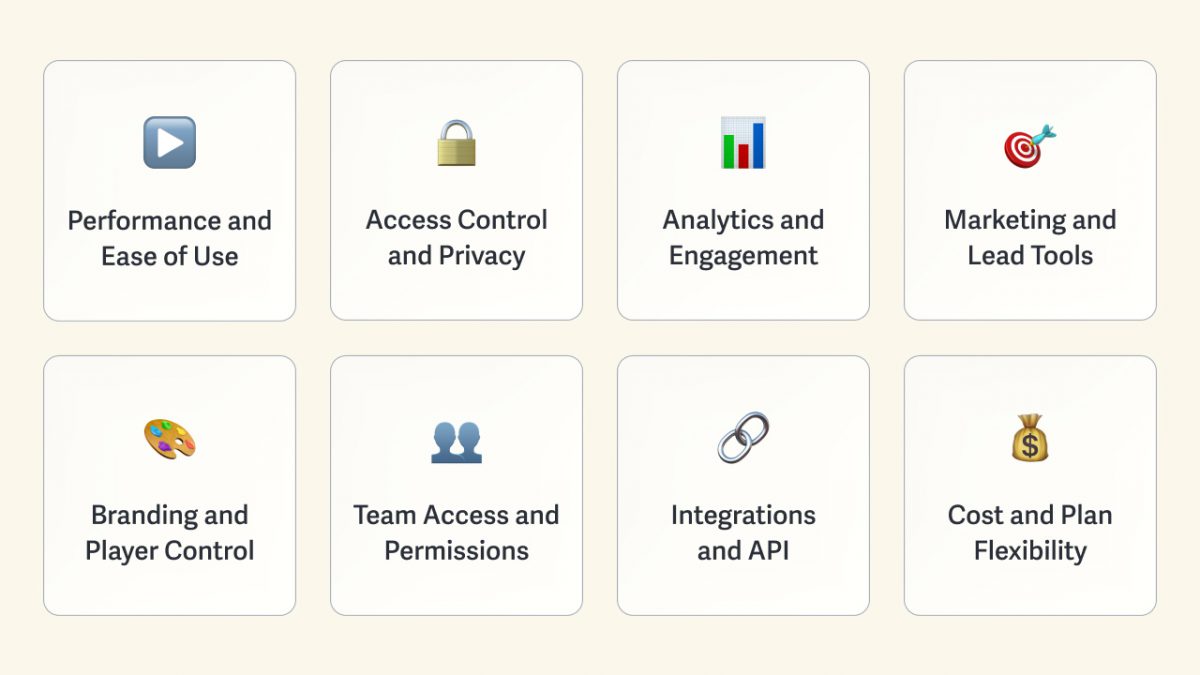
Playback Performance and Ease of Use
Playback performance refers to how quickly a video starts and how well it adapts to mobile devices or a weak internet connection. Any video hosting platform with a wide content delivery network (CDN) and adaptive bitrate delivery qualifies here.
Ease of use is determined by how quickly you can get up and running, from uploading and embedding videos to setting up domain restrictions or dynamic watermarks.
Neither playback performance nor platform ease of use scales with plan tier, so pick a platform that handles both well.
Access Control and Privacy
Access control limits viewership to specific people, while privacy and security tools ensure access-restricted content stays confidential and protected.
This criterion scales with plan tier: entry-level plans generally include password protection; mid-market plans add viewer logins; and enterprise plans include single sign-on (SSO) and IP or geographic restrictions.
If you need to know which individual watched or revoke one person’s access, password protection can’t do either; you need viewer logins.
Analytics and Engagement Tracking
Analytics and engagement tracking refer to the data your platform collects: video plays, average time watched, IP address and device, domain and location, and where viewers drop off or rewatch.
Most platforms include in-depth analytics on every plan. What scales is the ability to match a single session to the individual who watched, attaching identity to the viewing record.
If you need to attribute engagement to a person or company, you need individual viewer analytics, not session data alone.
Marketing and Lead Tools
Marketing tools turn video plays into business leads: email capture gates, calls to action during the video, and integrations that pass collected info straight to your email platform. Where these tools sit in the tiers varies widely by platform, more than almost any other criterion on this list.
If using video to capture leads is important, don’t assume these features come standard across tiers (or even share one). You might be surprised where they land.
Branding and Player Control
Branding and player control refer to how much of the video player you can customize: color theme, thumbnail image, control visibility, player size and responsiveness, autoplay and loop, and more. Most platforms include these basics on every paid plan.
If the plan is free, expect the platform’s own logo on the player. That branding undercuts the seamless brand experience you’re building.
Team Access and Permissions
Team access covers how many people inside your business need direct access to the video hosting account, and what each of them is allowed to do. Seats represent headcount; role-based permissions determine who can manage videos, change settings, or update your subscription. The number of seats scales with tiers. Account audit logs, which record what team members change in the account, generally appear at the highest tier.
If you add people faster than the plan allows, seats become the thing that forces an upgrade.
Integrations and API
Integrations connect your video platform to the rest of your tech stack, such as your customer relationship management (CRM), learning management system, email marketing, and marketing automation tools.
The API allows a direct connection with the platform, enabling customizations that aren’t available out of the box. On some platforms, both the available integrations and the depth of API access scale with higher tiers.
Confirm what the integration sends. Many pass the basic play event but drop the engagement detail you need in your workflow.
Cost and Plan Flexibility
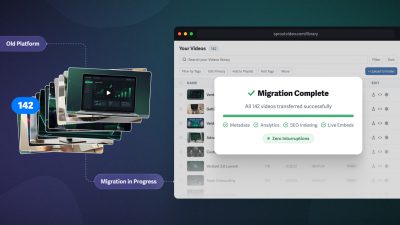
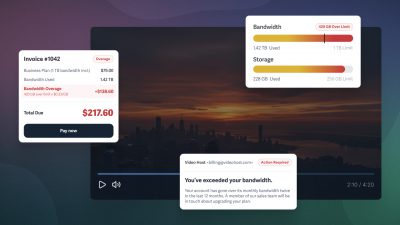
Cost is the sticker price, but a plan without flexibility costs you later in fees and unwelcome surprises: the unpublished overage rate when you cross a limit, the forced upgrade that comes as a sales call, and the friction of needing to move platforms. A plan that’s affordable until you exceed it isn’t sustainably affordable.
If the overage rate isn’t published, you can’t budget for growth.
How to Determine the Plan Your Business Needs
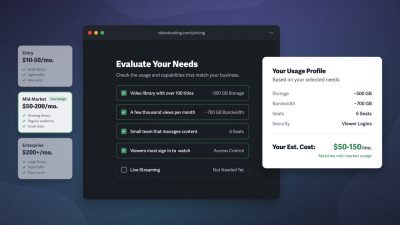
The video hosting plan your business needs depends on two main factors: data usage and required features. A business that needs minimal storage but requires SSO will land on the highest tier, while a business with 800 GB of storage might only need a mid-market plan.
The five steps for choosing the right video hosting plan work through both factors, starting with your use case to narrow down the features you need.
1. Identify Your Video Use Case
Your use case reveals the video hosting features you can’t live without. More than company size or content volume, features determine the minimum plan tier your business needs.
A business that protects publicly embedded content requires fewer high-tier tools than a company that securely shares internal content or an online course creator who sells video access.
| Marketing and lead generation | Team attracting and converting prospects | Engagement tracking, CRM or email integrations, in-player lead capture |
| Training and onboarding | Business training staff or documenting processes | Individual completion tracking, viewer logins or SSO, dynamic watermarking, exportable reports |
| Client deliverables | Agencies and services delivering video to clients | Passwords or viewer logins, white-label video website and landing pages, viewer-level analytics |
| Paid content and courses | Creators selling access to video | Viewer logins, viewer-level analytics, domain restrictions or signed embed codes, white-label video website and landing pages, dynamic watermarks |
| Public and thought leadership | Brands publishing videos for reach | Customizable video players, automated captions, domain restrictions or signed embed codes |
Notice that features set the bar for every use case except public content, where data usage is what pushes you to a higher tier.
When You Have More Than One Use Case
Video hosting needs are rarely siloed to a single business department. Marketing runs gated lead-gen videos, HR runs onboarding, and the sales team sends pre-release product demos—all from the same account.
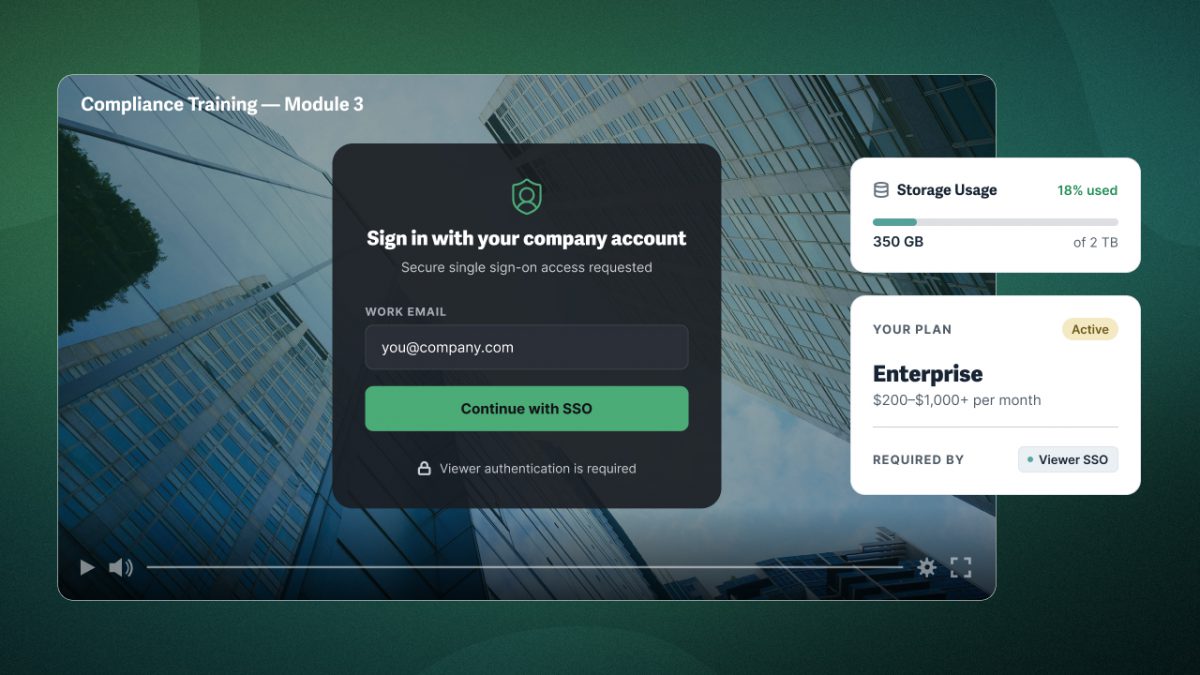
Your plan is set by the highest-tier requirement across all of your use cases. If a company primarily shares marketing content but also runs SSO-based compliance training, it needs the tier that includes SSO.
Whether your data usage is low or high, the most advanced feature you need is the one that sets your minimum tier.
Multiple use cases often mean multiple people, which can lead to separate accounts across a single company. Consolidating team members onto one plan not only saves money but also centralizes management and encourages cross-department content repurposing.
2. Match Required Features to a Plan Tier
Now, let’s match your use-case requirements to video hosting tiers to find your plan. While every video platform differs, this generalization will help you determine when features are likely available elsewhere at a lower cost.
Knowing the features you require, find the lowest tier that includes them all. You can do this easily by identifying your most advanced requirement. For example, a company that needs SSO lands in the Enterprise tier regardless of the other features it needs.
You likely need an enterprise plan if you require any of these:
- Single Sign-On (SSO)
- Geo or IP restrictions
- Exportable reports
- Audit logs
- Marketing automation sync
- Custom domain for video pages
- 10 or more team seats
You likely need a mid-market plan if you require any of these:
- Viewer logins
- Viewer-level analytics
- Completion tracking
- Lead capture with email marketing sync
- CRM and marketing integrations
- White-label website and landing pages
- Dynamic watermarks
- Signed embed codes
- 3 to 10 team seats
Entry-level generally covers everything else:
- Password protection
- Domain restrictions
- Engagement analytics
- In-player calls-to-action
- Customizable video player
- Automated captions
- Up to 3 team seats
Not all features map cleanly across platforms; therefore, always double-check when evaluating a specific video host.
Some features, in particular, are challenging to generalize. Dynamic watermarking and signed embed codes are the hardest to pin down. On hosts built for secure or paid content, they often sit at mid-market; but on general platforms, they can be gated to enterprise, so confirm before you commit.
3. Check Your Storage and Bandwidth
Features determine the minimum tier, but your data usage might require a larger plan (or video hosting with transparent extra-rate fees). Two things to check:
- Storage: Library size, which grows with every upload.
- Bandwidth: The amount of video delivered, which resets monthly or annually.
Rough estimates are sufficient in most cases when determining the plan you need. For businesses with large libraries or significant fluctuations in bandwidth, use these formulas to forecast your data usage more accurately.
Roughly Estimating Storage
Storage depends on how many videos you have and how long they are.
At 1080p resolution, estimate about 0.1 GB of storage per minute of video. So, 50 twenty-minute videos are roughly 100 GB (1000 minutes × 0.1 GB).
For example, a business estimates its library includes about 20 five-minute videos (100 minutes), 4 hour-long videos (240 minutes), and 200 3-minute videos (600 minutes). That’s about 94 GB of storage, generally landing at the upper edge of most entry-level plans, based on storage alone.
Roughly Estimating Bandwidth
Bandwidth depends on how many people watch and for how long.
At 1080p resolution, estimate about 0.02 GB of bandwidth per minute. So, 1,000 viewers watching 20 minutes each is roughly 400 GB (20,000 minutes × 0.02 GB).
For example, a business gets about 8,000 views a month, with viewers watching an average of 4 minutes each (32,000 minutes). That’s about 640 GB of bandwidth per month, generally landing it in the mid-market range based on bandwidth alone.
Note: bandwidth is based on the time watched. However, consider estimating bandwidth based on the video’s length, rather than the average time watched, to provide a built-in buffer.
Your storage and bandwidth may land in different tiers. When they do, the higher one sets your plan, unless your features require a higher tier.
4. Test the Plan During a Free Trial
Once you’ve narrowed down platforms, a free trial is your chance to stress-test the features that set your tier and check support responsiveness.
Here’s a short checklist of ways to test the video hosting plan you’ve chosen.
- Test your most advanced requirement first: Start with the feature that sets your plan tier floor. Test the feature that’s most likely to make you rule out a platform.
- Upload a video of average length and standard resolution: Test upload with an average library video (e.g., 90 minutes at 4K), rather than a 30-second sample.
- Embed the player everywhere it will live: Add the video to all the places where you typically share videos, such as your website, a landing page, or an internal portal.
- Test access controls as a viewer, not an admin: Configure the access controls and privacy settings you need, then view the video as a viewer would.
- Estimate a few test videos, then verify against the dashboard: Predict the storage and bandwidth required, generate some views, and compare to your estimates.
- Ask support one specific question and note the response time: At some point, you may need help with your account. Test it now to ensure future hiccups resolve smoothly.
Run this checklist against every platform you’re considering. Each one either proves it fits or fails a test before you spend a dime.
5. Choose Monthly or Annual Billing
The last decision to make is whether to pay monthly or annually.
Annual plans cost less in exchange for the upfront commitment. Monthly costs more but often provides greater flexibility. Which is right depends less on the plan than on your situation.
Generally, confidence in the platform is a bigger deciding factor than the discount. Confirm the following to know what you’re committing to:
- Changing plans mid-term: If you outgrow your tier or need to drop down, is the change prorated, or are you locked in until renewal?
- Exceeding your plan: If you go over your plan’s storage and bandwidth, are you charged a transparent extra-rate fee, an unpublished fee, or forced into an upgrade?
- Cancellation: Can you cancel when you need to, and is the process in plain sight or buried in the terms of service?
A platform confident in its own product makes all three painless, because it doesn’t need to trap you to keep you. That’s what lets you commit without hedging.
How SproutVideo Handles Each Requirement
Here’s how SproutVideo maps onto those same tiers. Start at the entry plan and move up only as far as your requirements take you. Note that SproutVideo splits the mid-market tier into two plans, so you’ll see four tiers here instead of three.
Entry-level features included on every Seed plan:
- Adaptive bitrate playback over a global CDN
- Engagement data & viewer-level analytics
- Password protection and domain restrictions
- Calls-to-action and post-play screens
- Lead capture with email marketing sync
- Native marketing automation integration with HubSpot
- A white-label player and full API access
- Automated captions
- Dedicated landing pages
- 2 team seats
Seed includes lead capture, full API access, and native HubSpot integration standard. Most platforms reserve these for mid-market or enterprise plans.
Mid-market features included on Sprout plans
Everything in Seed, plus the tools for controlling individual access:
- Viewer login protection
- Individual completion tracking
- A white-label video website
- 5 team seats
Upper mid-market features included on Tree plans
Everything in Sprout, plus content protection:
- Dynamic watermarks
- Signed embed codes
- Audit logs
- Custom domain for video website
- 10 team seats
These features are available on Tree plans, a full tier lower than most competitors.
Enterprise features included on Forest plans
Everything in Tree, plus advanced features for large or regulated teams:
- Viewer SSO
- Geo and IP restrictions
- Exportable reports
- A dedicated rep with phone support
- 50+ team seats
Committing annually doesn’t lock you in. Plan changes are prorated with no penalty; you can move up or down mid-term, cancel immediately or at the end of the term, or pause your account instead of leaving. Annual commitments pool bandwidth for the full year, which helps absorb traffic spikes that would otherwise trigger extra-rate fees on a per-month basis.
Try for Free
See Which Plan Fits Your Business
Test SproutVideo free and confirm the features that matter for how you use video, from lead capture to viewer logins to exportable reports.
- Only pay for what you need, not a tier you’ll outgrow
- Grow on your terms, with no-penalty changes
- Human support for every plan
- Know your costs up front, with no forced upgrades
30 days free. No credit card required.