
Most businesses don’t have a video problem. They have a video sprawl problem.
Marketing ships campaign videos. Sales runs pre-call webinars. Support shares onboarding walkthroughs. Nobody owns all of it, so nothing gets organized. Assets pile up across accounts, platforms, and hard drives until the library becomes a growing junk drawer no one wants to tackle.
Your video content strategy solves this problem by providing a system for organizing, hosting, measuring, and scaling all video content produced across departments and teams. It’s the infrastructure that keeps every video findable, reusable, and measurable — so the library compounds in value instead of complexity.
This guide covers how to build that system: content pillars, production cadence, hosting platform, and measurement framework. Whether you’re starting from scratch or untangling what’s already accumulated, these are the components that turn a collection of video tasks into a resource that grows in value.
What Is A Video Content Strategy?
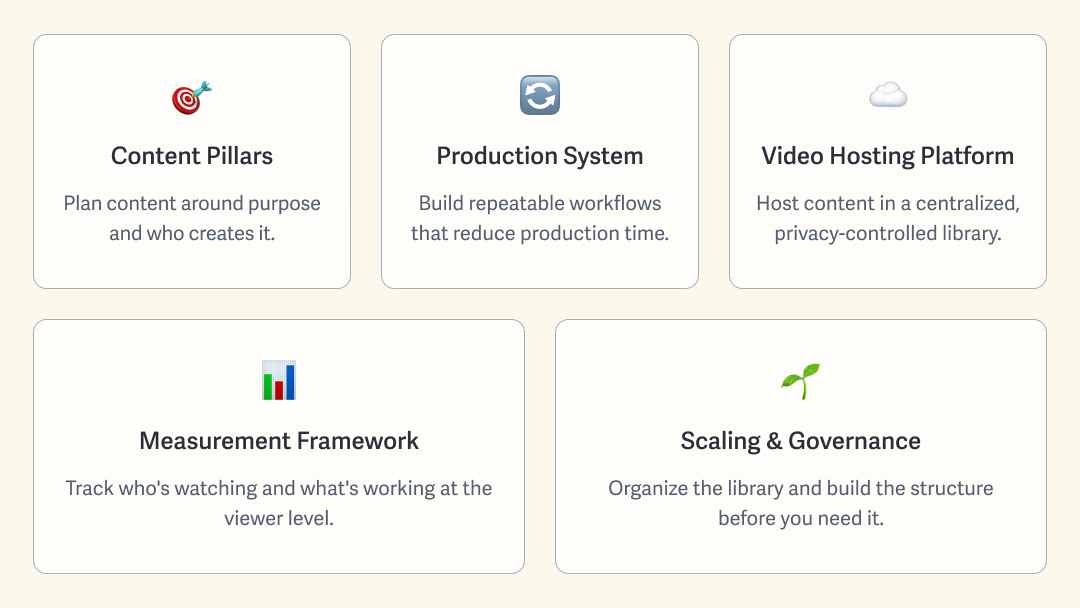
A video content strategy is your business’s playbook: the rules that govern what gets made, how it’s organized, and how you know it’s working. A video tactic is executed for a specific goal; a strategy is the system that keeps every video useful. When these components run as a system, the library’s value snowballs in value as every video is easy to find, reuse, and repurpose.
Without this organizing system, the library becomes unmanageable, preventing the business from gaining the benefits of the accumulated content. With it, a single product demo, hosted and tagged once, can serve a sales call, an onboarding flow, a support article, and a social cut without anyone re-shooting it. A video content strategy might include:
- Content Pillars: Plan content around purpose and the department that creates it to keep your library aligned with business goals.
- Production System: Build repeatable processes that reduce production time and ensure every video meets brand and security standards.
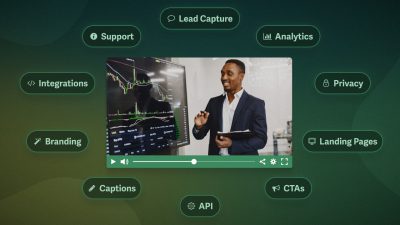
- Video Hosting Platform: Host content in a centralized library with flexible privacy tools for sharing public content and keeping internal videos secure.
- Measurement Framework: Measure user engagement across content and track individual viewer completion to see who’s watching and what’s working.
- Scaling and Governance: Prepare for growth by organizing the library (folders, tags, etc.), defining team roles, and using a hosting plan with scalable storage and bandwidth.
Most businesses have some of these components in place. Running them as one connected system closes the gap between a library that compounds and one that sprawls.
1. Define Your Video Content Pillars
Content pillars align your video production with business goals. Instead of one-off campaigns, each piece plays a specific role. A video content strategy includes external content that builds an audience and turns it into customers, and internal content that a business relies on to keep teams aligned and maintain best practices.
External Video Strategy: Map Content to Customer Journey
For customer-facing video, mapping pillars to the funnel, from awareness through retention, makes it easy to spot any stage that’s missing video.
| Awareness | Reach new audiences | Explainers, brand story, short social videos |
| Consideration | Build trust and educate prospects | Webinars, product comparisons, customer stories |
| Conversion | Turn prospects into customers | Demos, feature deep-dives, case studies |
| Retention | Strengthen customer loyalty | Customer onboarding, product training, help videos |
Businesses rarely build all four at once. Newer, fast-growing companies focus on awareness and conversion to build an audience and convert it into sales. Once that base is steady, consideration and retention deepen trust before the sale and relationships after it.
Internal Video Strategy: Organize Content by Departments
Internal video content helps businesses stay organized and compliant. For businesses of all sizes, internal video is key to maintaining standards and communicating effectively across departments. For this reason, it makes sense to plan internal content by function rather than funnel stage in your video library.
Common departments and corresponding content include:
- Onboarding and HR: welcome videos, policy walkthroughs
- Training and L&D: skills courses, certifications
- Internal Comms: all-hands, leadership updates
- Operations: recorded SOPs, how-to docs
- Sales Enablement: pitch training, objection handling
Internal video is also where security becomes mandatory. A confidential all-hands video or a product roadmap walkthrough can’t live on a public platform, which is the first sign that your hosting platform matters as much as your strategy.
Whatever the mix, the pillars define what your video content strategy needs to cover, inside and out. The next step is producing it consistently.
2. Build a Production System, Not Just a Schedule
Once you’re clear on what to produce for your video content strategy, refine the production system to ensure your workflows are consistent and repeatable. A production system lets you build the process once, making consistency and efficiency automatic.
Fundamentals of a Video Production System
- Repeatable and Iterative: Support video strategy with production processes that allow workflows to be regularly refined and measured for improvement.
- Batch vs. Reactive Production: Reduce reactive and one-off production in favor of well-planned shoots that enable batch creation to increase efficiency.
- Templates and Formats: Build reusable elements (video player presets, intro and outro animations, etc.) into your video content workflow to reduce time and protect quality.
- Review and Approval: Standardize roles and workflows by department or audience (external vs internal) to maintain brand guidelines and video security.
- Repurposable and Accessible: Ensure content is findable for cross-department reuse, such as a product demo that supports both sales calls and new-hire onboarding.
Your video production system sets your video library up to compound value by ensuring all content meets business standards, brand guidelines, and security requirements. Keeping it all organized takes a unified infrastructure, which we’ll discuss next.
3. Choose a Video Hosting Platform That Scales
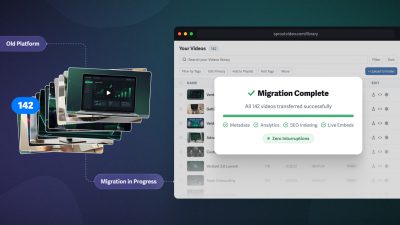
A growing video library multiplies in value, but it also gets harder to move: migrating hundreds or thousands of tagged, embedded, and organized videos is complicated and can be expensive.
A video hosting platform is an important, often long-term decision, even if the company doesn’t realize it at the time.
What Makes a Video Hosting Platform Scalable?
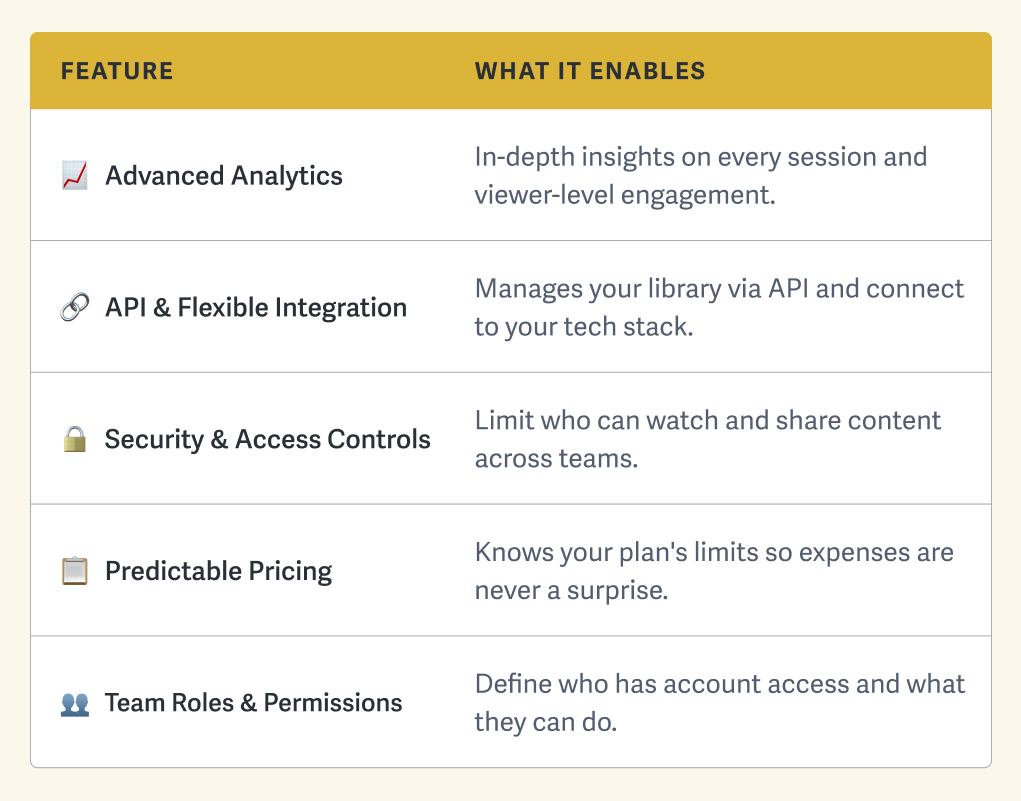
Here are five major tenets of a scalable video hosting platform:
- Advanced Analytics: Collect in-depth insights on every viewing session and track viewer-level engagement to learn from your library as it grows.
- API & Flexible Integration: Manage your video library via the API and integrate with the rest of your tech stack for seamless production workflows across tools.
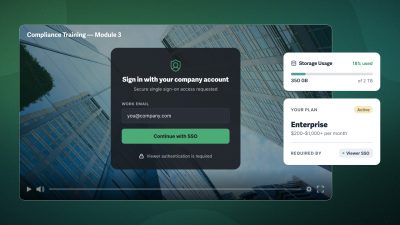
- Security & Access Controls: Limit who can watch and share your content with access restrictions and anti-piracy measures to keep it secure across teams.
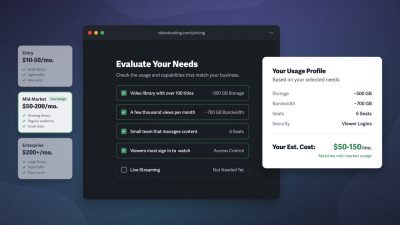
- Predictable Pricing: Know your plan’s limits and ensure your host offers transparent overage fees so your hosting expenses are never a surprise.
- Team Roles & Permissions: Determine who has account access and what they can do (e.g., change account settings, review audit logs) to securely expand teams.
Here’s how those five tenets come together: a growing business connects to the SproutVideo API to export engagement data to its CMS. It uses this data to evaluate and improve its customer onboarding sequence, which is restricted to paying customers and protected by login protection. The business hosts monthly webinars, which often result in large bandwidth spikes that it can easily project and account for when evaluating ROI with SproutVideo’s predictable pricing. Finally, only the company’s department leaders have access to the full video hosting account, while team members are limited to the permissions they need.
One platform. Five tenets working in parallel. No surprises on the invoice, no content leaking to the wrong audience, and no guesswork about what’s actually being watched.
If you’ve already accumulated a large video library and are considering a switch, look for a video hosting platform with a Support team that can help make the transition smoother.
Choosing the right video host early means the platform grows with your library rather than becoming something you have to escape. The next question is what to measure once it’s in place.
4. Build a Measurement Framework Before You Publish
Measurement is the key to a video library with compounded value. Evaluating content performance, for external and internal content, tells you what’s working and what needs improvement.
This type of measurement isn’t about ROI, which evaluates specific video metrics as key performance indicators. Instead, we’re looking at the overall health of your video library based on content performance, whether the benchmarks are engaged viewers for external videos or completion tracking for internal communications. The metrics are the same, but the outcomes differ depending on whether the goal is external conversion or internal adoption.
The Video Metrics That Matter
- Play Rate: What percentage of people who landed on the page played the video
- Engagement with Heat Map: What parts and percentage a single viewer watched
- Drop-off & Replay: Where a single viewer stopped, skipped ahead, or rewatched
- Retention Graph: What percentage of viewers watched at each point in the video
As your library grows, the data you collect gets richer, highlighting patterns and repeatable processes that produce consistent results. Make measurement a regular part of your video content strategy to keep the library’s value growing over time.
Building Measurement into Your Video Content Strategy
- Set baseline benchmarks for video content: Review your content pillars, define metric goals, and collect data to establish a baseline for improvement.
- Connect engagement data to your tech stack: Use the API or other connection to bring data into your CRM, learning management system, or custom dashboard.
- Review and optimize regularly: This is the key to compounded value. With sufficient data, use measurements to learn and improve at a set cadence.
With measurement in place, you can grow your video library without losing control over how the expanding content affects your business.
5. Plan for Business Growth from Day One
Once your video content strategy is in place, the task of managing video content at scale — operating the library, maintaining organization, and governing team growth — takes center stage. This step is the difference between a flourishing video library that’s searchable and accessible, versus a junk drawer of a problem.
Managing Video Content at Scale
Maintaining your video content strategy as your business scales includes:
- Capacity Planning: Project storage and bandwidth needs at 2x and 5x your current volume, so that you can upgrade plans proactively instead of reactively.
- Organizing Structure: Create operating standards across content pillars and use folders and tagging to keep the library searchable and scalable.
- Access Governance: Outline which roles have access to your content and hosting account, and how you grant and revoke access.
- Content Lifecycle: Regularly archive and retire outdated or unused content to keep the library relevant and up to date as it grows.
Consider a business that starts with a small video library: a handful of product demos, a welcome video, and a few internal training recordings. At that scale, informal organization works. Then the team doubles, content output triples, and the library becomes a catch-all where everyone has access to everything, and no one knows how to find what they actually need.
The businesses that scale past this point without losing control build the structure before they need it. The result is a library that gets more useful as it grows, not harder to manage.
From Video Tasks to Content Strategy
Every video made without a video content strategy in place becomes harder to find, reuse, and measure later. The library doesn’t stay neutral while you wait to organize it. Build the system before you need it, and video stops being a collection of tasks and becomes a channel that grows in value over time.
FAQs on Video Content Strategy
What is the difference between a video content strategy and a video marketing strategy?
A video marketing strategy focuses on how video drives audience growth and campaign performance; a video content strategy is the broader system that governs how all video across the business is organized, hosted, measured, and scaled.
A video content strategy includes keeping content accessible to the right teams, building production systems that perform consistently, and collecting data for regular performance evaluations across marketing, sales, support, and internal functions alike.
What is the difference between video access controls and team permissions?
Video access controls restrict who can watch content using secure tools such as password protection, login protection, SSO, and more. Team permissions determine who has access to your video hosting account and what actions they can take. Access controls protect the content itself; team permissions govern who has access to the video hosting platform.
How should I organize internal video content?
One effective way to organize a video library is by department. While external content is best planned by customer journey and internal content by function or department, a consistent department-first folder structure works as the organizing approach across both.
A top-level marketing folder holds campaign videos, brand content, and social cuts. Sales enablement holds webinars, pitch training, and testimonials. Each department knows where its content lives and where to find what they need from other teams.
Within each department folder, determine additional subfolders — by function or content — and tagging standards to keep organization granular and content accessible as volume increases.
Do I need a separate platform for internal and external video?
No, a single video hosting platform with strong access controls handles both internal and external content. The key is choosing a platform that supports secure video sharing, so internal videos remain accessible only to the right people, and publicly accessible videos are protected from piracy. Splitting platforms creates the same scattered-library problem that a video content strategy is designed to solve.
How many videos do I need before creating a video content strategy?
There is no minimum number of videos to have before creating a video content strategy. It’s best to start before the library gets too large, as organizing an existing “junk drawer” of videos is time-consuming. The best way to start is to put governance in place, whether you have 10 or 200 videos. Even if your organizational structure changes in the future, having a solid system now will make the transition far smoother down the line.