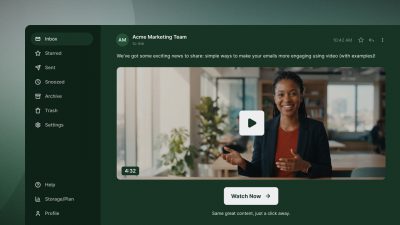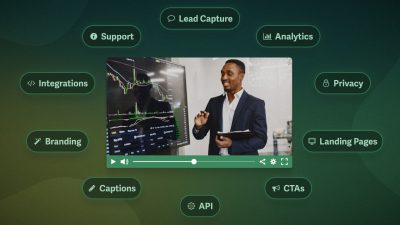
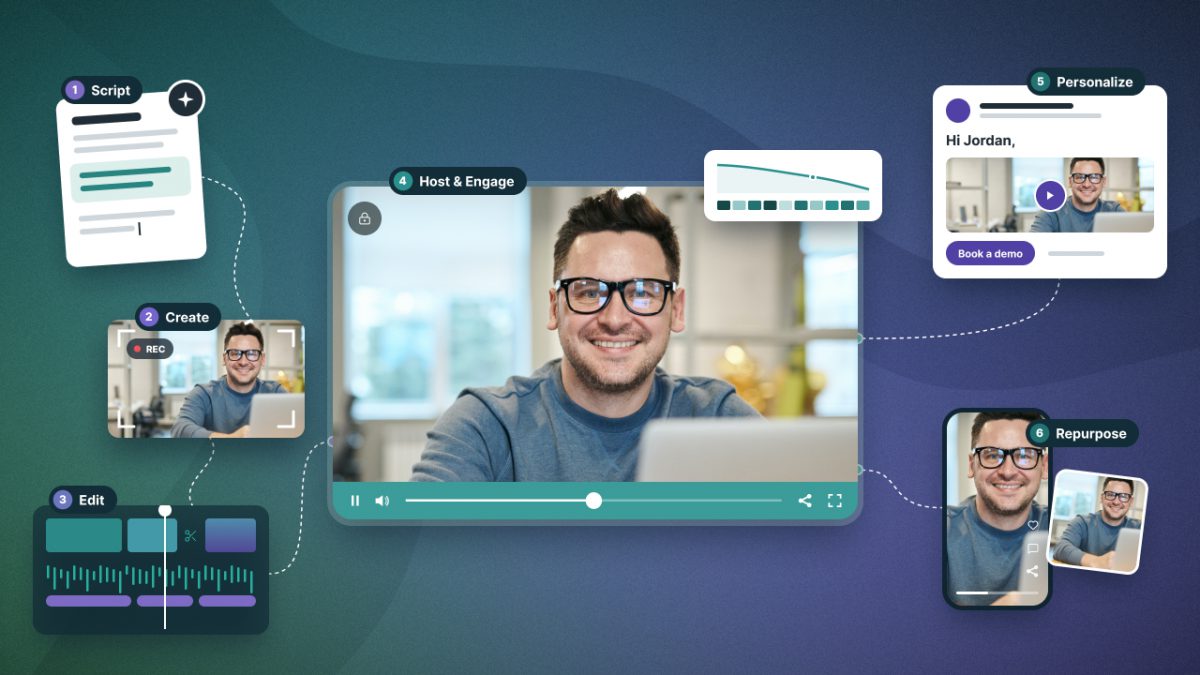

Video marketing tools are the software and platforms businesses rely on to create, host, distribute, and measure video. No single platform does everything, so this guide covers our top pick across nine main categories, along with 21 alternatives to suit different use cases.
That’s a lot of options. But most teams only need three platforms to start:
- A tool to make or edit video
- A place to host and see how viewers engage
- A way to get more content out of each video
Start there, then add tools as your business goals require them.
To select our top picks, we prioritized B2B marketers and sales teams, weighed G2 and Capterra customer reviews, and checked company help docs and pricing pages.
Tools last reviewed: November 2026; annual rates displayed.
Video Scripting & Creation Tools
Video creation tools help you plan, script, storyboard, generate, or collect video. To find the right tool, consider the type of videos you’re making.
- If your team records, scripting and storyboard tools fit how you work.
- If you need volume or multiple languages, AI avatars scale with ease.
- If you’re capturing customer stories, testimonial collection is helpful.
Each category features multiple tools for the job; the key is finding the tool that fits how you already work or improves your existing workflow.
Scripting and Planning
Boords ($26–$165/mo)

Best for: Marketing and agency teams that need scripts, storyboards, and animatics approved in one place before filming.
Boords combines script, storyboard, and animatic into a single tool, with AI that turns a script into storyboard frames. The animatic helps you test pacing and timing before filming begins. Teams share progress, collect feedback, and get approval in the same place.
Boords is our top pick in the category for its full planning loop, from script to shot list, built around review and sign-off rather than production logistics.
Also Consider
- StudioBinder: Coordinate shoot days with shot lists, schedules, and call sheets.
- Claude, ChatGPT, or Gemini: Draft scripts, outlines, and variations from a brief.
AI Generation and Avatars
HeyGen (Free–$119/mo+)
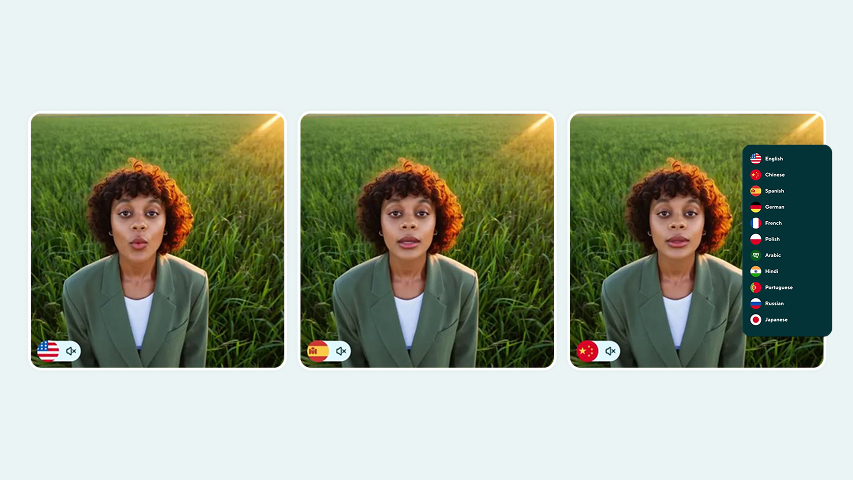
Best for: Professionals who want to create a realistic AI avatar of themselves that can speak more than 175 languages and dialects.
HeyGen provides AI-generated videos for businesses that need to scale their video production. Its Personal Avatars lets professionals create realistic AI avatars of themselves, generate video from a script with that avatar, and translate the audio into more than 175 languages and dialects with matched voice and lip sync.
HeyGen is our top pick in the category for making AI avatars practical: realistic enough that an onboarding video doesn’t feel uncanny, and multilingual enough that a real estate agent can reach buyers in their own language.
Also Consider
- Synthesia: Standardize avatar video across large teams, in 160+ languages.
- Google Veo: Generate cinematic clips with sound from a text prompt.
- InVideo: Turn a prompt into a full video, then refine it on an editable timeline.
Testimonial Collection
VocalVideo (Free–$249/mo+)
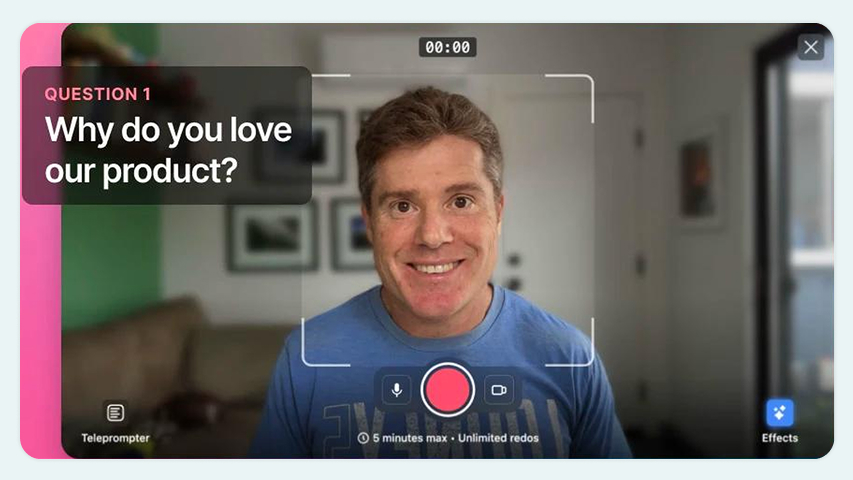
Best for: Businesses that want customers to record testimonials using on-screen prompts.
VocalVideo removes the friction of collecting customer stories by letting customers record at their convenience while walking them through the interview with on-screen prompts. Customers receive a link, share their story by responding to the prompts, and the business gets a ready-to-publish testimonial.
VocalVideo is our top pick in the category for removing both bottlenecks: a guided recording process that keeps customers comfortable, plus automatic branding, captions, and even music.
Also Consider
- VideoAsk: Adapt follow-up questions to each customer’s answer with branching video.
- Senja: Display video testimonials alongside reviews imported from G2, Google, etc.
- OpenReel: Direct customers live during a remote shoot, filmed in up to 4K.
Video Editing Tools
Video editing tools turn raw footage or generated video into a finished video. Most include captions, branding, and on-screen text. To find the right tool, consider who’s editing. Templates and AI-assisted editors let marketers produce polished videos without editing experience, while professional editing software adds advanced techniques such as motion graphics and color grading.
Template and AI-Assisted Editing
Descript ($16–$50/mo+)
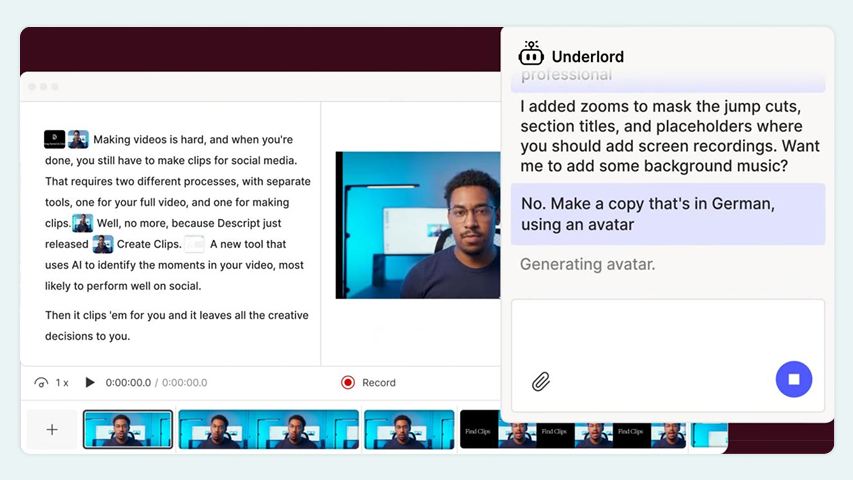
Best for: Marketers who want to edit video by editing its transcript and hand the tedious parts to an AI co-editor.
Descript is a beginner-friendly editing tool that made its name with text-based editing, wherein you edit the video by editing its transcript. We featured Descript in our Best AI Tools roundup in 2025, when its AI worked as a set of one-click tools. Now, its AI co-editor, Underlord, allows you to direct post-production in plain language, from cutting retakes to building a rough cut.
Descript is our top pick in the category for growing its AI features without losing sight of what made it useful: editing video as easily as editing a doc.
Also Consider
- Canva: Design video and graphics in one tool, with a brand kit to keep them consistent.
- Adobe Express: Build branded video from templates with Adobe-quality effects.
- CapCut: Cut vertical short-form video with auto-captions and trending effects.
Professional Editing
DaVinci Resolve (Free–$236)
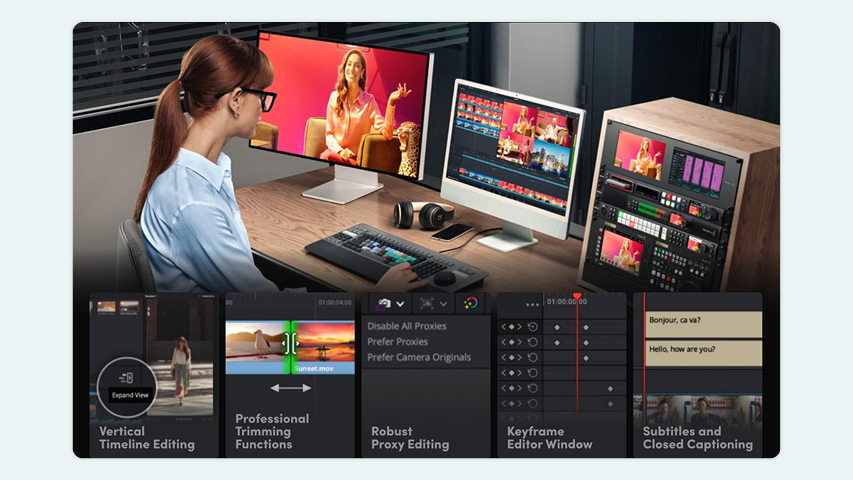
Best for: Anyone who wants professional cutting, color, effects, and audio in one app, with a free version that rivals paid options.
DaVinci Resolve is professional editing software that puts all post-production tools in a single dashboard, from cutting to color grading. While Adobe Premiere Pro hands off tasks like motion graphics and audio to separate apps, Resolve has gained traction as a solution for the modern workflow, where one person does it all. Pair that convenience with a free version that feels paid, and you can see how Resolve became a true Premiere Pro rival.
DaVinci Resolve gets our top pick in the category for putting a full professional suite within anyone’s reach, built around how editors work today.
Also Consider
- Adobe Premiere Pro: Edit in the industry standard, built to work with every Adobe app.
- Final Cut Pro: Cut and export fast on a Mac, built for solo editors and small teams.
Video Hosting and Analytics Platforms
Video hosting and analytics platforms make video a seamless part of your website while protecting your content and allowing you to own your analytics data.
Look for a tool that includes video marketing features, such as in-player CTAs, lead capture, video SEO, and marketing integrations to sync contacts and data with your email or CRM platform. On the analytics side, look for engagement data that goes beyond plays to who watched, how much they watched, and where they dropped off.
Video Hosting and Analytics
SproutVideo ($12–$195/mo)
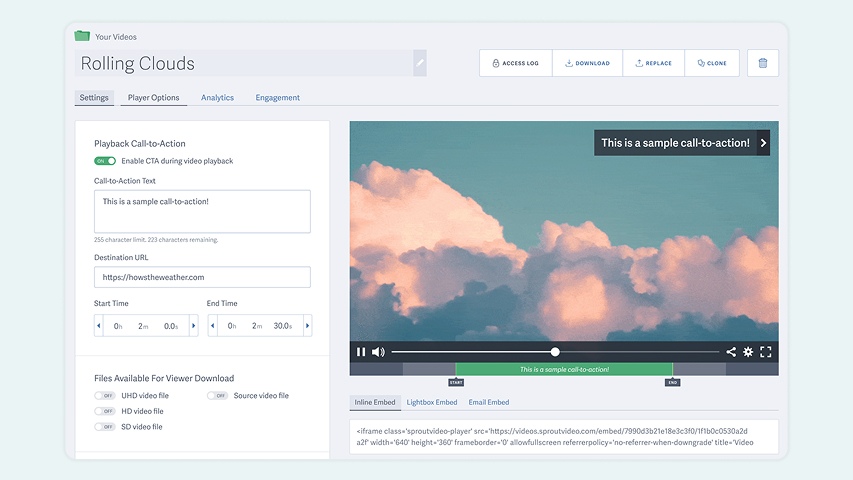
Best for: Businesses that want secure, private hosting with every core video marketing feature on any plan and no add-on costs.
SproutVideo puts the viewing experience and engagement data under your control.
- Customize the video player and prevent video downloads on your website.
- Add lead capture to grow your list or in-player CTAs to direct viewer action.
- Control who can watch with password protection, viewer logins, and domain restrictions, so gated and premium content stays exclusive.
- Sync engagement data natively to HubSpot on every plan, and use Zapier and Make to build automations across your tech stack.
- Connect your email platform to automatically send captured leads.
- Manage your video library from AI assistants like Claude and ChatGPT with the SproutVideo MCP.
SproutVideo is our product, and it’s also our top pick in this category because it includes the full suite of video marketing features on every plan, with no upgrades or add-ons required.
Also Consider
- Wistia: Requires its automation add-on to connect natively with HubSpot, Marketo, Pardot, and similar platforms.
- Vidyard: Built for sales reps who record and send video inside Outreach, Salesloft, or Gmail.
Sales, Recording, and Async Video Tools
Sales, recording, and async video tools help you send video to one person at a time, rather than publish it for everyone. Where hosting platforms put video on your website, these tools put it in an inbox, a LinkedIn message, or a shared link.
To find the right tool, start by considering what you want your video to accomplish. Personalized sales video tools help reps start conversations with prospects at scale, while screen recording tools make it easy to demonstrate products, walk through proposals, or answer questions without scheduling a call.
Personalized Sales Video
Sendspark ($39–$499/mo)
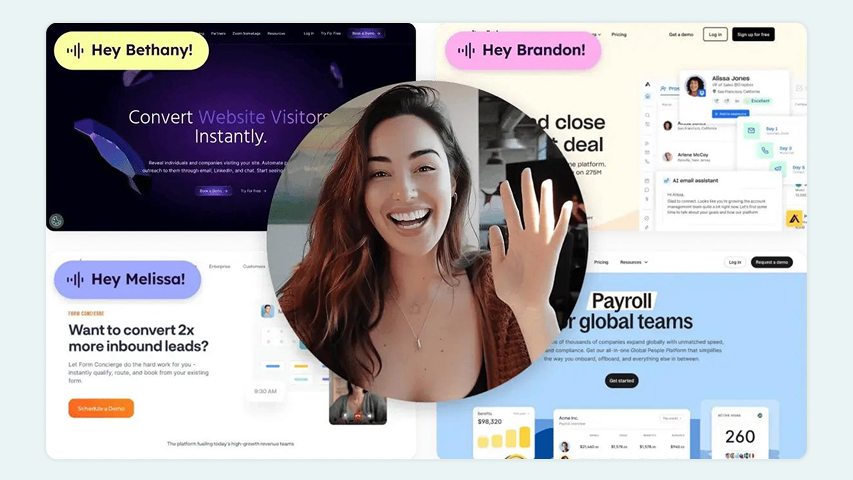
Best for: Sales teams that want to record one video that’s personalized for hundreds of prospects.
Sendspark is a sales video personalization tool that leverages AI’s scalability to expand an individual rep’s reach. It works like this: the sales rep records the video once. Sendspark uses AI to clone the rep’s voice and dynamically change the background based on the prospect’s website. The result is a video that appears custom-made for each prospect, with details like the recipient’s name and company personalized, allowing a single rep to scale outreach and follow-up significantly.
Sendspark gets the top spot in this category for its blend of AI voice cloning and real recordings, resulting in a video that feels genuinely personalized.
Also Consider
- BombBomb: Record and send video emails directly within Gmail or Outlook.
- Bonjoro: Get prompted to send a personal video when a new lead or customer arrives.
Screen Recording and Async
Loom (Free–$24/mo for one seat)
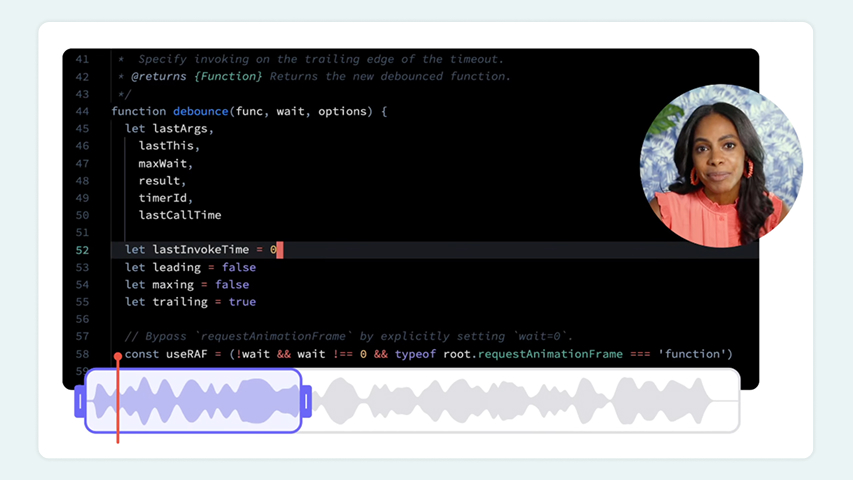
Best for: Teams that want to quickly record walkthrough videos and share them via links.
Loom is a video communication tool that lets teams record their screen, themselves, and audio at once, then automatically creates a shareable link. Viewers can watch, comment, and react without creating an account. That makes it a fit for interdepartmental communication, marketing, and sales teams alike.
Loom is our top pick in this category for packaging screen, camera, and voice into one recording, making a video walkthrough as quick to send as an email.
Also Consider
- Tella: Record, edit, and share in one tool when a quick recording isn’t polished enough.
- Screen Studio: Capture Mac screen recordings with automatic zoom and cursor effects.
Video Repurposing Tools
Video repurposing tools turn one type of content, such as a blog post or video, into multiple short, captioned clips, each customized for a specific channel. To find the right tool, consider the content you’re repurposing. Use an AI clipping tool to find the strongest moments from webinars, podcasts, and interviews. Or, turn written work into a shareable video.
Once your clips are ready, distribute them through a social scheduler, a video hosting platform, via email, and more; our guide to video content distribution covers how to plan that.
Video Repurposing
OpusClip ($15–29/mo+)
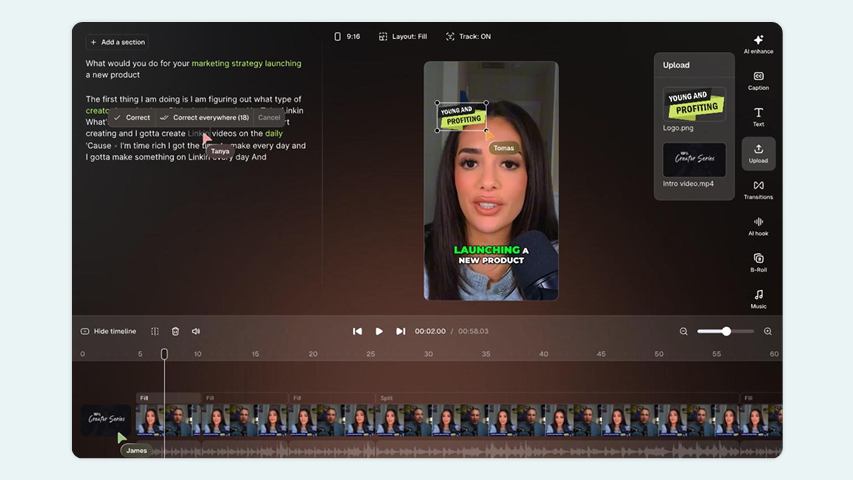
Best for: Busy teams looking to quickly turn long-form videos into social media clips without adding time to their workflow.
OpusClip turns long recordings like webinars and podcasts into short, social-ready clips. Its AI analyzes footage to find the most engaging moments, then adds animated captions and reframes clips to keep speakers centered in vertical, square, or landscape formats. The platform includes a built-in scheduler for sharing content to social media without an additional tool.
OpusClip is our top pick in the category for putting the repurposing workflow on autopilot, so long-form content still reaches social without adding another job to anyone’s plate.
Also Consider
- Vizard: Cut talk-heavy video content into shorts that keep each full point intact.
- Pictory: Turn written content into videos with stock footage matched to the text.
How to Choose Video Marketing Tools
When you’re putting a tech stack together, the goal is the fewest, best tools possible.
Most teams only need three things: a way to make video, a place to host it, and a way to get more out of each video they make. Everything else depends on your goal.
The Core Video Marketing Stack
- Make it: a creation or editing tool, depending on whether you film or generate.
- Host it: a platform that makes video part of your brand and shows who watched.
- Reuse it: a way to turn one video into more content, from social clips to emails.
Video Marketing Tools by Goal
| Turn viewers into leads | Video host with lead capture and CRM sync | SproutVideo |
| Show proof from real customers | Testimonial collection | VocalVideo |
| Reach prospects one by one | Personalized sales video | Sendspark |
| Walk someone through a product | Screen recording | Loom |
| Reach new markets or skip filming | AI avatars and translation | HeyGen |
What to Check Before You Commit
- Test drive: Use each tool for a real video project with a free plan or trial before you pay.
- Team fit: Confirm it has the collaboration features you need, like shared workspaces or review tools, and seat pricing that fits your team.
- Collaboration: Make sure it passes work cleanly to the next tool in your stack, through an export, an integration, or a share link.
- Pricing Scale: Check how pricing scales with the amount of content you create.
The right stack is the smallest one that helps you achieve your business goals without extra work.
How SproutVideo Fits Into Your Video Marketing Stack
Video marketing requires owning the viewing experience and the data it generates. It’s an art and a science. That’s why every video marketing stack needs a video host.
Videos you create in HeyGen, edit in Descript, or record in Tella land in SproutVideo, where you control how they look on your site or who can watch them. From there, you can:
- Capture leads before the video plays and sync them with your email platform.
- Direct next steps with in-player CTAs and post-play screens.
- See who watched, how much, and when they dropped off with engagement analytics.
- Sync watch milestones natively into HubSpot contact records to trigger follow-ups.
- Automate marketing workflows across your stack through Zapier or Make.
Every plan includes these marketing features at no additional fee. That makes SproutVideo the right fit for teams who need advanced video marketing features without the enterprise price.
Try for Free
All Video Marketing Features Included
Standard with every pricing plan. No exceptions.
Video Marketing Tools FAQ
What are video marketing tools?
Video marketing tools are the software and platforms that businesses use to create, host, distribute, and measure video content. They range from AI video generators and editors to hosting platforms with analytics, sales video tools, and clipping tools that turn a single video into multiple social posts.
What are the top video marketing tools?
Our top picks by category: Boords for scripting and planning; HeyGen for AI video; VocalVideo for testimonials; Descript for easy editing; DaVinci Resolve for professional editing; SproutVideo for hosting and analytics; Sendspark for personalized sales video; Loom for screen recording; and OpusClip for repurposing.
Do I need a separate video hosting platform if I use YouTube?
YouTube is built for discovery, so it’s useful for reaching new audiences. On your own website, a dedicated hosting platform gives you control that YouTube doesn’t: no competing recommendations, branding control, lead capture forms, and in-depth analytics that show who watched, how long, and where they rewatched or dropped off.
Many teams use both, YouTube for reach and a dedicated host for their site. Read more in our article on Public vs. Private Video Hosting Platforms.
Try for Free
A Video Host That Grows With Your Business
Every business needs video marketing tools. We think they should come standard.
- Get our full suite of marketing tools on every plan
- Reach real people on our support team every business day
- Switch platforms with hands-on migration help from our team
30 days free. No credit card required.