
Like any part of a tech stack, it’s hard to know everything a platform can do. You add the tool for the job you bought it for and move on. Consider this your guide to the rest.
If you’re new here, SproutVideo is a private video hosting platform that includes its video marketing suite, analytics, privacy controls, and API access on every plan, starting at $12/month. Higher tiers add capacity (storage, bandwidth, team seats, etc.) and tighter security controls.
That means this guide to SproutVideo features by plan applies to every customer, from Seed to Forest. Get the most from your plan: make use of what you already have, and see what else you can do.
SproutVideo Plan Comparison: Tiers at a Glance
Every video hosting platform organizes its features differently across tiers, as we explored in a prior post on video hosting costs. SproutVideo’s mission is to be a secure and dependable hosting solution for any business. That means even our most affordable plan includes a large range of features.
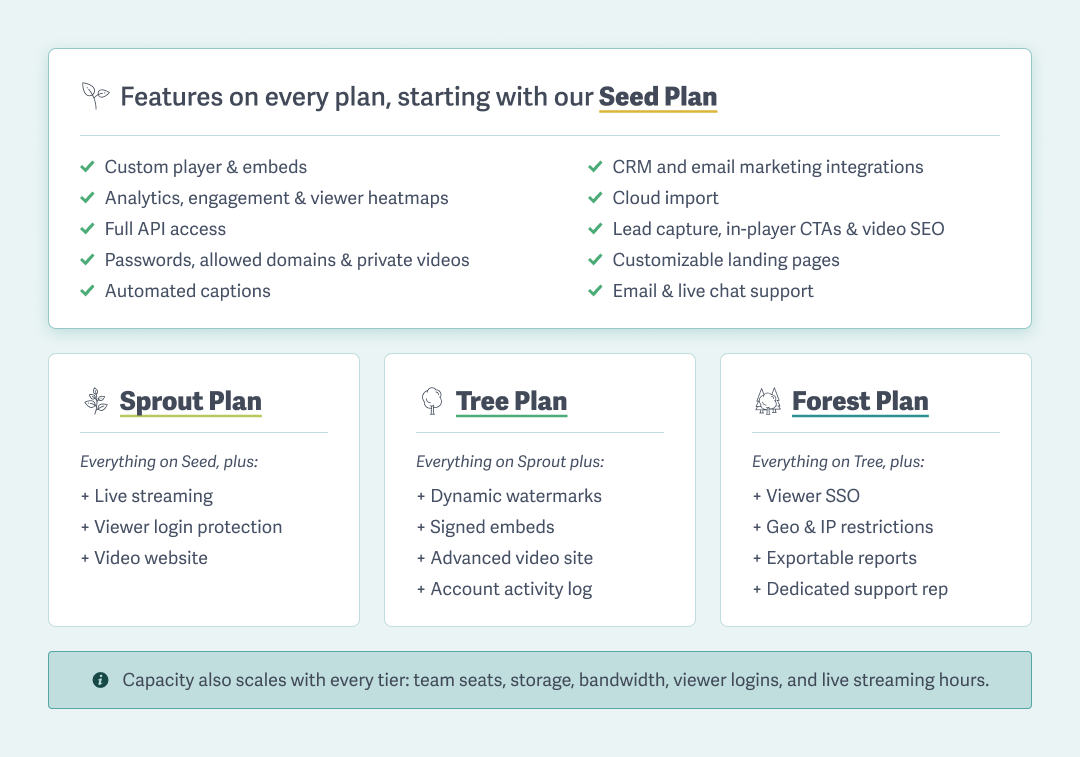
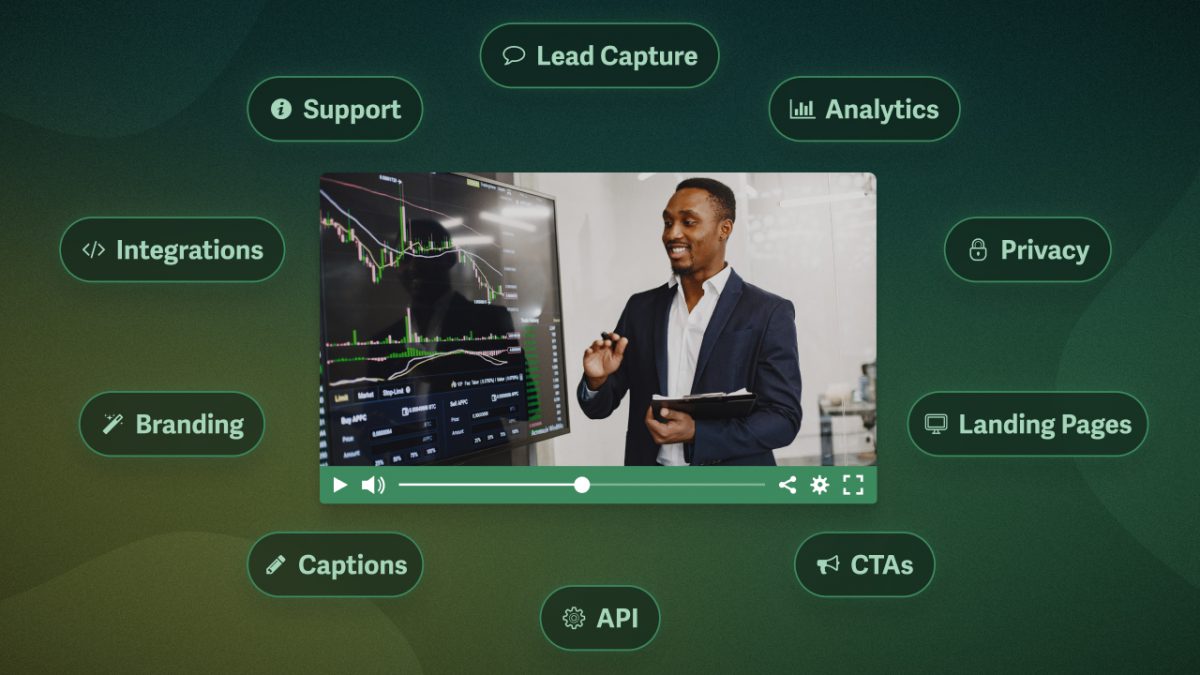
Every plan includes the custom player and embeds, analytics and engagement with viewer heatmaps, the video marketing suite, HubSpot CRM and email marketing integrations, essential privacy controls like password protection and allowed domains, customizable landing pages, automated captions, full API access, cloud import, and email and live chat support.
Here’s what scales as you move up tiers:
- Sprout adds live streaming, viewer login protection, and a customizable video website.
- Tree adds dynamic watermarks, signed embeds, advanced video site options, and an account activity log.
- Forest adds single sign-on (SSO), geo and IP restrictions, exportable reports, and a dedicated support rep with phone support.
Team seats, storage, bandwidth, viewer logins, and live streaming hours also scale. But where many platforms gate core features behind upgrades, SproutVideo includes them on every plan.
So the real question is, what else can you do with the features you already have?
5 Ways to Get More From Any Plan
Businesses use video hosting to share videos with their audience, control who can watch them, optimize them as a marketing channel, and know what’s working. With SproutVideo, you can do all of that on any of our plans.
1. Capture Leads from Your Videos
Turn every view into an opportunity to capture a lead or encourage further brand engagement. Lead capture forms gate your video, requiring viewers to provide their contact info before it plays. When you capture a lead, an email marketing integration pushes it straight into your email marketing platform’s contacts list.
You can also display linkable text at any point during a video with an in-player call to action. This feature is useful for prompting signups or directing viewers toward a specific action in high-interest moments.
Finally, post-play screens appear at the end of a video for those who watch to the end. These engaged viewers are highly likely to follow the prompted action. Collectively, these tools capture interest at every stage of the video.
How to Start
Point viewers to the next step you want them to take by adding an in-player call to action and post-play screen to your best-performing, public-facing video.
2. See What’s Working
Know how your videos perform, both overall and at the individual-viewer level. The analytics dashboard shows impressions, plays, average watch time, and a retention graph so that you can review video data at a glance. For more granular insight into individual viewing sessions, engagement metrics with heatmaps show how much of the video a person watched, what they replayed, and where they dropped off, as well as where, when, on which device they watched, and more.
Engagement metrics and heatmaps also surface areas for improvements and potential viewing errors. For example, you might notice that most viewers rewatch the same 10 seconds before dropping off, suggesting that part of the video loses people for some reason. Or you might discover that a group of viewers who barely start the video are all on the same browser, suggesting a browser-related error.
Retention graphs show you when people leave; engagement metrics with heatmaps help you understand why.
If you want to associate that behavior with a name, SproutVideo offers several ways to track individual viewers, from a simple email gate to passing contact details through your embed. This connection can also be enabled with login protection, which requires a Sprout plan.
How to Start
Go beyond a video’s retention graph by opening your engagement metrics. Review the individual session heatmaps and look for a pattern behind your most-replayed sections and biggest drop-offs.
3. Control Who Can Watch
Share videos privately and decide who gets access. Password protection locks a video so only those with the password can play it. Passwords can be added to embedded players or used in combination with a landing page to create a private sharing link.
How to Start
Share a video with one person by password-protecting it, customizing the landing page, and sending the link. Then watch the engagement metrics. Any view that doesn’t appear to be theirs, e.g., a view in another country, is a strong sign that the password was shared.
4. Own The Viewing Experience
Create a seamless experience by customizing your video player, from the color of the play button and seek bar to the visibility of controls like playback speed.
Save your player settings as a preset so you don’t have to rebuild them each time. You can also create multiple presets for different purposes, such as public-facing videos versus training videos, so your video becomes part of the experience wherever it lives.
How to Start
Pick one spot on your site, like your blog, and build a player preset for it so every video you add there matches without starting from scratch.
5. Control Where The Video Plays
Public-facing videos can be protected, too. Make sure your video is set to Private, which prevents direct downloads and keeps the source file from being easily accessible. Combine this privacy setting with allowed domains so the video won’t load outside your site. Even if someone scrapes your embed code, it won’t play when they share it.
How to Start
Make a video visible to any viewers but playable only on your sites. Set it to Private and restrict playback to your allowed domains.
4 Capabilities Higher Tiers Unlock
How do you know when you need more than what the entry plan includes? You’ll likely need one of the higher tiers if your use case requires restricting access by individual viewer or location, protecting sensitive content, or maintaining an audit trail.
1. Gate a Course or Educate an Audience
Restrict access to a course or group of videos, and see exactly how each person engages. Viewer login protection controls who gets in, enabling you to assign individual login credentials so only specific users can watch certain videos. You can also limit the number of viewing sessions or set an expiration date to revoke access automatically.
Once someone’s inside, the viewer access log tells you what they did, including when they logged in, what they watched, and how long they watched. Each individual has a viewer profile with their complete access history. A customizable video website brings it all together by serving as the single branded home where viewers log in and watch.
Requires: Sprout or higher
How to Start
Securely limit video access to a few specific people by creating viewer logins and granting them access. Then build your video site in the Site Editor by choosing a theme and customizing the layout to your liking.
2. Sell Video or Protect Premium Content
When your videos are the product or a content leak would carry consequences, control what happens after a user presses play. In the previous step, you locked down who can watch; now control what they can do once access is granted.
Dynamic watermarks deter misuse and trace stolen copies back to the source: visible watermarks display the viewer’s info on screen as a deterrent, while invisible watermarks quietly follow the video wherever it goes, allowing you to identify the responsible viewer.
When your videos live in applications or other places where allowed domains can’t be used, signed embed codes use tokenized authorization to ensure the video plays only in the environment you’ve approved. They are also resistant to spoofing, making it a stronger gate than allowed domains alone.
Requires: Tree or higher
How to Start
Once you have a login-protected video on your website, take security a step further by adding dynamic watermarks: visible, invisible, or both. Now, anyone who records or shares the video leaves a trail straight back to themselves.
3. Restrict Videos to a Building or Network
Sometimes, video access should depend on where a viewer is located, so only viewers in certain countries can watch the content, or so only specific franchises can access video training. Geographic restrictions let you limit viewership to a country or region, making it ideal for media licensing requirements. IP Address restrictions limit access to an IP network or range, ensuring videos can only play within an approved office, campus, or warehouse.
Requires: Forest
How to Start
Pick the content that should never leave your network, like internal training or sensitive material, and restrict it to your approved IP address or range.
4. Manage Company-Wide Access & Reporting
Larger organizations or those with compliance requirements may need to streamline access and record-keeping. To this end, single sign-on (SSO) allows employees to sign in with their existing company credentials, making it easy to grant or revoke access company-wide.
Additionally, exportable reports pull viewing and engagement data from your SproutVideo account so you can push it into your other applications, demonstrate compliance, or maintain an audit trail for company reporting.
Requires: Forest
How to Start
Pull a report on your videos and put the numbers to work: show leadership what’s working, prove compliance, or document who completed required training.
Features that Scale As Your Business Grows
Features aren’t the only thing that unlocks with higher tiers. As your business grows, capacity does too. If you’re nearing one of these limits, it’s a clear sign to consider the next tier:
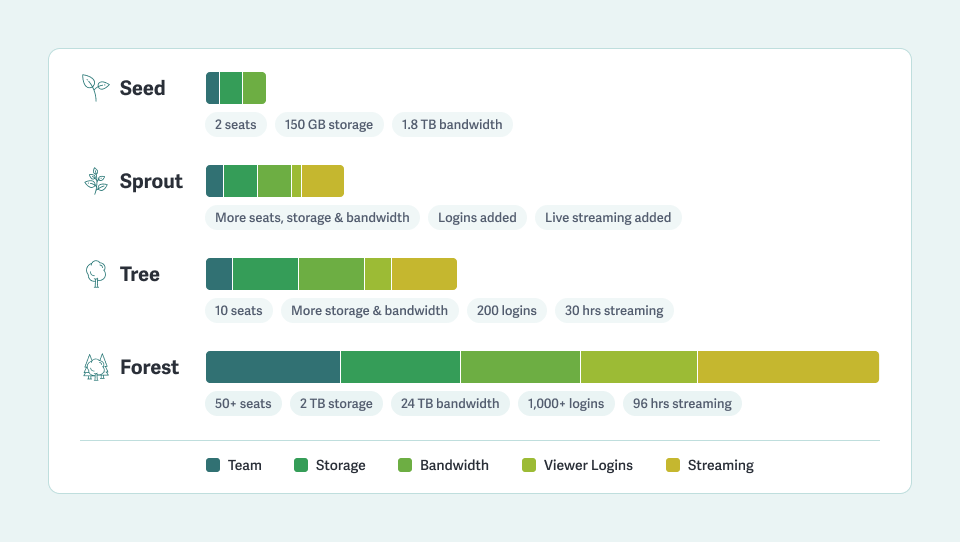
- Team seats: the people who need direct access to your video hosting account. When you’re out of seats, it’s time to move up.
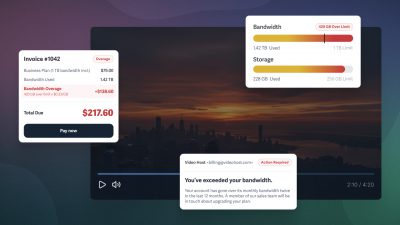
- Storage and bandwidth: your capacity for a growing library and rising traffic. When extra usage fees become a regular occurrence, consider an upgrade.
- Viewer logins: login protection requires a separate login for each viewer. When you need more protected viewers than your tier allows, a higher tier may be essential.
- Live streaming hours: your capacity to broadcast and deliver live video. Input is how long you’re on air; delivery is the total minutes watched across viewers. Live streaming is available starting on the Sprout plan. If you often need more hours than your plan allows, consider moving up a tier.
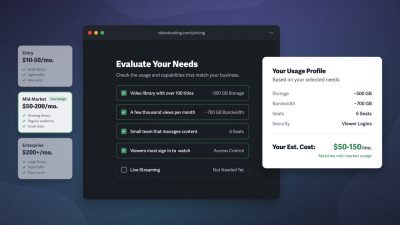
For exact figures and extra usage rates, see the pricing page or contact support with any questions.
Try for Free
Not A Customer Yet?
Start a free trial and try every feature in this guide before you commit to a plan.
- Customize your player and track engagement for every view
- Grow your audience with all marketing tools on every plan
- Protect your public videos and securely share the private ones
- Get real human support, with pricing that scales with you
30 days free. No credit card required.
FAQ on SproutVideo Features & Plans
What is SproutVideo?
SproutVideo is a private video hosting platform for business with four plans: Seed ($12/mo), Sprout ($35/mo), Tree ($72/mo), and Forest ($195/mo), billed annually. Every plan includes the same core tools:
- Customizable, white-label player
- Analytics and engagement with viewer-level heatmaps
- Video marketing suite (lead capture, in-player CTAs, integrations, video SEO)
- Essential privacy controls (password protection, allowed domains, private videos)
- Customizable video landing pages or private links
- Automated captions
- HubSpot CRM integration and email integrations (Mailchimp, Drip, and more)
- Full API access
- No storage and bandwidth usage caps
Higher tiers add capacity — team seats, storage, bandwidth, viewer logins, and live streaming hours — along with tighter control: viewer login protection on Sprout; dynamic watermarks and signed embeds on Tree; and single sign-on, geo and IP restrictions, and exportable reporting on Forest.
How much does SproutVideo cost?
SproutVideo has four plans, when billed annually: $12/mo for Seed, $35/mo for Sprout, $72/mo for Tree, and $195/mo for Forest. There are no usage caps or hidden upgrade pushes; use as much storage and bandwidth as needed on any plan, just pay the extra usage fees.
For monthly rates and extra usage figures, see the pricing page.
Is SproutVideo secure and private?
Yes. Every plan includes password protection, allowed-domain restrictions, and private videos. Higher tiers add layers of security, including viewer login protection, viewer access logs, signed embed codes, dynamic watermarks, geo and IP restrictions, and SSO.
Can I move my videos from another platform to SproutVideo?
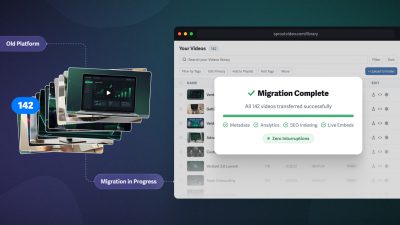
Yes! We offer migration assistance, pulling everything associated with your videos (video files, metadata, captions, folders, tags, thumbnails) directly into your SproutVideo account. No need to rebuild your video library from scratch. If you prefer to do it yourself, we also have resumable uploads, cloud import, and API migration options. Read our full post on migrating video hosts, or contact support to get started.
Try SproutVideo Free for 30 Days
Test every feature with your own videos before you commit, no credit card required.