
Viewers download videos for a range of reasons, and most aren’t malicious: someone enjoys watching a video and wants to save a copy for later; a colleague sends a file to get feedback; a student saves a course video to watch offline. This type of video downloading is easy to prevent.
By adding friction and removing the easy ability to download content, these viewers either move on or try to share it in another way without saving a copy.
For many businesses, though, video security concerns go beyond the download button. When protecting high-value or sensitive videos from piracy, protection requires access controls, playback restrictions, and viewer accountability.
For some videos, preventing downloads is enough. For others, it’s just the starting point. Use this guide to find the level of protection required for the video risks you’re managing.
Preventing Video Downloads vs Piracy: What’s the Difference?
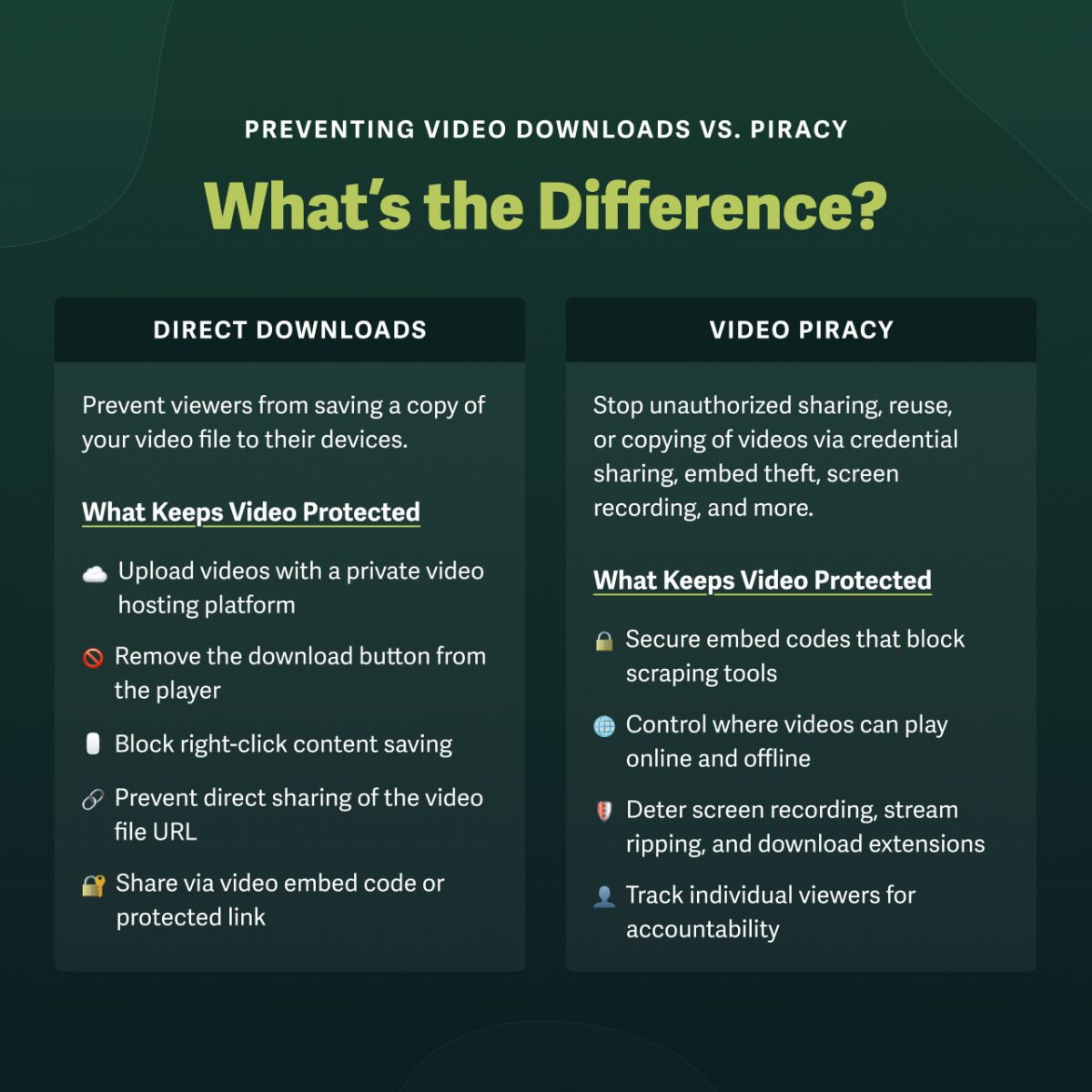
Preventing video downloads starts with a private video hosting platform. But businesses seeking broader download prevention are often looking for protection against video piracy. The difference is stark: download prevention blocks file saves, while deterring video piracy requires secure video sharing. Learn when you need each below.
Direct Downloads
A direct video download is when a viewer saves a copy of your video file to their local device. Preventing direct downloads stops the average viewer from copying material. It’s sufficient for most public videos and non-technical viewers.
What protects videos from download:
- Remove the download button from the player
- Block casual right-click content saving
- Prevent direct sharing of the video file URL
This type of download protection is a basic feature of any private video hosting platform.
Video Piracy
Video piracy is the unauthorized sharing, reuse, or copying of videos. This theft occurs through credential sharing, embed code theft, screen recording, and more.
What protects videos from piracy:
- Secure embed codes that block scraping tools
- Controls over where videos can play online and offline
- Deterrents against screen recording, stream ripping, and download extensions
- Viewer-level tracking for individual accountability
Effective video piracy protection layers multiple security measures, making it significantly harder, if not impossible, for even the most technical viewers to copy or share content without permission.
Video Protection by Risk Level: What Features Do You Need?
You can click each video security feature to jump to that section for more information.
| Low | Casual right-clickers, accidental discovery | Downloads off; Private and/or password-protected | Public content, trusted groups, internal updates |
| Medium | Embed scrapers, password sharing, unauthorized redistribution | + Login protection; Allowed domains; Engagement metrics | Course creators, marketing assets, client collaboration |
| High | Unauthorized capture, licensing violations, and internal leaks | + SSO; Signed embeds; Dynamic watermarks; IP/geo restrictions | Licensed material, paid content, internal communications, confidential assets |
How to Protect Videos from Direct Downloads
1. Use a private hosting platform with video encryption
Private video hosting platforms deliver content through encrypted streams, such as AES-128, rather than direct file URLs. Therefore, there’s no downloadable file for a viewer to grab, because the private video host protects your source file from direct access. Even if someone finds the URL, it points to an encrypted stream rather than the underlying file itself.
2. Disable downloads by default
Within your private video hosting platform, ensure downloads are disabled account-wide so every video is protected on upload. Most private video hosts prevent downloads by default, but it’s worth confirming at the account level and monitoring per-video settings, as they often override account defaults.
Note: Depending on the platform, you may need to set videos to private as well.
3. Share via embed code or protected link
The final step to preventing video downloads is sharing material in a way that protects the source file. Many content management systems and website builders encourage adding video via direct link, but this leaves your content vulnerable to downloads. Instead:
- Share videos via embed codes to play content through your platform’s protected player.
- Share a video by link with your host’s landing pages, rather than the direct URL.
Learn More: How to Embed Videos on Your Website Without Risking Downloads
6 More Ways to Protect Videos from Piracy
To protect videos beyond direct downloads, implement a secure video-sharing workflow that controls access, protects content, and monitors activity.
This 2-minute guide explains how to build a secure video-sharing workflow that may include any combination of the following video protection methods.
1. Add Password Protection, Login Protection, or SSO
The most direct way to prevent video leaks is to control who can access your content. There are three main ways to do this, each with a different level of access control.
- Password Protection: Limit access to viewers with the required password.
- Login Protection: Restrict access to specific viewers with login credentials.
- Single Sign-On (SSO): Integrate with an identity provider to streamline credentials.
Password protection is ideal for sharing with a single person or a small trusted group. Since passwords belong to the video rather than the viewer, viewers can share them beyond the intended audience without your knowledge.
Login protection and SSO tie each viewing session to an individual viewer, enabling businesses to track exactly who is watching, set access duration limits, and revoke access at any time.
Keep Reading: 7 Ways to Restrict Video Access in Your Business
2. Use IP Address & Geographic Restrictions
Restricting video access to specific locations or regions is another way to reduce leak points.
- IP Address: Ensure access is limited to approved IP addresses or ranges only.
- Geographic Location: Allow video playback only in certain regions or countries.
IP Address restrictions keep viewing onsite to offices, warehouses, or even specific remote IP addresses. They are best for training, compliance, and multi-branch or franchise communication.
Geographic restrictions limit video access to approved global regions, making them ideal for enforcing media licensing agreements and for businesses controlling content distribution.
3. Implement Allowed Domains or Signed Embed Codes
Protect the video from unwanted distribution by restricting playback in at least one way:
- Allowed Domains: Limit video playback to specific domains.
- Signed Embed Codes: Protect playback by verifying every play request.
Both options restrict where and how viewers can access videos.
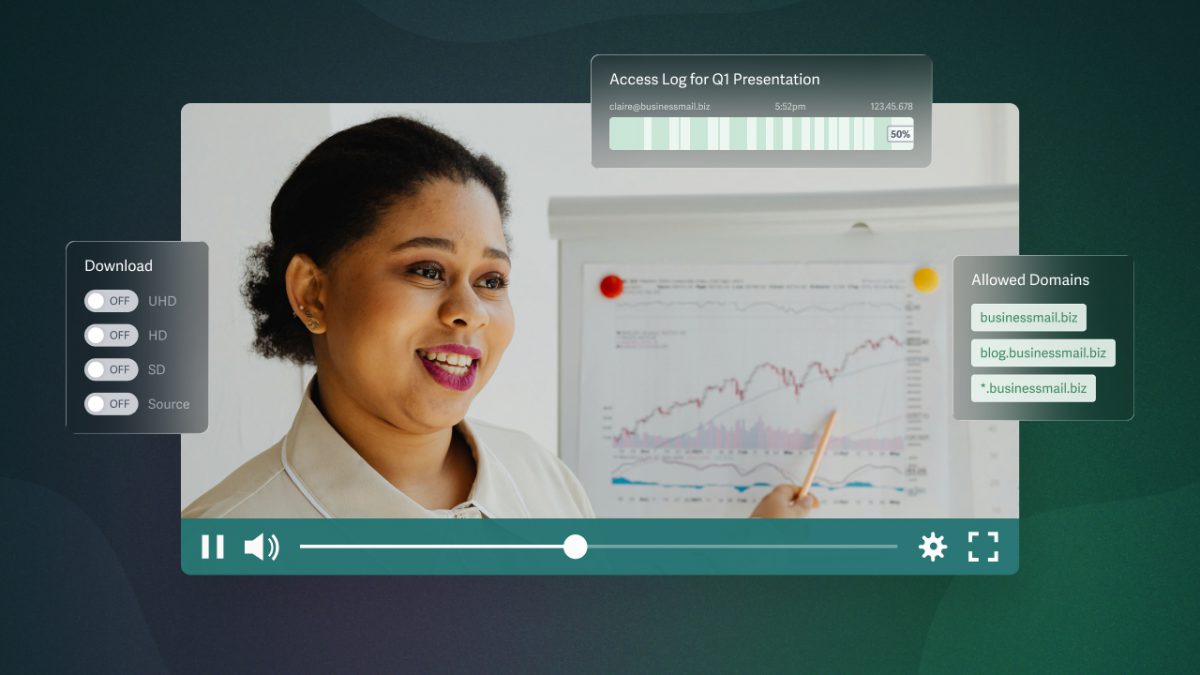
Allowed domains are a basic video privacy feature that’s easy to enable and ensures content plays only on your website or internal portal. Even if the viewer finds the URL, the video will not load outside your specified domains.
Signed embed codes are a more technical option that allows you to protect content from being shared in places where domain restrictions alone aren’t sufficient, such as mobile apps and third-party platforms. Even if someone copies the embed code and deploys it elsewhere, the video won’t load without a valid, authorized token.
4. Layer Dynamic Watermarks (Visible & Invisible)
Make viewers think twice about recording or sharing content by adding dynamic watermarks to high-value videos.
- Visible Watermarks: Make viewers identifiable by displaying their email address, IP address, and session ID directly on screen.
- Invisible Watermarks: Trace unauthorized copies back to the source viewer via imperceptible markers embedded in the video.
Visible watermarks shift position intermittently, making misuse challenging and watermarks difficult to crop or blur. Invisible watermarks turn every viewing session into a trackable accountability record, whether the viewer is aware of them or not.
5. Audit Engagement Metrics & Viewer Activity
Get detailed engagement data for every viewing session, including how long viewers watched, where they dropped off, and how they interacted with the content.
When login protection or SSO is enabled, every view is tied to a specific viewer, allowing early identification of unusual viewing patterns and individual accountability if material is misused. You can also use the viewer access and account audit logs to monitor the reliability of your secure video sharing workflow.
Keep Reading: The Complete Guide to Securely Sharing Business Videos
FAQ on Preventing Video Downloads & Piracy
How do I protect my videos from being downloaded?
Use a private video hosting platform that delivers content through encrypted streams rather than direct file URLs. From there, disable downloads account-wide (if not off by default), and share content via embed codes or protected video landing pages.
How can I protect my video from being copied?
Preventing video copying requires more than preventing downloads. To protect against screen recording, embed code theft, credential sharing, and more, build a secure video workflow.
This workflow might include restricting where videos can play to allowed domains or signed embed codes, adding dynamic watermarks to hold every viewer accountable, and using login protection and engagement metrics to monitor user-level viewing sessions.
How do I prevent video downloads from my website?
The most effective way to prevent video downloads from your website is to avoid hosting video files directly on your site. Instead, use a private video hosting platform that turns off downloads by default. Then, add videos to your website with embed codes rather than direct file links.
This workflow serves video through the platform’s protected player, preventing right-click saving or access to the source file URL. For additional protection, enable domain restrictions to ensure the video only loads on your specified domains.
How do I stop someone from sharing my video without permission?
Control who can access your videos, where viewers can play them, and hold viewers accountable for each viewing session. You can do this by restricting access with login protection or SSO, adding dynamic watermarks to make recordings or screenshots identifiable, and using domain restrictions or signed embed codes to limit where videos load.
How do I protect course videos from being downloaded?
Host course videos on a private video hosting platform that blocks downloads by default and delivers video via encrypted streams rather than direct file URLs.
Add videos to course content with embed codes rather than direct links or through your learning platform. Restrict access to members only, either through your learning management system or login protection. For high-value libraries, add dynamic watermarks and set access duration limits to prevent credentials from being shared beyond your intended audience.