
Businesses rely on video to train, market, and communicate at scale. Each year, we test what’s possible with video and track what actually works.
In 2025, we launched the Business Video Playbook, asking professionals across industries how they drive real business results with video. We explored emerging AI tools for workflow efficiency, compared leading video editing platforms, and published practical guides on secure video sharing, player customization, video in email, and more.
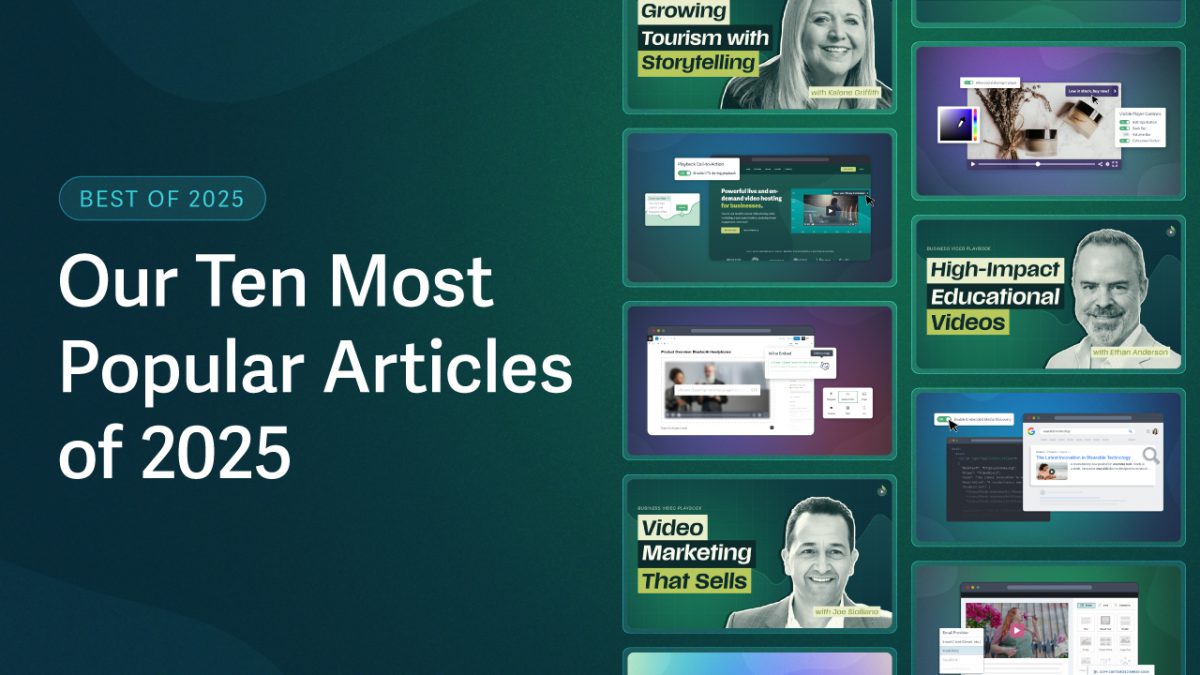
From that work, we’ve pulled ten practical ways businesses are using video heading into 2026, based on the articles our audience found most valuable.
Here are the ten most popular SproutVideo blog posts of 2025.
10 Ways to Use Video, Based On Your Favorite Articles of 2025
10. Create High-Converting Videos for Landing Pages
Videos on landing pages enhance conversion rates when they guide decisions and educate potential customers. In this way, video landing pages help strategically reinforce value, build trust, and prompt conversion.
Based on expert insights, effective landing-page videos often:
- Trigger the CTA early (first 15 seconds) to drive an average 18% lift in conversions
- Hook viewers with product benefits and unique selling points to increase watch time
- Remove doubt with social proof, including client logos and customer testimonials
From full-screen background videos to customer testimonials, see high-performing video examples in action and explore more tips in the guide.
9. Write Your Brand Narrative with Video Marketing
When perception matters as much as the product, video can be a powerful way to shape a brand’s narrative.
Kalene Griffith, CEO of Visit Bentonville, and her team used online video to reframe Bentonville, Arkansas, from a small corporate town into a destination that fuels the local economy.
Through cinematic visuals and authentic local voices, Griffith’s experience demonstrates how people-first storytelling shifts perception and creates lasting impact.
Watch the Interview: How Destination Storytelling Drives Local Tourism Economies
8. Create A Seamless, Custom Video Experience
Want more control over how viewers experience your content? Video player customization goes far beyond appearance.
Custom Video Player Example
Rather than treating the player as a passive container, you can decide how viewers interact and direct their attention to additional resources or links during and after playback.
- Collect viewer contact information with a lead capture screen.
- Add quizzes or links to relevant resources through custom end screens.
- Remove specific playback controls, such as full-screen or scrubbing.
A customizable video player enables you to create a viewing experience that aligns with your business goals, whether that’s lead generation, learning outcomes, or brand consistency.
Read Now: 11 Ways To Boost Branding & Conversions
7. Increase Video Discoverability Across Search Engines
The landscape of video discoverability has shifted with the introduction of AI search. One practical way to adapt is by adding video schema: a form of metadata that helps search engines and AI systems understand what a video contains and when to surface the content.
For example, when adding video to a landing page, you can include schema that’s invisible to visitors, such as the video title, thumbnail image source, and transcript. This schema markup enables search engines to more easily locate, reference, and surface the content across both traditional and AI-driven search results.
Learn How: Enhance Video Visibility with Structured Data
6. Share Videos Publicly & Keep Them Protected
Public video doesn’t have to mean unprotected video.
Many platforms recommend sharing videos via direct links for convenience, but this approach leaves content vulnerable to downloading and redistribution. Instead, we recommend using embed codes to keep videos publicly viewable on your website, while retaining control over how and where someone accesses your videos.
Embed codes also make it easier to customize the player (such as play button colors) and update videos without manually replacing them across pages.
Read Now: How to Embed Videos on Your Website Without Risking Downloads
5. Improve Click-Through with Video in Email
Adding video to email has the potential to significantly increase click-through rates. But embedding video files is one of the fastest ways to break the email experience across clients. Instead, you can include a video thumbnail with a play button to entice clicks.
When a reader presses play, a webpage opens with the embedded video. This workflow offers the best of both worlds, delivering the value of video while preserving email performance and the viewing experience.
Read the Guide: 3 Ways To Add Video to Email Campaigns
4. Build Profitable Connections with Authentic Videos
Businesses commonly use video (91% in 2025!) to build trust and nurture long-term relationships. With 30 years of experience in real estate, Joe Siciliano knows firsthand how human-centered video can transform cold prospects into repeat clients. His approach focuses on consistently showing up, communicating sincerely, and compounding trust over time.

Grab the Free Downloadable Episode Overview for Actionable Tips
The first interview in our Business Video Playbook series, this episode is packed with practical guidance you can apply immediately. With a focus on sustainable, relationship-driven strategies, Joe shares what makes authenticity effective and profitable.
Watch Now: How to Connect with Video from A 30-Year Real Estate Veteran
3. Expand Content Distribution with AI Video Tools
We’ve found that AI video tools (so far) are most effective when applied selectively within an existing workflow. Rather than relying on one-click prompt-to-video generators, you can apply AI across individual steps (such as graphics, music, and voiceover) to maintain quality while increasing speed.
This approach enabled us to convert blog content into an AI-generated video in under two hours. For higher-impact pieces that require additional time and polish, such as our gift guide video, this AI-enhanced video workflow takes one to two days, compared to about a week prior.
Learn How: 5 Steps from Blog to Video in Under 2 Hours
2. Choose the Best Video Software for Your Workflow
The right video software for your workflow should depend on how your team actually works.
For example, while both DaVinci Resolve and Adobe Premiere Pro are industry standards, they are designed for different production models. Premiere Pro supports traditional workflows, where various professionals often handle editing, color grading, and finishing. DaVinci Resolve, by contrast, is built around a more integrated approach, making it easier to move between every stage of post-production within a single tool.
Even with decades of experience in Premiere, our Creative Director, Nick LaClair, switched to Resolve last year while producing this series. Furthermore, his breakdown of the tradeoffs became our most-watched YouTube video of 2025.
Watch Now: Premiere Pro vs. DaVinci Resolve: Should You Switch?
1. Craft Engaging Videos for Modern Learners
When you design videos around how people actually learn, it can drive real, measurable outcomes.
For Ethan Anderson, Director of Product Management at NOLA Education’s Star Academy, success is measured by students who graduate. His research-backed approach to video learning helps learners advance quickly and confidently, resulting in a 92% video success rate.
Our most popular Business Video Playbook episode of the year, Anderson helps you understand your learners and design video experiences that support progress, rather than merely completion.
Watch Now: Video-Based Learning: A Playbook for Student Success
What Will Video Do for Your Business in 2026?
These ten articles reflect what resonated most with readers in 2025. Each highlights a practical way businesses are using video today, informed by how we build, test, and use video at SproutVideo. We’re excited to continue learning alongside you in 2026!