
Sharing a video link is easy. But your video is only as private as the weakest point in your sharing workflow. For businesses, securely sharing private videos is crucial to protecting intellectual property, public relations, and the bottom line.
The level of privacy you need depends on the risk to your business if that content is leaked or redistributed. Private video sharing protects business assets when:
- Sending a video to a client
- Distributing internal training videos
- Sharing confidential product or financial content
- Delivering investor or stakeholder updates
Control who sees your content, prevent unauthorized downloads, and keep a record of who’s watching. Here are the four main methods for sharing private videos, and how to choose the right fit for your business.
What Is the Difference Between Private Video, Unlisted Video, and Public Video?
Before choosing a sharing method, it helps to understand how these three video visibility settings differ and what each one protects.
Public Videos Are Discoverable Online
Public videos can be indexed by search engines and accessed by anyone. These videos are distributed for maximum visibility and reach rather than privacy. Public videos are ideal for marketing, education, and any content intended for a broad audience.
You can protect public videos from download and embed code theft with a private video hosting platform that protects the source file when sharing videos on your website.
Unlisted Videos Are Hidden but Shareable
Unlisted videos are also not indexed for search results and publicly listed; however, anyone with the link can watch them. Since viewers can easily forward these links, unlisted videos are best suited for trusted groups and low-risk sharing.
Whether or not content can be downloaded depends on your hosting platform and account settings. While highly convenient, unlisted video links offer less protection than private videos and should never be used for confidential or proprietary information.
Private Videos Restrict Access to Content
Private videos provide the highest level of control. Private videos are not indexed by search engines or publicly listed, and access is restricted in some way.
The level of protection once accessed depends on the platform and additional secure video measures. A private video on a public platform, for example, limits who can view the content, but it does not prevent the file from being downloaded, scraped, or copied once accessed. A private video hosting platform solves these concerns.
Private video sharing is best suited for sensitive business content, internal communications, or any material where unauthorized access could create risk.
Example: How One Business Uses Public, Unlisted, and Private Videos
A commercial architecture firm posts a public video on its website showcasing completed projects to attract new clients, demonstrating the firm’s expertise and track record while building trust with prospective customers.
They use an unlisted video to share progress updates with a client, allowing them to review designs before public release and receive timely feedback without exposing sensitive information.
Finally, the firm creates a login-protected private video for staff showing detailed building plans and safety procedures, ensuring employees understand compliance requirements and internal standards.
Common Private Video Sharing Challenges
Privately sharing videos can create several business challenges:
- Large file sizes: High-resolution videos exceed email limits or require compression, slowing workflows and reducing quality.
- Forwarded private links: Anyone with a video link or shared password can pass it along to unintended viewers.
- Unauthorized redistribution: Videos may be vulnerable to download, theft, or copying without secure video protections.
- Lack of viewer tracking: Many sharing methods don’t show who watched the video or how much they viewed.
Do any of these challenges sound familiar? Identifying the biggest roadblocks in your private video sharing can help you determine which method best fits your workflow.
Secure Video Sharing: The Complete Guide to Protecting Business Videos
The 4 Main Ways to Share Videos Privately
The method a business uses to share private video determines the level of control and protection it has over that content.
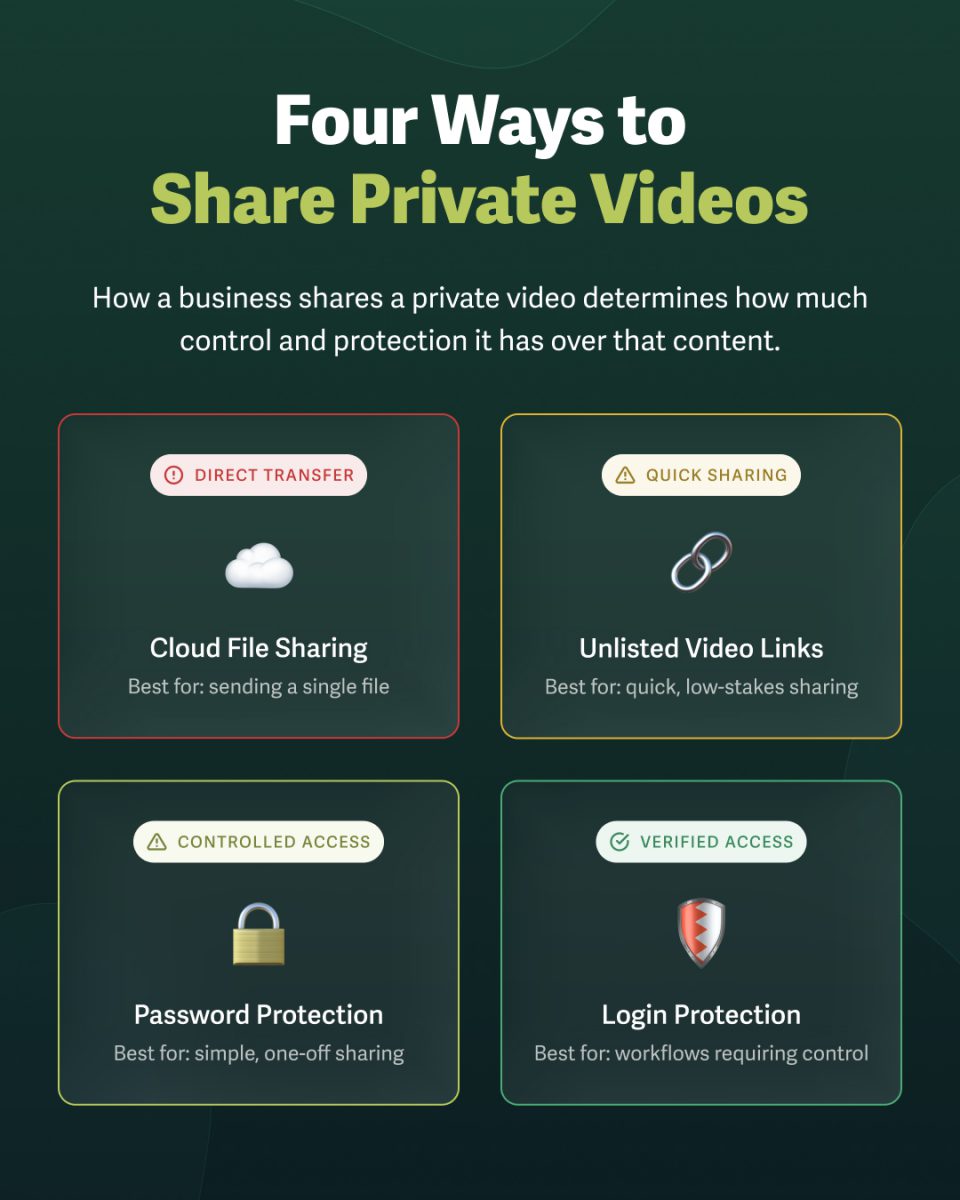
Cloud File Sharing
- Best for: Sending a single file
- Privacy level: Direct file access
- Examples: Google Drive, Dropbox
Cloud file sharing ensures your video file is privately shared with your intended audience. It is a direct transfer of the video file from one person or team to another.
Cloud video file sharing does not prevent downloads or unauthorized redistribution and copying. It’s a straightforward way to pass assets between teams and collaborators, but it offers zero control over what happens to the file after it’s shared.
For example, a marketing team uses a cloud file-sharing platform to transfer a video file to an external editor. Only the intended person can access and download the file. But the team has no visibility into how they use the video, whether they create copies, or where it ends up.
Unlisted Video Links
- Best for: Quick, low-risk sharing
- Privacy level: Link-based access
- Examples: YouTube, SproutVideo
Unlisted links make a video accessible without making it publicly discoverable. They’re best for sharing low-risk content with trusted groups, because anyone with the link can watch the video.
This method makes content easy to share, but access to the video itself isn’t restricted. Since the link acts as the key, viewers can still share videos beyond the intended audience. The level of privacy also depends on the hosting platform: public platforms leave videos vulnerable to downloads, while private video hosting platforms add a layer of protection even when accessed.
For example, a company shares a recorded quarterly update with employees via an unlisted link. It’s not sensitive material, but it’s meant for an internal audience only. The unlisted link prevents discoverability while allowing anyone with the link to watch the video.
Learn More: 7 Reasons Businesses Use Private Video Hosting VS. Public Platforms
Password-Protected Videos
- Best for: Small teams; client review
- Privacy level: Password-based access
- Examples: SproutVideo, Vimeo
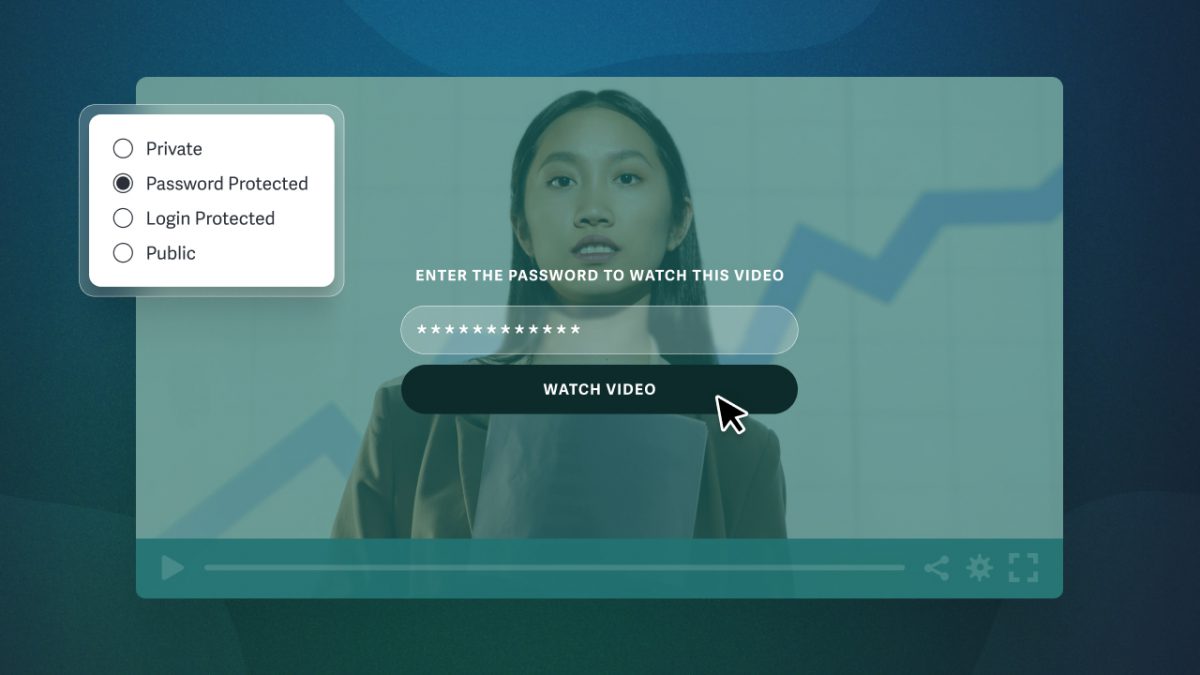
Password protection adds a layer of access control on top of unlisted sharing. Even if an unauthorized viewer gains access to the video page, password protection prevents them from viewing the content.
The video is still easy to share by link, but the password also protects access. It’s an ideal option for quick, low-friction video sharing between teams and clients alike.
Even so, viewers can forward passwords. While password protection offers greater security than an unlisted link, it’s not recommended for sensitive or confidential material.
For example, a production agency shares a rough cut with a client for review via a password-protected video link. It’s a fast way to get feedback, and the password ensures the footage stays between the agency and client until it’s ready for wider distribution.
Private Video Hosting Platform with Login Protection
- Best for: Business workflows requiring control and visibility
- Privacy level: Account-level access
- Examples: SproutVideo
Login protection requires viewers to authenticate with an email and password before accessing content. This method provides the highest level of privacy because credentials are tied to individual viewers, enabling businesses to track who, when, and where viewers watch the video.
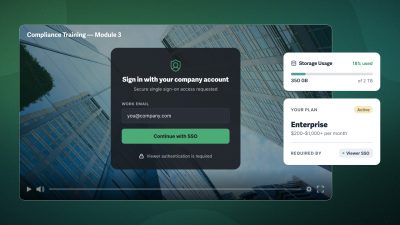
Private video hosting platforms often include additional features to deter and track theft, such as domain restrictions, watermarking, and analytics. Most platforms support Single Sign-On (SSO), allowing companies to integrate their existing identity provider. SproutVideo supports SSO but also offers an all-in-one alternative with built-in login protection for video websites.
This method is ideal for sharing confidential business content, internal training, or customer-facing materials where security and engagement insights are critical.
For example, a SaaS company shares a pre-release product demo with a select group of beta users. Login protection ties access to individual accounts, so only approved viewers can watch the video. If someone attempts to share it externally, the company can detect the unauthorized viewing and revoke access before the demo reaches competitors or the public.
How to Choose the Right Method
To share video privately while protecting your business, consider how sensitive the content is and what could happen if unauthorized viewers shared it beyond the intended audience.
Use the table below to match your needs with the privacy method that fits your business.
| Send a video file | Project deliverables, file transfers | Cloud file sharing | Low: Files can be downloaded and easily redistributed |
| Share a preview or quick link | Draft reviews, quick previews | Unlisted video links | Low: Anyone with the link can view or forward it |
| Share videos with a small team or client | Client review, team updates | Password-protected videos | Moderate: Passwords can be shared; includes basic viewer analytics |
| Control who can watch and track engagement | Internal training, investor updates, product demos | Private video hosting with login protection | High: Credentials can be shared, but user-level analytics flag misuse |
When Businesses Need Private & Secure Video Hosting
Privately sharing a video is easy, but keeping it secure after it’s shared is harder. Controlling who has the link isn’t enough for businesses that need to control what viewers do once they have access to the video.
Public video and cloud file platforms work well for low-stakes content, but their limitations can become a real business problem. A private YouTube video, for example, limits who can view it. But once it’s playing, the content is still vulnerable to:
- Browser tools that allow downloads
- Scraping scripts that extract the video file
- Screen recordings that create unwanted copies
- Forwarded credentials with no user-level visibility
In each case, video access is limited, but the content remains vulnerable. This gap is a liability for businesses that share sensitive and confidential material, like investor updates, pre-release product footage, training materials, and confidential client deliverables.
In each case, video access is limited, but the content remains vulnerable. If your business regularly shares sensitive material (investor updates, pre-release footage, training content, confidential client deliverables), you’re likely already feeling this friction. Private video hosting platforms are built for this. Beyond access controls, they provide:
- Download restrictions that prevent viewers from saving the original video file
- Dynamic watermarking that deters and traces unauthorized redistribution
- Domain restrictions that prevent videos from being played on unauthorized sites
- Viewer-level analytics that show who watched, when, and for how long
Together, these features give businesses the visibility and control that cloud file and public video platforms weren’t designed to provide.
FAQs: How to Share Videos Privately and Securely
What’s the best way to share a video with a single-use link?
Basic sharing methods, such as cloud file sharing and password-protected links, don’t support expiring or single-use access on most platforms. The link remains live unless revoked manually.
Login protection fills this gap. You can define exactly when a viewer’s access begins and ends, and how many times they can use their credentials, giving you precise, time-bound control.
Note: For teams with developer resources, signed URLs and expiring tokens provide time-bound playback that expires automatically after a set period or number of views.
Can private videos be downloaded?
It depends on the platform. A private video on a public platform like YouTube is still vulnerable to downloads, and some video hosting platforms don’t restrict downloads by default.
Choose a private video hosting platform that prevents downloads regardless of the sharing method, whether behind a login, password-protected, or embedded on a public-facing page.
Why do private video links leak?
Private video links are vulnerable to leaks because the link itself serves as the access key. Anyone who receives a private or unlisted video link can forward it, and most basic sharing methods have no way to detect or prevent that. Password-protected links add a layer of friction, but passwords can be shared just as easily.
Login protection is the most effective way to close this gap, because access is tied to authenticated accounts, not just possession of a link or password.
What’s the best way to share a private video with clients?
The right method depends on the level of privacy your content requires.
- For draft reviews and quick feedback, a password-protected link is usually sufficient. It’s fast, easy to share, and keeps casual viewers out.
- For confidential deliverables or anything that can’t circulate beyond the intended recipient, login protection provides viewer-level access control and engagement tracking.
What’s the best way to share training videos internally?
For internal training, the right method depends on the content’s sensitivity and whether you need to verify individual completion.
Login protection ties access to authenticated viewer accounts, so you can confirm who watched and when. For organizations already using an identity provider, SSO streamlines access without requiring separate credentials. Businesses with an existing training portal can also embed videos directly rather than sharing links.
Learn more about how SproutVideo supports video training workflows.