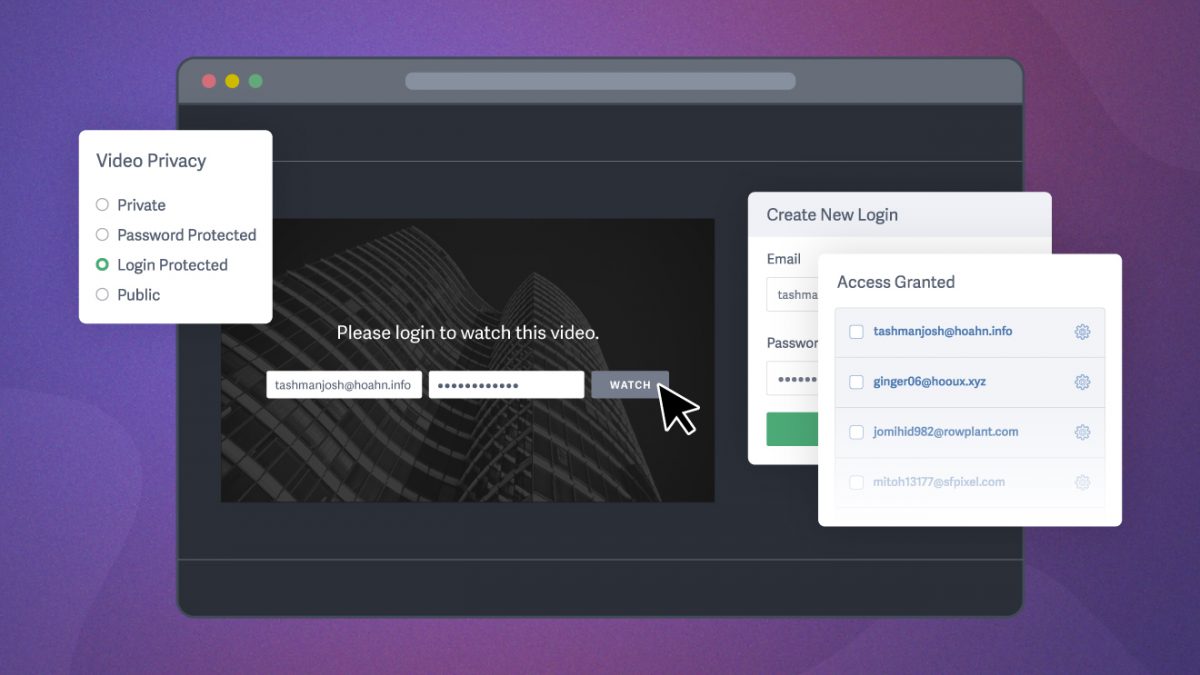

Business owners protect their video content using a layered approach tailored to the content’s sensitivity and to the audience receiving it. Secure video sharing requires combining access controls, leak prevention, and viewer monitoring.
Video content protection features — login protection, signed embed codes, and dynamic watermarks — ensure only the right people have access, and that those with access can’t make copies or reshare content without being held accountable.
For many businesses, the right solution sits somewhere between password protection and enterprise SSO. When an organization needs to restrict access to specific viewers, maintain control after credentials are shared, and track engagement at the individual level, login protection through a secure video hosting platform bridges the gap.
Below, we share how six businesses across six industries use login protection to share sensitive video without enterprise overhead.
How Businesses Protect Video Content
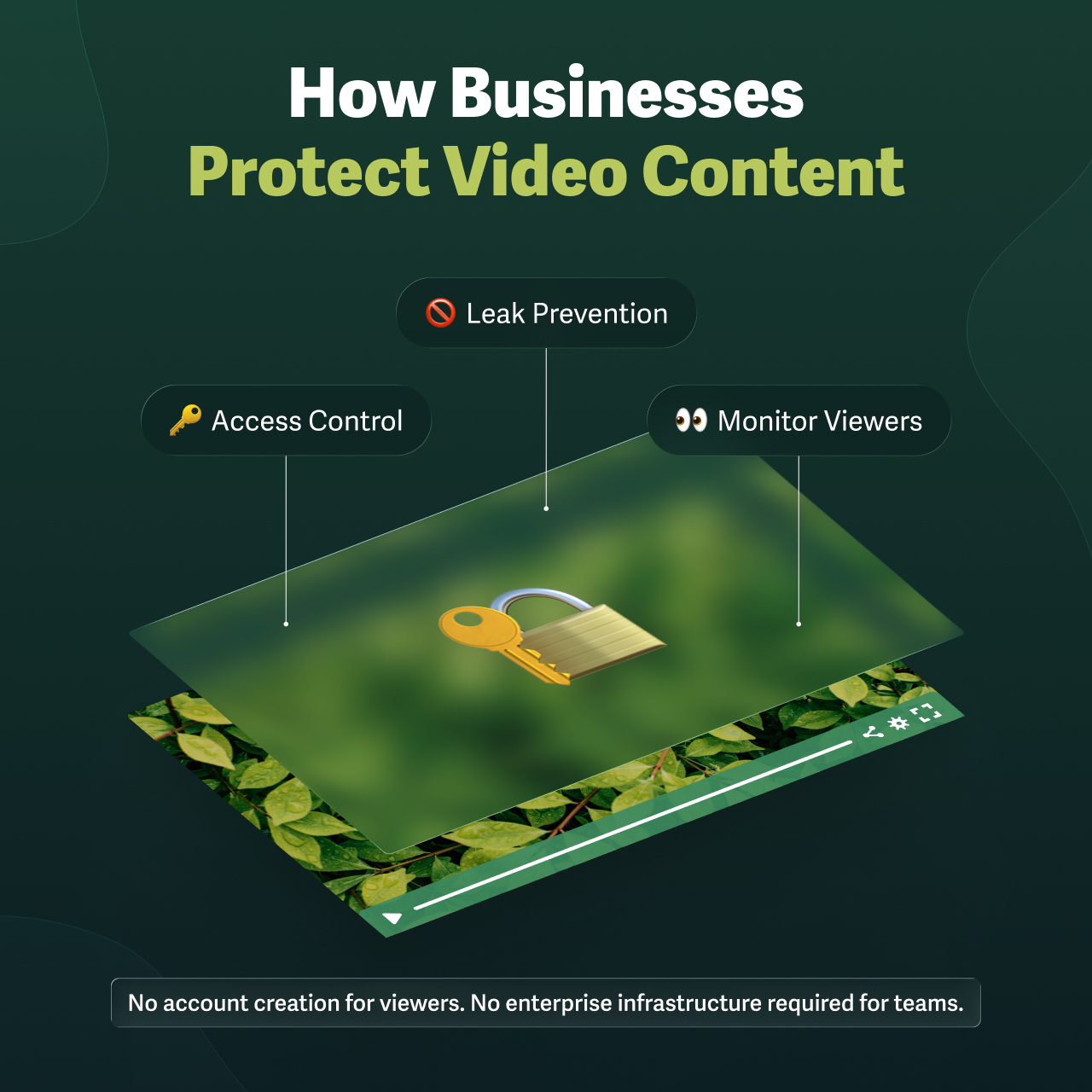
Business owners protect video content with a secure video hosting platform by controlling who has access, preventing leaks by those who have access, and monitoring viewer activity. Without this video protection, the business is at risk for damage to their reputation, revenue, and even legal standing. Video is secure if every potential vulnerability is closed when teams share content among stakeholders, clients, and investors.
Secure video-sharing features protect against all the ways video content can be misused — accidentally and intentionally. To protect business videos:
- Restrict access: Restrict who can watch, from where, and revoke access as needed, ensuring only those with permission can view content. Business owners who restrict video access by requiring passwords, unique login credentials, or SSO authentication. Access can also be limited by geography or IP address.
- Prevent leaks: Control what actions viewers can take after they have access, to protect content from downloads, piracy, and theft. Business owners prevent leaks using allowed domains or signed embed codes and dynamic watermarks.
- Monitor viewers: Track engagement of every viewing session, build an audit trail or prove completion for individual viewers, and spot unusual activity. By using login protection or SSO to tie every view to a specific person enables business owners to detect unauthorized access before a breach is confirmed.
For example, a business can share onboarding content with new employees using login protection to assign individual credentials and track completion. The same business may protect video content that’s publicly available on its website from direct downloads and unwanted sharing using embed codes with allowed domains. Additionally, the business could send quarterly reports to investors, protecting this confidential content with dynamic watermarks to ensure every viewer is accountable, while using engagement data to verify who watched and flag any unusual viewing behavior.
For businesses sharing sensitive content with specific audiences, one feature does most of the heavy lifting: login protection.
Why Businesses Use Login Protection to Protect Video Content
For restricting access to low-risk content, video password protection is ideal. But it can’t track who watched or whether content was shared beyond the intended audience.
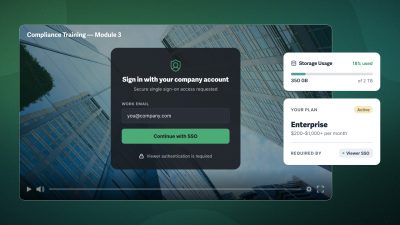
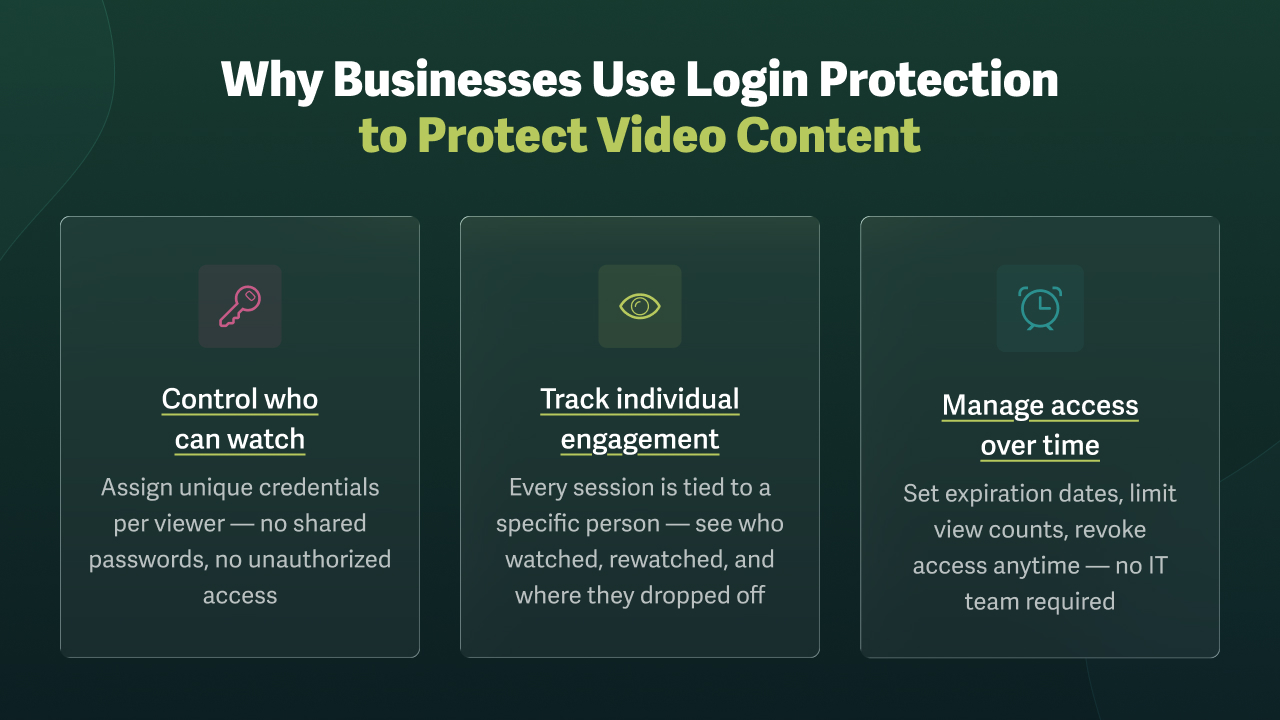
When business owners need individual accountability for sharing sensitive, confidential, or paid video content, login protection provides the necessary control. Login protection makes it easy to assign unique credentials to every viewer, tying each session to a specific person.
With login protection, businesses can:
- Set access expiration dates for temporary viewers or time-sensitive content
- Limit the number of views allowed per credential
- Revoke access immediately when permissions change
- Skip account creation for viewers and complex infrastructure requiring IT
📌 For the full workflow, see our complete guide to secure video sharing.
How 6 Businesses Use Login Protection to Protect Video Content
1. Secure Video for B2B Client Training: How Decision Frameworks Protect Customer Education

Decision Frameworks, a B2B software company specializing in decision-making tools, uses SproutVideo’s login protection to give B2B clients frictionless access to training content — with no account creation required on their end — while tracking individual engagement to personalize consulting calls and improve retention.
The company bundles training and consulting content with its annual licenses to demonstrate how to use the software, reinforce its value, and increase retention.
“The videos are one of the tools we can use to maintain communication with our clients throughout the year.”
—Ray Spence, Senior Consultant, Decision Frameworks
To minimize the risk of competitors accessing its video training and software demonstrations, the company chose login protection for viewer-level video access with individual tracking.
“We wanted to avoid being in a situation where our clients had to register and create an account to access the videos. That’s too much of a burden.”
—Spence, Senior Consultant, Decision Frameworks
Reducing client friction is an essential part of Decision Frameworks’ ethos. Login protection makes it easy for clients to securely view content without creating an account. Instead, Decision Frameworks creates and shares unique login credentials with every user.
Unlike shared passwords, login protection means every viewing session is tied to a specific client. This connection provides viewer-level engagement tracking, enabling the company to personalize client calls. For example, the client’s video engagement patterns help consultants identify sticking points and tailor consulting calls.
“This granular insight is crucial for improving the overall effectiveness of our training, as it allows us to see how each user interacts with the videos, including which sections they find most valuable or challenging.”
—Spence, Senior Consultant, Decision Frameworks
2. Secure Pre-Release Video Sharing: How Filmmaker Manfred Poppenk Cut Editorial Review Time by 30%

Documentary filmmaker Manfred Poppenk uses login-protected video to share pre-release content with directors, producers, and sponsors. Login protection allows him to control permissions by viewer and use replay data to resolve editorial issues 30% faster.
To control who can access the videos, Poppenk uses login protection with unique credentials for each stakeholder, determines which videos each set of credentials grants access to, and shares the same website link with everyone. He also applies additional security controls depending on the scenario. For example, he may enable downloads for some clients and disable them for others.
“With login protection, I can allow many people to view the same video with multiple permissions.”
—Manfred Poppenk, Filmmaker
Poppenk created a branded video website where stakeholders log in with their unique credentials. This workflow allows him to track individual engagement, review how much of a video viewers watched, and see which sections they replayed or where they dropped off. Poppenk was able to cut the time to finish the editorial review by 30% with these insights.
“I can see how many times a certain bit of the video has been rewatched, suggesting that section has an issue. Or, if a client stops watching once the credits start rolling, I can point out that they missed a funny blooper. So there will be no surprises for the client, which saves me time later on.”
—Poppenk, Filmmaker
3. Protecting Pre-Sales Video Content: How Simplicity Keystone Improved Close Rates by 15–20%

Simplicity Keystone provides executive benefit solutions, including retirement planning, to nonprofit organizations such as hospitals and credit unions. The firm protects proprietary pre-sales video from competitors using login protection and pre-meeting engagement data to help advisors tailor one-on-one conversations, resulting in a 15–20% improvement in close rates.
Before presenting its benefits program, Simplicity Keystone shares short, modular videos to communicate solutions and pre-educate executives. This content helps advisors avoid repeating the same discussions and frees up time for personalized advising.
“If we can avoid engaging in repetitive presentations by simply putting it into a video, it frees up our advisors and sales staff to focus on the things we do really well.”
—Michael Falkenstein, Partner, Simplicity Group
Simplicity Keystone found that executives who understand its unique benefits are more likely to elect packages during one-on-one meetings with an advisor. To make it easy for executives to watch the content while ensuring it’s protected from unauthorized access, the company uses login protection.
“Our biggest concern was that our content might end up in the hands of a competitor. We can’t guarantee someone won’t do that, so our best protection is to keep key pieces of our IP login protected. Our process is to create credentials for potential clients via a unique email and password.”
—Michael Falkenstein, Partner, Simplicity Group
Since every viewing session is tied to a specific executive’s credentials, advisors can review exactly which topics each prospect engaged with before walking into a meeting. Simplicity Keystone also uses a customized video landing page to tag and organize videos for an optimal viewer experience, making it easy for executives to find the content relevant to them.
“We’ve seen a 15-20% improvement in close rates by sharing the pre-meeting video content with executives.”
—Falkenstein, Partner, Simplicity Group
4. Gated Video for Paid Webinars: How Schothorst Feed Research Scaled to a 500-Video Library

Schothorst Feed Research, a specialized research institute, uses login protection with per-viewer view limits to gate a 500-video webinar library for paying clients, increasing consultancy hour utilization from 75% to 93% while expanding from regional in-person training to a global audience.
Before COVID, Schothorst Feed Research (SFR) conducted in-person client training. With restricted travel during the pandemic, streaming webinars became a primary way to deliver knowledge and consultancy.
Now, SFR records weekly webinars with around thirty unique companies attending each session. As SFR’s library grew to over 500 videos, protecting their proprietary video content from unauthorized access became critical.
“YouTube is nice if you want to share things with the whole world and collect Likes from people. But that was not our purpose.”
—Karin van de Belt, L&D Product Manager, SFR
SFR securely shares webinars via login protection and limits the number of views per viewer, ensuring only paying clients can access its growing library of archived sessions.
With the shift to online, clients can apply consultancy hours directly to video webinars, adding convenience and replayability to every session. SFR’s shift to recorded content improved efficiency and reduced costs, eliminating travel and the need for repeated sessions.
“The return on investment for building our video training content has been quick and significant. Our main benefit has been increased customer satisfaction due to our online services. The percentage of used consultancy hours has increased from 75% to 93%.”
—van de Belt, L&D Product Manager, SFR
5. Secure Video for Continuing Education: How Steel Structures Delivered 17,000 Hours of Certification Training Online

Steel Structures delivers online certification training to professional inspectors using SproutVideo’s login protection to match credentials to registration emails, track individual completion, and review engagement data to support students who don’t pass on the first attempt.
Steel Structures’ consulting engineer and founder, Bob Shaw, provides training for professional inspectors in the steel building industry who need continuing education to renew their steel construction certifications. His classes cover technical practices and code requirements for steel construction work.
“In the early days, I traveled extensively, carrying carousels and slide projectors for seminars at various hotels. As technology evolved, I transitioned to using digital projectors and a laptop, but found the travel exhausting.”
—Bob Shaw, Jr., PE, President of the Steel Structures Technology Center, Inc.
Shaw shifted to live online training to reduce time on the road, then moved to recorded sessions on a secure video platform to protect his content and manage individual student access.
Shaw hosts his classes with SproutVideo and manages online ordering through the Steel Structures website. When a student places an online order, Shaw matches the registration email with a unique video login password for secure access. Students receive a confirmation email with the password credentials and a link to the courses hosted on SproutVideo.
“We’ve provided around 17,000 hours of training since beginning our online seminars — all without leaving the office or incurring travel and meeting room expenses. Just the cost of SproutVideo.”
—Shaw, Jr., PE, President of the Steel Structures Technology Center, Inc.
For certification, students must earn at least a 70% score to pass. When a student does not pass, Shaw leverages individual engagement data to determine whether a student has watched all the content or rewatched specific sections. This data allows Steel Structures to directly address issues a specific student may be having and ensure they can pass the exam and earn a certificate of completion.
“For students who struggle, we can check to see if they watched the videos or attempted to take the exam without viewing all of the training materials. We can also check to see if a student gets stuck on a specific question.”
—Shaw, Jr., PE, President of the Steel Structures Technology Center, Inc.
6. Confidential Investor Video Sharing: How a Private Equity Firm Meets Fiduciary Duty with Login-Protected Video
A private equity firm shares annual investor meeting recordings using login protection to limit view counts and access duration, while maintaining a full access log to satisfy fiduciary and regulatory requirements.
Like most financial institutions, the private equity firm operates within a regulated environment. As such, the firm has a fiduciary responsibility and must comply with regulations. If confidential financial information is leaked, a company risks losing customer trust, proprietary IP, and competitive advantage, and potentially its legal standing.
“When confidential financial information is disseminated to unintended recipients, it slips from our control, potentially leading to negligence. We have a fiduciary duty to protect financials included in our private video content.”
—Customer, IT Manager, PE Firm
The PE firm needed to restrict access securely, so it enabled login protection with view count limits and access expiration controls. This workflow helps ensure only authorized viewers can access the sensitive financial data. The firm also reviews viewer access logs to confirm that only authorized individuals accessed the recording.
“With login protection, we can limit access based on a specified view count and date range. So if they hadn’t watched the video within a certain time, it would expire, and they’d have to request additional access.”
—Customer, IT Manager, PE Firm
Key Takeaways: How to Protect Video Content for Business
- Business owners protect video content by restricting access, preventing leaks, and monitoring viewers with a secure video hosting platform.
- The right protection depends on content sensitivity and audience. For access controls: password protection for low-risk content, login protection for sensitive or paid content, and SSO for enterprise scale.
- Login protection requires no account creation on the viewer’s end and no IT team to manage access. The person sharing the video can create unique credentials for each viewer, track individual engagement, set expiration dates or session limits, and revoke access at any time.
- Every login-protected session is tied to a specific person, enabling personalized follow-up, verification of completion, and detection of unauthorized access.
For businesses that have outgrown shared passwords but don’t require enterprise SSO, SproutVideo’s login protection provides individual viewer credentials, session-level engagement tracking, access expiration, and one-click revocation — again without requiring viewers to create accounts or IT involvement from the host.
FAQ on Protecting Business Video Content
What is the best way to protect video content for business use?
The best way to protect business video content is with a layered, secure video-sharing workflow that restricts who can access content, prevents redistribution after sharing, and monitors viewers for unauthorized access. The right combination of features depends on content sensitivity and audience size.
This workflow starts with access controls:
- For low-risk content (marketing assets, non-sensitive internal communications) password protection is sufficient.
- But for riskier communications, large groups, or individual tracking, login protection or single sign-on (SSO) allows businesses to grant access to individual viewers with unique credentials.
For SMBs, login protection is often the ideal middle ground, offering individual accountability without the infrastructure or cost of enterprise SSO.
Beyond access controls, a complete workflow also includes protection against leaks and piracy to ensure content remains safe even after sharing. These security features allow businesses to control where video will play, both online (allowed domains or signed embed codes) and offline (IP address or geographic restrictions).
Additionally, companies can use dynamic watermarks. Visible dynamic watermarks deter misuse by displaying the viewer’s personal information on-screen; invisible dynamic watermarks create a traceable record to identify the source of a leak. Individual engagement tracking is the final layer of a secure video workflow; this data gives businesses an audit trail and the ability to spot unauthorized access before exposure.
📌 Build your secure video sharing workflow: 2-Minute Guide to Video Privacy
What types of businesses use login protection to protect video content?
Any business that needs to share private video with a specific audience and needs to know exactly who watched should consider login protection. Common industries include B2B software, financial services, continuing education, media production, research institutes, and private equity.
Businesses use login protection to share private videos with specific people only by assigning unique viewer credentials and tracking engagement.
The six case studies in this article represent the most common use cases: B2B software companies protecting client training, filmmakers and media producers managing pre-release stakeholder access, financial services firms protecting proprietary IP and pre-sales content, continuing education providers verifying student completion, research institutes gating paid webinar libraries, and private equity firms sharing confidential investor communications.
The common thread: organizations that have outgrown shared passwords but don’t need enterprise SSO infrastructure.
📌 See login protection in action: 7 Ways to Restrict Video Access in Your Business
How do businesses use video engagement data to monitor protected content?
Businesses use video engagement data to monitor protected content by looking for unusual patterns: unexpected access times, repeated views from unfamiliar locations, or credentials used beyond their intended audience that signal unauthorized access before a breach is confirmed.
Since login protection and SSO match every viewing session to a specific user, businesses can regularly review engagement data to ensure compliance with secure video sharing practices. With unique credentials for every viewer, engagement data becomes actionable.
In practice, this looks different across industries:
Across industries, individual engagement data is what turns a secure video platform into an operational tool.
- Manfred Poppenk uses replay data to identify problem sections in editorial review.
- Simplicity Keystone reviews pre-meeting engagement to tailor one-on-one advisor conversations.
- Steel Structures checks whether struggling students watched all the course content before attempting certification exams.
- A private equity firm reviews access logs to confirm that only authorized investors viewed confidential meeting recordings.
How do online course creators protect their video content?
Online course creators protect video content by using login protection to tie every viewing session to a specific student, ensuring only enrolled or paying students can access course materials. Unlike shared passwords and unlisted links, login protection gives course creators visibility into who watched, how much they watched, and how viewers engaged with content.
For example, Steel Structures, a continuing education provider for professional inspectors, delivers online certification training. When a student enrolls, they receive unique login credentials tied to their registration email. Steel Structures can review individual engagement to confirm course completion or address learning gaps for struggling students.
Course creators can also layer additional restrictions and dynamic watermarks to prevent content from being saved, shared, or embedded outside its intended environment, protecting paid content from piracy and unauthorized redistribution.
How do financial services firms protect confidential video content?
Financial services firms protect confidential video content by combining login protection with access expiration, view count limits, and engagement tracking to ensure sensitive material is available only to authorized viewers.
For example, a private equity firm uses login protection to share annual investor meeting recordings exclusively with authorized viewers and reviews access logs after every distribution to confirm compliance.
For financial services firms with fiduciary responsibilities, login protection (or SSO for firms operating at enterprise scale) provides the individual accountability and audit trail that the regulated industry requires.
Firms may also layer dynamic watermarks to ensure any misuse of the video is traceable to the accountable party and to demonstrate that the firm diligently protected the data.