
Gated video content is media that requires viewers to complete a specific action, submitting contact information, making a payment, or verifying their identity, to gain access.
The three most common video gates are video lead capture, video paywall, and business access control. Each video gate serves a different goal and requires different tools.
A marketing team using video lead capture to gate a webinar needs a different solution than a course creator running a video paywall for a premium library. An HR team that restricts internal policy videos to verified employees requires its own secure workflow. All three call it gated video content.
Same phrase. Three completely different jobs.
This guide breaks down each video gate, when to use it, and how to protect content beyond it.
What Is Gated Video Content?
Gated video content is an umbrella term for three distinct access control workflows, each built around a different condition, audience, and goal:
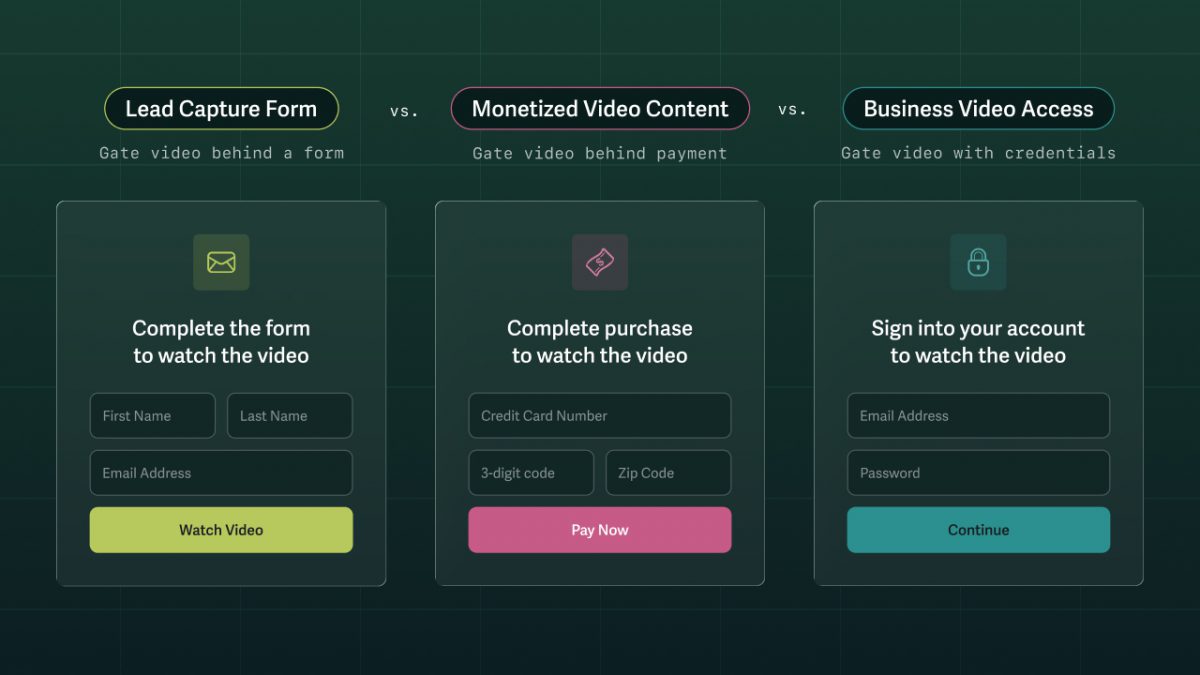
- Video lead-capture forms collect contact information from anonymous viewers, but they can’t verify that the submitted information is accurate.
- Video paywalls verify subscription access for paying members, but they can’t prevent viewers from screen recording or sharing content.
- Business access control gates (login protection or SSO) authenticate individual identity, but they can’t hold viewers accountable once the content is accessed.
Know your goal to find which gate you need and how to protect content beyond it.
The Three Types of Gated Video Content
Who needs access to your video content, and why? The answer determines which type of gate you need.
| Video Lead Capture | Convert anonymous viewers into leads | Top- and mid-funnel marketing | Lead capture form |
| Video Paywall | Restrict access to paying members | Creators, educators, media businesses | Paywall gate and membership login |
| Business Access Control | Control who can view and from where | Internal comms, training, confidential content | Login protection or SSO |
Businesses commonly implement video gates using a secure video hosting platform. Many third-party tools offer gating features, but most can’t control what happens to content after viewers gain access — a gap SproutVideo has spent over a decade helping businesses close.
Video Lead Capture Gate
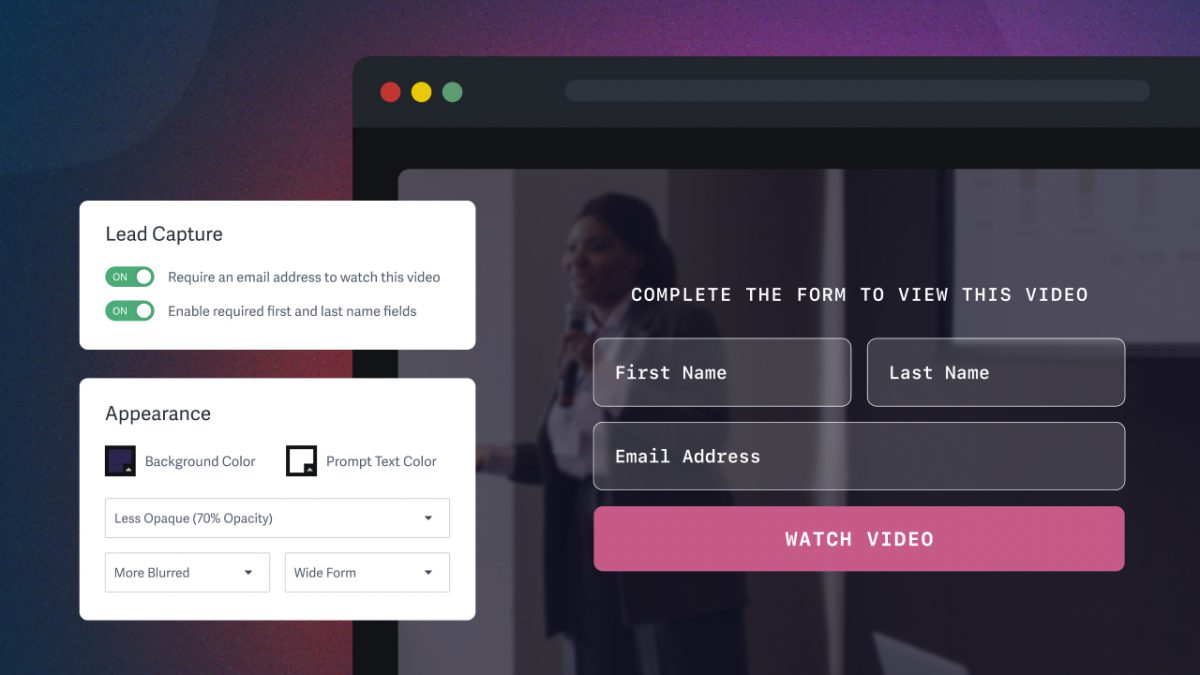
A video lead-capture gate converts anonymous viewers into marketing leads by requiring them to provide contact information before the video will play. Potential customers are often willing to exchange their details for high-value content, such as webinars, sales demos, proprietary research, and thought leadership. This gate type is used for top- and mid-funnel marketing.
For example, a B2B SaaS company gates its annual State of the Industry webinar behind a lead capture form. They collect hundreds of leads and earn backlinks from industry sites that reference the data. Within 30 days, the sales team has booked demos with 40 of them.
Video Paywall
A video paywall restricts access to paying members, whether via a subscription, one-time purchase, or membership login. Viewers verify their identity each session, and access can be limited or revoked at any time.
Online courses, premium media libraries, and digital events are the most common use cases, but any business that monetizes video directly uses some form of video paywall and membership login.
Implementation varies. Some businesses use a payment processor like Stripe alongside a secure video host with login protection. Others use a third-party platform like Substack or a WordPress plugin to manage both payment and access. In either case, businesses use a secure video host to control what happens to content after the paywall is cleared.
For example, a fitness instructor launches a premium membership library of workout videos. Members log in each session to access content. Within six months, the membership library generates enough recurring revenue to replace her client work entirely. If membership payment lapses, the trainer can revoke access immediately.
Business Access Control Gate
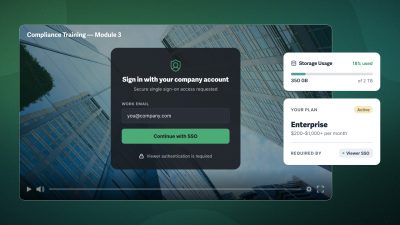
A business access control gate (login protection or SSO) restricts video access to specific, verified, authorized individuals, rather than allowing access based on payment or subscription.
This gate type protects sensitive or confidential content, including internal communications, employee training, client deliverables, and pre-release material.
Business access control gates often use additional restrictions to limit content access, such as allowed domains, IP restrictions, and geographic limits. These give businesses control not just over who watches, but also where.
For example, a financial services firm shares a confidential acquisition briefing with senior leadership via a login-protected link. Only verified recipients can access the video, and the firm can see exactly who watched and when.
Clearing the gate is only the first step — what happens to content afterward is where most security gaps live.
How to Secure & Protect Gated Video After Access Is Granted
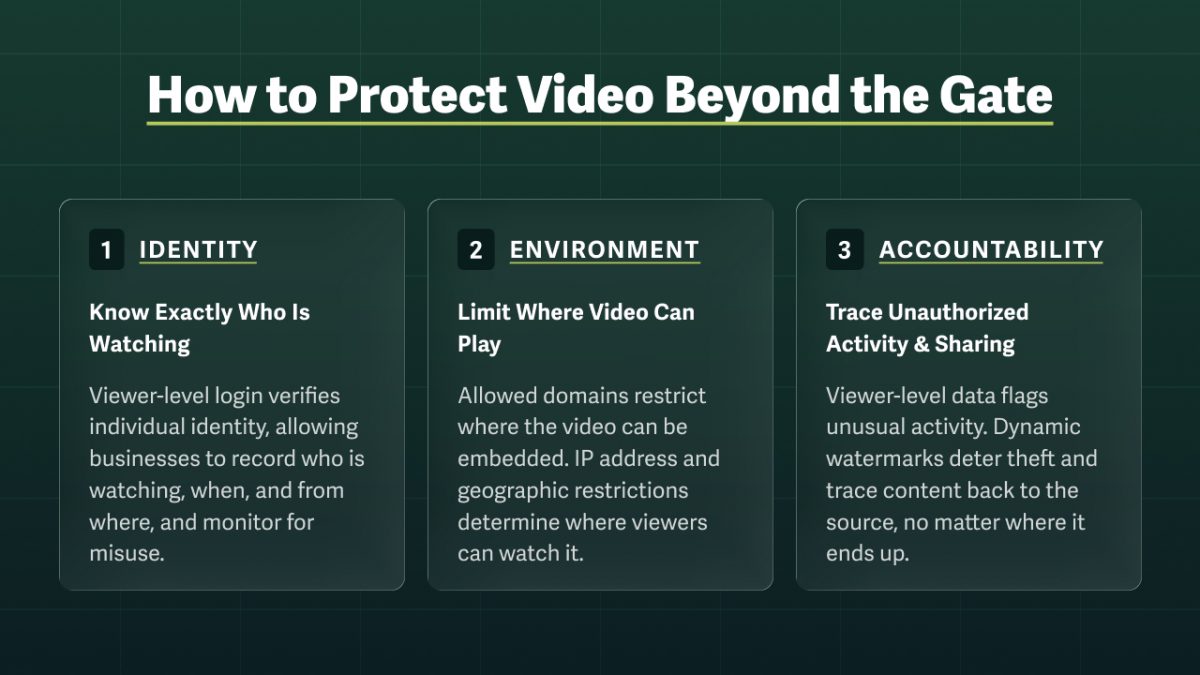
Most video security gaps live beyond the gate. Controlling who can gain access is step one. Maintaining control throughout the video’s lifecycle requires visibility into who is watching and enforcement tools that go beyond access control.
Identity: Know Exactly Who Is Watching
Viewer-level login ties each viewing session to a verified identity. A secure video host captures exactly who is watching, when, from where, and on what device. This connection provides businesses with a record of every viewing session.
Environment Control: Limit Where Video Can Play
Even an authorized viewer can forward an embed code, share credentials, or log in from an unauthorized location. No video gate can prevent that. Instead, close those gaps by also limiting where video can be embedded and where viewers can watch it.
Where the video is embedded
In browser-based environments, allowed domains limit playback to approved websites. In other environments, such as apps, signed embed codes do the same job with a more technical setup. In both cases, if someone shares the embed code outside the approved environment, the video won’t load or play.
Where the viewer is located
IP address restrictions prevent playback outside an approved network. Even if a viewer shares credentials outside the organization, an unauthorized user won’t be able to access the content off-site. Geographic restrictions take a broader approach, limiting playback to specific countries or regions, which is commonly used when licensing content to specific markets.
Accountability: Trace Unauthorized Activity & Sharing
Viewer-level data doesn’t just confirm who is watching: it helps identify when content is being misused. For example, a user who typically watches on a desktop in Canada that is suddenly using a mobile device in Ireland to speed-watch certification content is a flag worth investigating.
For sensitive and high-value content, businesses can also layer visible and invisible dynamic watermarks.
- Visible watermarks deter theft by displaying the viewer’s personal information in a partially transparent, moving label on screen.
- Invisible watermarks travel with the video file. So no matter how it’s stolen or where it ends up, the source can be traced to hold the viewer accountable.
Together, these layers — identity, environment control, and accountability — give businesses control over video content not just at the gate, but throughout its entire lifecycle.
Build your secure video workflow: The Complete Guide to Protecting Business Videos
FAQ on Gated Video Content
What’s the difference between gated and ungated video?
Ungated video is publicly available, meaning viewers can watch without taking any action. Gated video requires viewers to meet a specific condition before playback begins, such as submitting contact information via a video lead-capture form, paying via a video paywall, or verifying their identity through a business access control gate.
How do I gate a video on my website?
Gating a video on your website starts with a secure video hosting platform that supports the video gate you need.
- For a video lead-capture gate, look for a video host that integrates with your CRM or email platform.
- For a video paywall, you’ll need membership site with login plus either built-in payment integration, a third-party paywall tool, or payment processor like Stripe.
- For business access control, use login protection or SSO and consider layering allowed domains, IP restrictions, or geographic limits.
Most third-party website platforms offer video gating as a feature or plugin. However, these gates typically only control access, not what happens to content once it’s granted.
Does gated video content hurt SEO?
No, gated video content does not hurt SEO, though it does limit what search engines can index. Search engines cannot index content behind a gate, so the video itself won’t rank, but the page hosting the video can still rank if the surrounding content is optimized.
For businesses that want to block search engine crawling, a secure video host can prevent indexing, which also protects content from being used in AI training.
Can a gated video be downloaded?
You can protect gated video from downloads with a secure video host that blocks direct downloads and protects against piracy, including screen recording, credential sharing, and embed code scraping. Learn more about protecting video from downloads and piracy.
Is password protection enough to secure video?
Password protection is a video gate that limits access to anyone with the password. But unlike login protection or SSO, it can’t verify individual identity, revoke access for a specific viewer, or hold anyone accountable for how they use the content.
For businesses that need control throughout a video’s lifecycle, password protection isn’t enough. Use this flowchart to determine which video access restriction is right for your use case.